
Automatic background capture
Captures meetings, calls, emails, notes, LinkedIn profiles, and company websites in the background so advisors do not need to enter the same information twice.

Bloks is an AI operating system for financial advisors that captures client interactions, builds structured profiles, and tracks follow-ups, with or without a CRM.
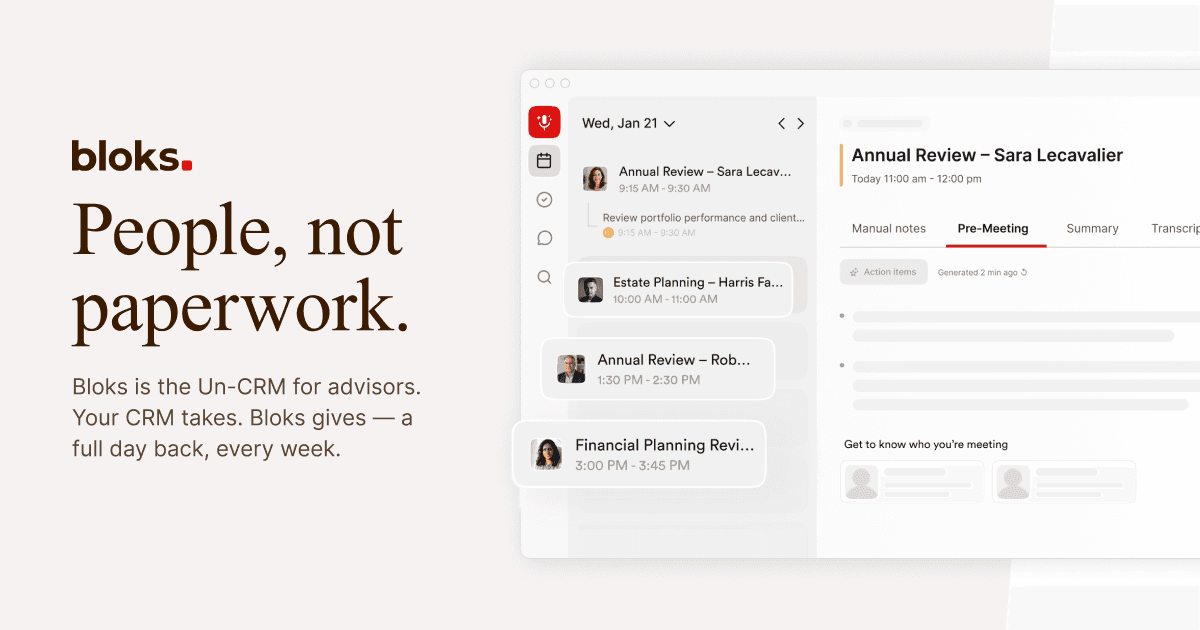
Bloks is an AI operating system for advisors that the company calls an "Un-CRM." It is built to capture client interactions automatically, turn them into structured records, and keep profiles, tasks, and briefs current without manual data entry.
The product can work on its own or alongside an existing CRM. Its stated purpose is to reduce administrative work while helping advisors stay prepared for meetings, track commitments, and keep client information organized across the whole practice.
Captures meetings, calls, emails, notes, LinkedIn profiles, and company websites in the background so advisors do not need to enter the same information twice.
Builds and updates client profiles from real interactions, with structured information pulled into the relationship record over time.
Creates context before meetings by summarizing past interactions, surfacing relevant insights, and showing participant and company context.
Generates and tracks tasks, follow-ups, commitments, coaching notes, and next steps so work moves forward across the team.
Produces AI meeting notes, KYP letters, summaries, and other client-ready documents from conversations rather than from scratch.
Lets users ask questions across their book of business in plain language and retrieve answers grounded in meetings, emails, and notes.
Use Bloks to capture meeting context automatically, produce structured notes, and keep follow-up items moving without manual transcription or copy-paste.
Use it before a meeting to review past interactions, participant context, and company background so you can walk in prepared.
Use Bloks across a team to share current relationship records, coordinate follow-ups, and keep commitments visible to everyone involved.
Use the search and brief features to ask questions across your book of business and retrieve details from conversations, emails, and notes.
Use the document generation features to turn conversations into KYP letters, summaries, and other client-facing materials.
Bloks is designed to work alongside how you already work. The product description says it can operate standalone or directly with a CRM, and the product page describes it as the AI operating system your practice runs on.
The source says meetings, calls, emails, notes, LinkedIn profiles, and company websites are captured in the background, then turned into structured profiles, briefs, tasks, and summaries.
The pricing page shows an Advisor primary license, an Assistant add-on for operational support, and an Enterprise plan for teams of 20+ with centralized admin, audit trails, retention, and a dedicated success manager.
The site says Bloks is SOC 2 Type II certified, data is never used for AI training, client consent is flexible, and the product supports Canadian data residency.
The product page says Bloks works across Teams, Zoom, Google Meet, Webex, in-person meetings, and mobile calls, while also syncing with CRMs such as Salesforce, Wealthbox, Equisoft, and HubSpot.