
Automatic long-term memory
Pieces automatically forms memories from code, docs, chats, tabs, and other work activity so context is captured without manual note-taking.

Pieces is an AI companion and desktop app that captures context from browsers, IDEs, and collaboration tools, turning work history into searchable memories.
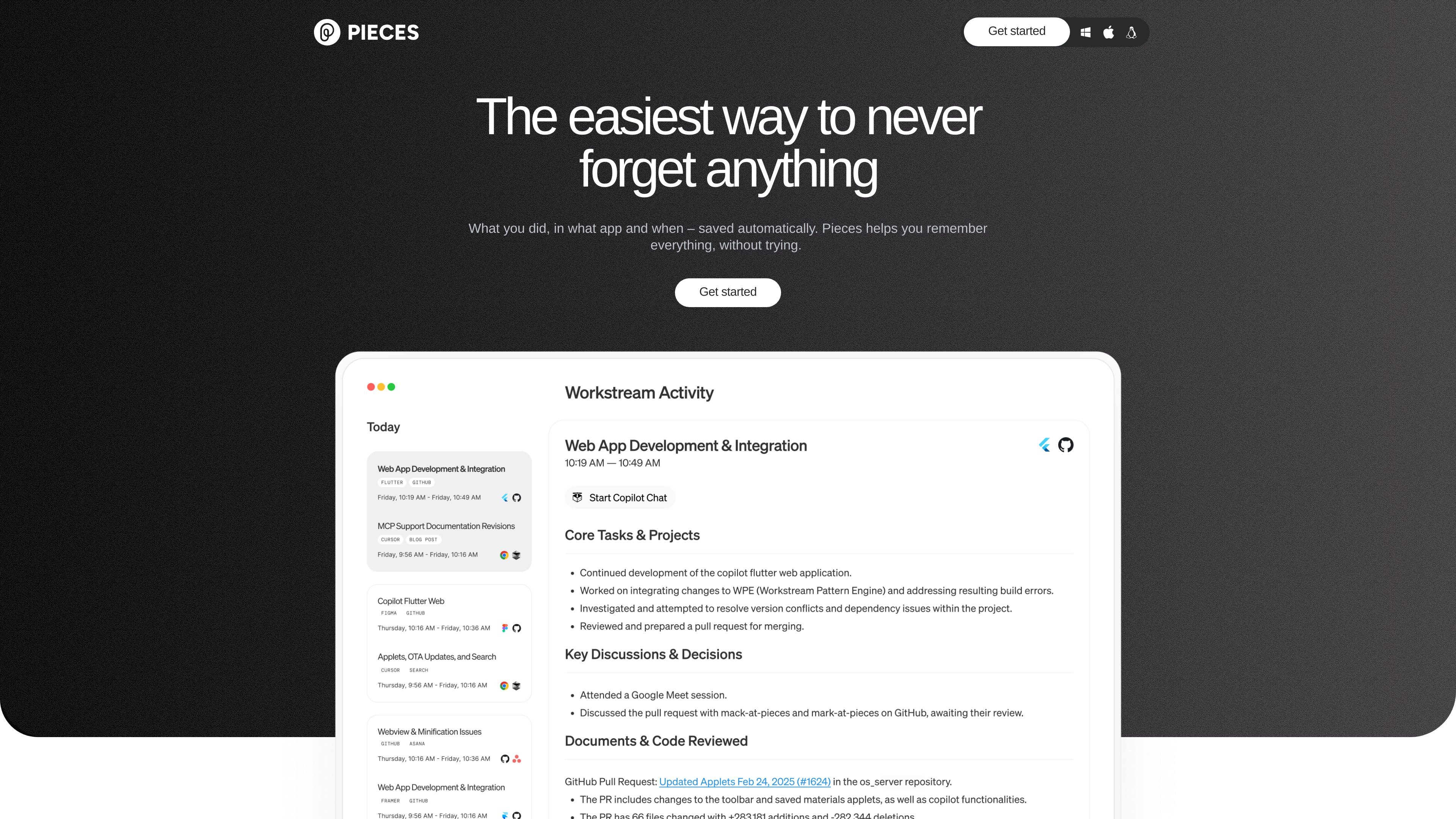
Pieces is an AI companion and desktop app that captures live context from the apps you already use, then organizes that context into memories you can search and reuse later. The product is positioned as an "infinite artificial memory" for digital workers and agents, with support for browsers, IDEs, and collaboration tools.
The core job of Pieces is to reduce the need to remember where something happened, what was decided, or which snippet mattered. It automatically saves work context, links it to the bigger picture, and lets you retrieve it with natural search or time-based queries. The pricing page adds that it supports both individual and team memory workflows, with team shared memory and the option to bring your own model or choose preferred LLMs.
Pieces automatically forms memories from code, docs, chats, tabs, and other work activity so context is captured without manual note-taking.
Saved tabs, messages, and snippets stay tied to the surrounding context so you can return to work with the relevant background intact.
The product supports time-based queries, natural-language search, and a stated memory window of 9 months for individual context.
Pieces works across apps you already use, including browsers, code editors, and collaboration tools, and the source specifically mentions Chrome and VS Code.
Pieces can connect personal context to models and assistants such as GitHub Copilot, Claude, Cursor, and Goose through MCP and plugins.
The app runs on-device with cloud optional, giving users local processing and control over what leaves the environment.
Pieces captures browser research, terminal activity, and code changes so you can ask for a stand-up summary instead of reconstructing your day manually.
Use the memory layer to return to prior tabs, messages, and snippets when picking up a task after an interruption or context switch.
Keep links, highlights, and keywords tied to the surrounding context so research is easier to revisit than a separate bookmark list.
Connect personal context to assistants like Claude, Cursor, GitHub Copilot, or Goose when you want AI output grounded in your own recent work.
Let a team share context and insights across people and tools so work history is easier to follow without losing the thread.
Pieces processes data locally where possible and is described as running on-device. The pricing page also says it will never use your data for anything and that cloud use is optional.
Yes. The pricing page says team plans support shared memory across teams, with 9 months of team context and the ability to bring your own model or choose preferred LLMs such as OpenAI, Anthropic, and Ollama.
Pieces captures context from browsers, code editors, and collaboration tools, and the stand-up workflow shows it can combine browser research, terminal activity, Slack discussions, and code changes into a contextual summary.
The source shows support for using leading cloud and local providers or your own key, plus deeper memory connections with tools like GitHub Copilot, Claude, Cursor, and Goose.
The public pricing page highlights a free individual plan and a team option with contact-for-pricing sales flow, but the source does not provide a full limits table or pricing amounts.