CrawlChat logo

CrawlChat

認領

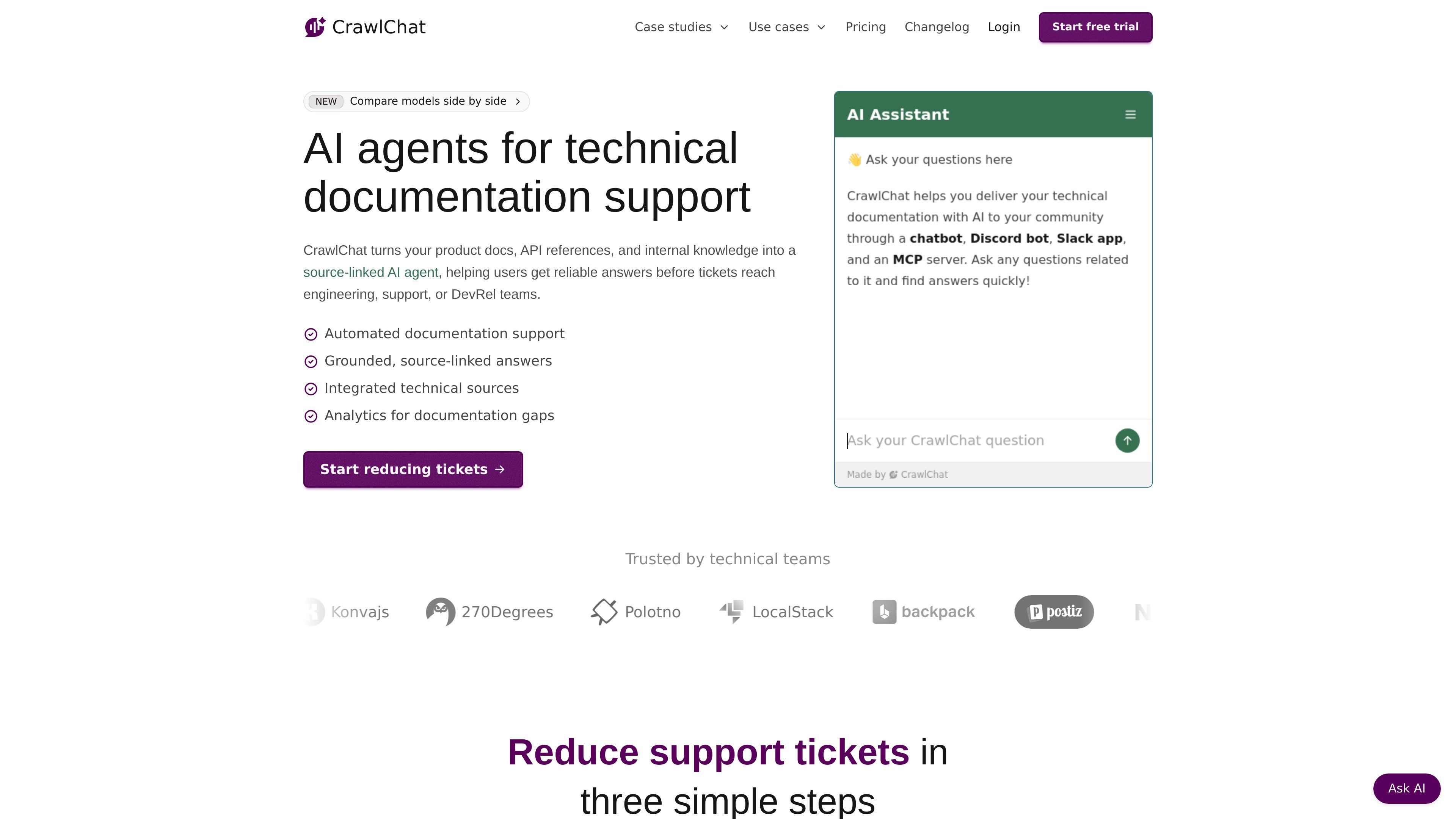
CrawlChat is a documentation AI assistant for SaaS and software teams that turns product docs and internal knowledge into source-linked answers on web, Discord, and Slack. It also tracks conversations and data gaps so teams can improve documentation and reduce repetitive support questions.

CrawlChat preview

Overview

CrawlChat is a documentation-focused AI assistant for SaaS and software teams. It turns product docs, API references, internal knowledge, and other technical sources into a source-linked question-answering experience that can run on the web, Discord, and Slack.

The product is aimed at reducing repetitive support questions and helping users get reliable answers without sending everything to engineering, support, or DevRel. Its workflow centers on importing sources, embedding the assistant where users ask questions, and monitoring conversations to find documentation gaps and answer-quality issues.

Features

Knowledge base import and sync

Import documentation and web pages from multiple private and public sources, including URLs, docs portals, FAQs, help articles, video tutorials, PDFs, GitHub, Notion, Confluence, and Linear, then keep selected sources fresh with auto-sync.

Omnichannel deployment

Deploy the assistant on a website, Discord server, Slack workspace, GitHub repositories, an MCP server, or through the API from one workspace.

Customizable bot behavior

Tune prompts, tone, policies, and escalation behavior, and adjust the web widget’s branding so the assistant matches the documentation experience you want to present.

Multiple model support

Choose from multiple AI models by provider and set defaults globally or per channel, which lets teams balance speed, accuracy, and cost for different use cases.

Documentation analytics

Monitor question volume, categories, sentiment, cited sources, similarity to your knowledge base, and data gaps to understand where documentation needs improvement.

Model comparison workflow

Compare responses from multiple models on the same question, view latency badges, and share the setup through a URL from the comparison tool.

Use cases

  • Self-serve docs support

    Let customers ask product and API questions in a web widget that draws answers from your documentation instead of sending them to support.

  • Community support in Discord

    Deploy a Discord bot so community members can ask technical questions from the same knowledge base and get answers in the channel where they already participate.

  • Internal knowledge assistant

    Give internal teams a shared documentation assistant for GTM, support, or DevRel workflows, with source-linked answers and analytics that show which topics need better coverage.

  • Documentation improvement

    Use question analytics, sentiment, and data-gap detection to identify missing or unclear documentation, then turn those findings into content updates or roadmap items.

  • Model selection and tuning

    Compare AI models on the same question to decide which provider or configuration works best for a specific documentation collection or channel.

Pros and Cons

Pros

  • Supports source-linked answers built from imported technical documentation and internal knowledge.
  • Covers several deployment surfaces, including web, Discord, Slack, GitHub, MCP, and API.
  • Includes analytics for questions, sentiment, categories, cited sources, and data gaps.
  • Lets teams choose from multiple AI models and compare model responses side by side.
  • Offers a 7-day free trial and published monthly plans, with custom pricing for larger teams.

Cons

  • The public pages do not fully document setup steps, limits, or all integrations in one place.
  • Advanced plan differences are visible on the pricing page, but exact usage costs depend on the AI model and message-to-credit mapping.

FAQ

What does CrawlChat do?

CrawlChat builds an AI chatbot from your documentation and knowledge sources so users can ask questions on the web, in Discord, or in Slack and get source-linked answers.

Where can CrawlChat be deployed?

The source pages show website, Discord, Slack, GitHub, MCP, API, and n8n coverage. The pricing page also mentions a Chrome extension and support for private bots.

How does CrawlChat keep documentation up to date?

CrawlChat can import from URLs and multiple document sources, and it supports auto-sync for sources such as websites, Notion, Confluence, and Linear so content stays current.

What analytics does CrawlChat provide?

The product includes analytics for questions, categories, sentiment, sources cited, data gaps, and conversation monitoring so teams can see where documentation falls short.

Does CrawlChat have a free trial or custom pricing?

Pricing starts with a 7-day free trial. Public plans shown on the pricing page are Launch, Grow, and Accelerate, with custom pricing available for larger teams and enterprises.

Quick Facts

Category
Documentation AI assistant
Primary use
Answer questions from technical docs and internal knowledge
Platforms
Web, Discord, Slack, GitHub, MCP, API
Pricing
Paid plans with a 7-day free trial; custom pricing available
Company site
crawlchat.app
Notable workflow
Import sources, embed an assistant, and monitor gaps