
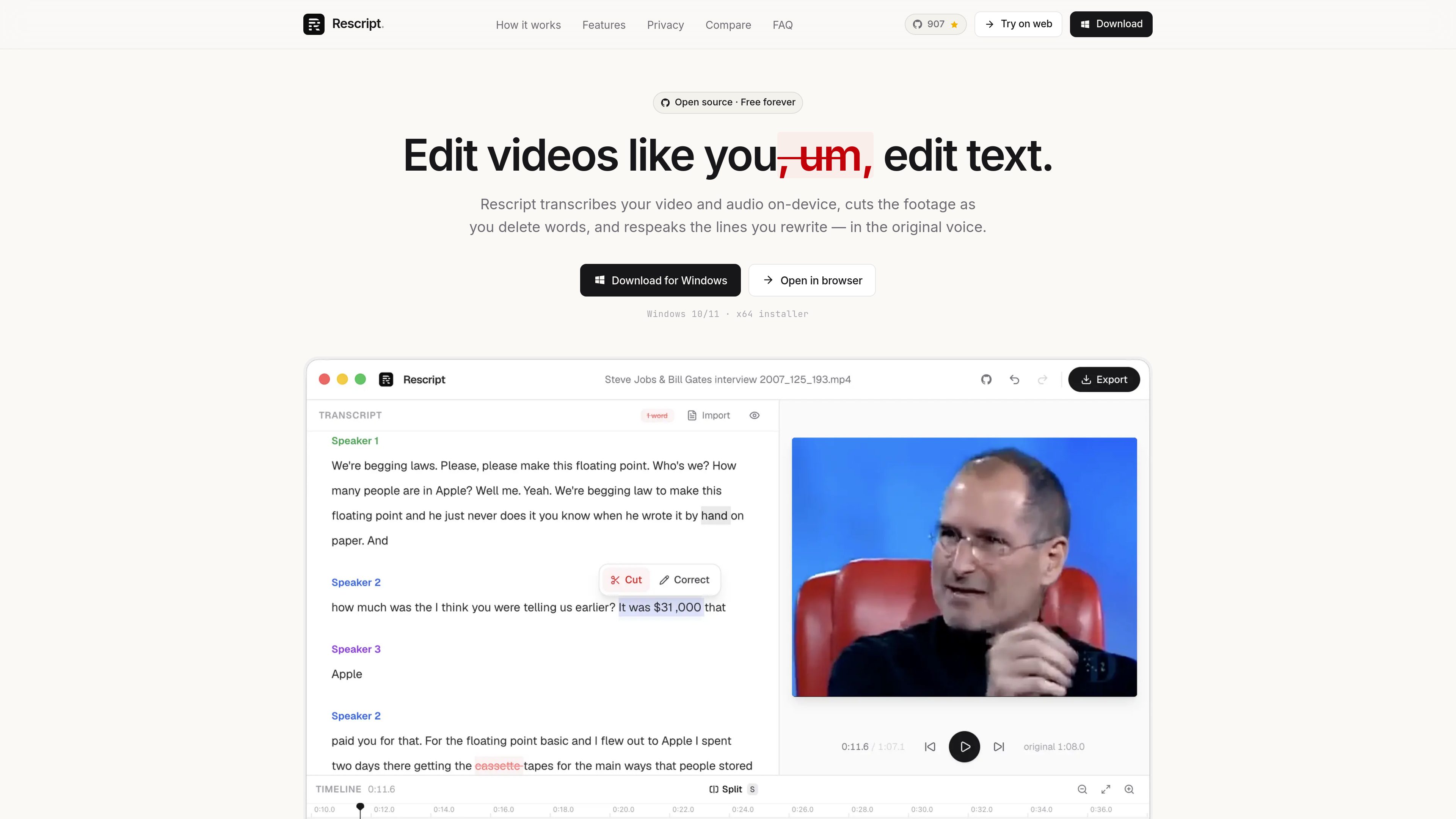
Word-level transcript editing
Delete a word or phrase to cut the matching span of video or audio. Playback previews the edited result and word timings can be corrected.

Rescript is a free, open-source transcript-based editor for speech-driven video and audio. Use it in a browser or desktop app to edit footage by changing a transcript generated locally, then export video, audio, transcripts, or subtitles from your device.
Rescript is a free, open-source editor for speech-driven video and audio. It transcribes media locally with Whisper, then treats the transcript as an editing surface: deleting words or phrases removes the corresponding portions of the recording.
The product runs in a browser or as a desktop app for macOS, Windows, and Linux. Its local workflow includes transcription, speaker labeling, editing, optional voice regeneration, and export, so media files do not need to be uploaded.
Delete a word or phrase to cut the matching span of video or audio. Playback previews the edited result and word timings can be corrected.
Remove detected filler words such as “um” and “uh” across a file, or cut pauses of 0.3 seconds or longer in one operation.
Whisper transcription is paired with local speaker detection that groups transcript blocks by speaker. Speaker labels can be renamed for clearer interviews and conversations.
A timeline with waveform, word bars, split and cut regions, draggable handles, zoom, pan, and timing nudges provides manual control when transcript editing is not enough.
Rewrite a selected line and generate replacement speech in the original speaker’s voice. Rescript uses clean audio from the recording, checks the available slot, and fits the new audio to the replaced span.
Export video as MP4 or WebM up to 4K, audio as M4A, MP3, or WAV, transcripts as TXT or Markdown, and subtitles as SRT, VTT, or JSON.
Review a speaker-labeled transcript to remove tangents, repeated takes, filler words, and long pauses without searching through a waveform for every edit.
When deleting a sentence is not enough, rewrite a misspoken name, figure, or phrase and generate a replacement in the relevant speaker’s voice.
Edit interviews, therapy sessions, legal recordings, or unreleased footage locally when sending source media to a cloud editor is undesirable.
Import an existing SRT, VTT, or JSON transcript, edit the associated media, and export cleaned transcripts or subtitle files in several formats.
Create a tightened single-clip spoken-word edit, then move the exported result to a more general editor when the project needs multitrack work, titles, transitions, or effects.
No. Transcription, editing, voice generation, and export run on the user’s device. The Whisper model and language voice bundles make one-time downloads and are then cached; the media itself is not uploaded.
No. The full editor runs in a browser. Desktop builds are available for macOS, Windows, and Linux for users who prefer an installed, offline-first app.
Yes. Rescript can import SRT, VTT, or JSON caption files, allowing users to skip local transcription and edit the media against the imported text.
It exports video as MP4 or WebM up to 4K, audio as M4A, MP3, or WAV, transcripts as TXT or Markdown, and subtitles as SRT, VTT, or JSON.
It is intended for transcript-based editing of speech-driven media and single-clip cuts. It does not replace a general editor for recording, multitrack timelines, layers, titles, transitions, color, effects, or noise removal.
Traffic data is for reference only.

www.aivideoeditor.app
AVE is a local-first AI video editor for Mac with a real timeline, reviewable edit plans, and local export. It helps creators, marketers, editors, and Mac teams turn footage into polished deliverables while keeping projects on-device by default.

zellahq.com
Zella is an on-device screen recorder and video editor for Mac and iPhone. It records screen or camera footage, then supports AI-assisted polishing, captions, background removal, reframing, and export without an account or cloud upload.

www.supercut.cc
Supercut is a private AI video editor that runs in a browser or desktop app, letting creators describe edits such as trimming, reframing, captioning, color grading, and audio cleanup in plain English. It also includes a multitrack timeline and screen recorder for local video workflows.

openchatcut.com
OpenChatCut is a free, open-source, local-first video editor for conversational, AI-assisted editing on a real multitrack timeline. Turn prompts into editable cuts while keeping projects, exports, and timeline changes under your control.

movavi.com
Movavi Video Editor is a desktop video editor for cutting, cropping, and enhancing clips with timeline tools and AI-assisted helpers. It offers a free download, broad format support, and documented Windows system requirements.

story.com
Story’s timeline-based video editor for combining uploaded footage, generated scenes and AI editing suggestions.