
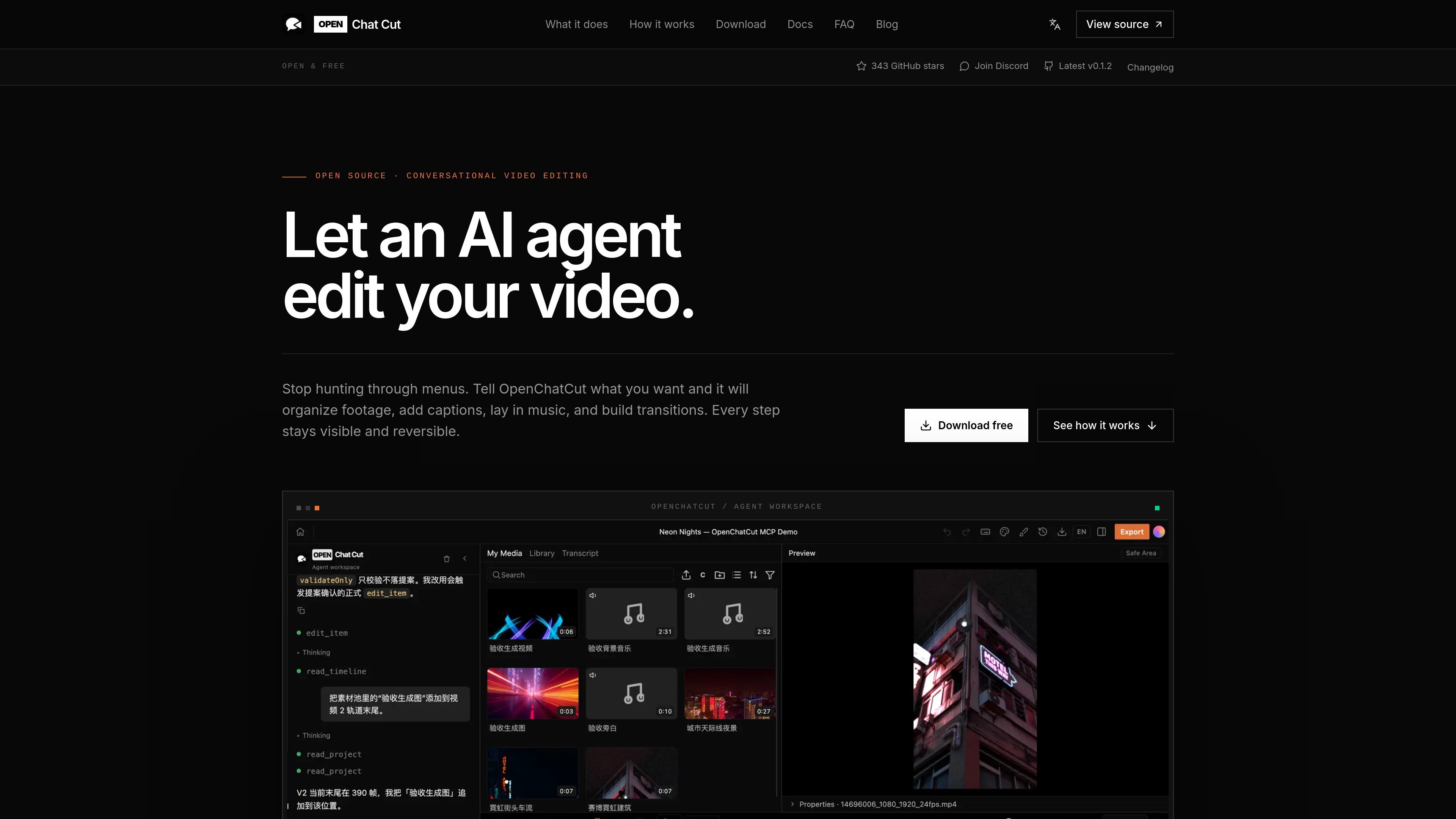
Real timeline editing
OpenChatCut uses an actual multitrack project, so AI actions land on clips, captions, transitions, effects, LUTs, motion graphics, and keyframes rather than producing a flattened output you cannot change.

OpenChatCut is a free, open-source, local-first video editor for conversational, AI-assisted editing on a real multitrack timeline. Turn prompts into editable cuts while keeping projects, exports, and timeline changes under your control.
OpenChatCut is an open-source, local-first video editor built around AI-assisted editing on a real multitrack timeline. Instead of asking a model to generate a finished clip, it lets you describe the goal of an edit and then applies the changes directly to the project, where they remain visible, adjustable, and undoable.
The product is aimed at people who want conversational editing without giving up timeline control. The site positions it as a fit for interviews, talking-head videos, podcasts, and product demos, and it supports workflows where creators or teams can refine an AI-assisted first pass with normal editing tools before export.
OpenChatCut uses an actual multitrack project, so AI actions land on clips, captions, transitions, effects, LUTs, motion graphics, and keyframes rather than producing a flattened output you cannot change.
You can describe an edit in natural language, and the agent applies changes directly to the project state. The workflow supports iterative refinement with visible history and undo.
The built-in agent supports multiple providers and OpenAI-compatible APIs, and external agents such as Codex and Claude Code can work on the same project through MCP.
Projects and media stay local by default, which is important for large or private footage. The about page says online models, media search, and remote storage are optional add-ons.
The docs say exports can include video, audio, captions, and project formats such as FCPXML, depending on the current release.
The docs describe a local Streamable HTTP MCP endpoint for connecting external tools to the editor, with a default endpoint on localhost.
Use OpenChatCut to turn a rough script or spoken request into a first-pass edit with cuts, captions, music, and transitions, then refine the result on the timeline.
Use it for interview, talking-head, podcast, or product-demo footage where you need to adjust pacing, remove dead space, and keep control over the final cut.
Use the editor when you want to connect Codex, Claude, or another MCP-capable agent to a real project rather than a black-box generator.
Use the local-first setup when footage is private or large and you want media and project data to stay on your machine by default.
Use the export workflow when you need deliverables that remain editable or reviewable, such as captions or project files, instead of only a rendered video.
OpenChatCut is free to download and use. The pricing page says it does not sell seats or credit packs on the site, and the product is available as open source.
Projects and media stay on your machine by default. The about page says the default location is ~/.openchatcut, with IndexedDB used as a browser cache, and that cloud services are optional rather than required.
OpenChatCut edits a real multitrack timeline instead of producing a flattened one-shot video. That makes the result previewable, tweakable, and undoable, and it keeps tracks, captions, transitions, effects, and history in the project.
The docs say the built-in agent supports multiple providers and OpenAI-compatible APIs, and that external agents such as Codex and Claude Code can drive the project through MCP.
OpenChatCut exposes a local Streamable HTTP MCP endpoint for connecting external agents. The docs list the default endpoint as http://localhost:5199/api/external-mcp/mcp.
The docs note that early desktop builds may be unsigned, so macOS can warn on first launch. Users may need to approve the app in system settings.
The docs say you can export video, audio, captions, and project formats such as FCPXML, with capabilities depending on the current release.
Traffic data is for reference only.

www.aivideoeditor.app
AVE is a local-first AI video editor for Mac with a real timeline, reviewable edit plans, and local export. It helps creators, marketers, editors, and Mac teams turn footage into polished deliverables while keeping projects on-device by default.

diffusion.studio
Diffusion Studio is a browser-based video editor with an infinite canvas, timeline editing, AI-assisted workflows, and 4K exports. Its free plan offers unlimited projects, no watermark, and commercial use.

www.arsaze.com
Arsaze is a multi-track video editor for manual editing and AI-assisted workflows. Users can connect Claude, ChatGPT, or Grok over MCP so an AI agent can operate the same timeline, while exports are available through the cloud or the Windows app.

devmotion.app
DevMotion is a browser-based AI video creation and editing platform for product launches, demos, ads, and feature announcements. It turns prompts or product URLs into editable HTML-based video projects with animation, voiceover, music, captions, and timeline controls.

openvids.ai
An open-source AI video editor for macOS and Windows that turns story briefs and text prompts into reviewable timeline edits.

movavi.com
Movavi Video Editor is a desktop video editor for cutting, cropping, and enhancing clips with timeline tools and AI-assisted helpers. It offers a free download, broad format support, and documented Windows system requirements.