
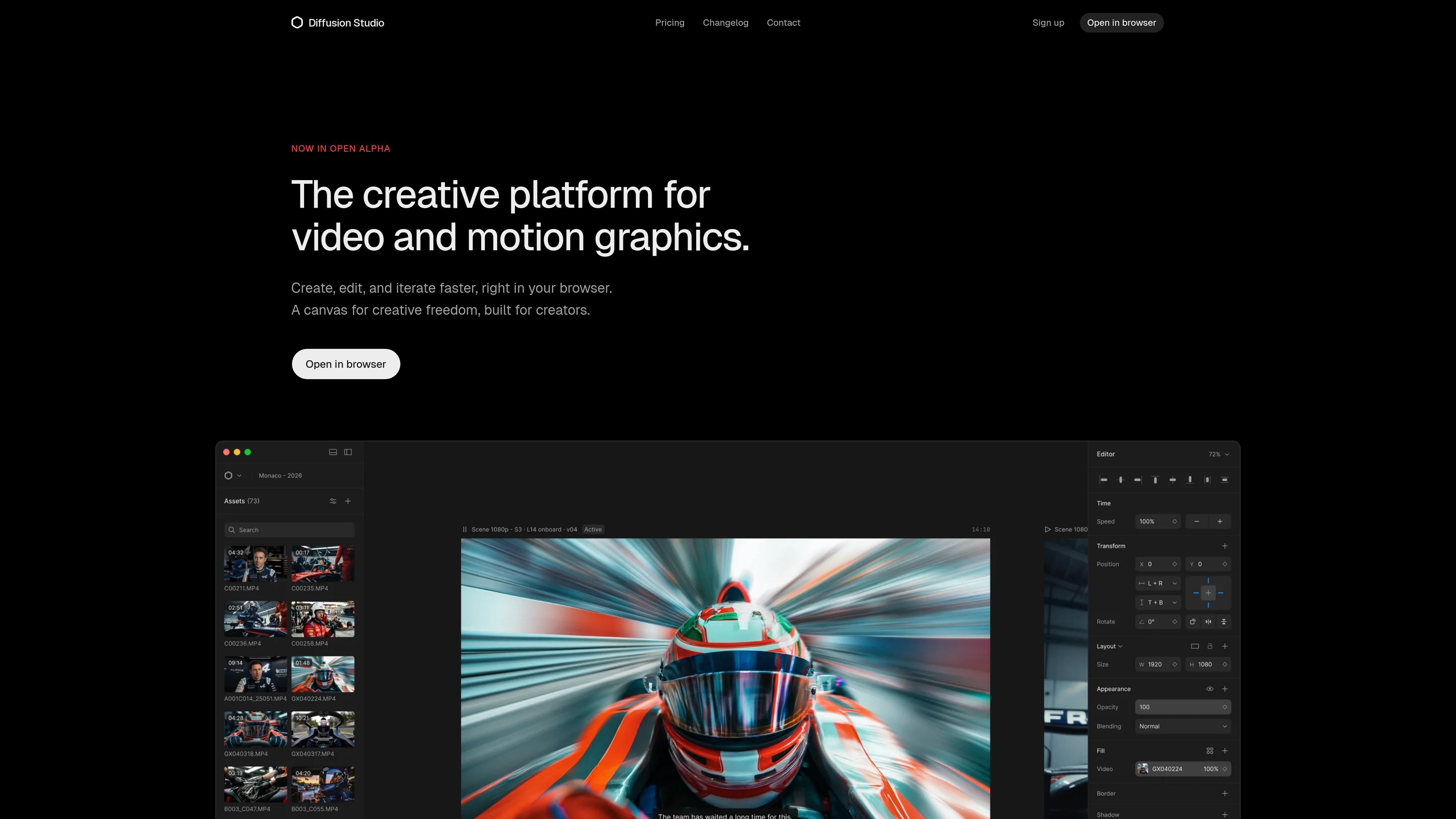
Infinite canvas plus timeline
Start on an infinite canvas, then move into a timeline-based edit without losing the spatial context of your scenes and assets.

Diffusion Studio is a browser-based video editor with an infinite canvas, timeline editing, AI-assisted workflows, and 4K exports. Its free plan offers unlimited projects, no watermark, and commercial use.
Diffusion Studio is a browser-based video editor and creative suite built around an infinite canvas and a multi-track timeline. It is positioned for creators and professionals who want to compose scenes visually, refine edits with timeline controls, and export in one workspace.
The product frames itself as a design-tool-like editing environment for video and motion graphics. Its core workflow combines canvas-based arrangement, inspector-driven adjustments, built-in effects and audio, AI-powered tools, and 4K export, with a macOS app listed as coming soon.
Start on an infinite canvas, then move into a timeline-based edit without losing the spatial context of your scenes and assets.
Use a single inspector to adjust timing, position, scale, and layout with fine-grained control over each element.
Stack visual effects, mix audio, and apply filters inside the editor instead of moving between separate tools.
Shape motion with Bezier curves, spring easing, and motion presets for more controlled animation work.
Work in the browser with responsive canvas interaction for panning, zooming, and scrubbing.
Export up to 4K with no proxies, according to the home page messaging about playback and export.
Draft scenes on the canvas, arrange assets visually, and then move to the timeline to refine pacing, transitions, and final sequence order.
Build motion graphics with timing, easing, and property controls that support detailed animation and layout work.
Use AI features inside the editor for generation, smart actions, and context-aware assistance while keeping manual control over the result.
Create and export finished work directly in the browser without installing desktop software, which suits fast turnaround or shared devices.
Handle client or commercial work on the free or paid plans, with 4K export and no watermark available on the free tier.
Diffusion Studio runs in the browser, so you can start without installing desktop software or plugins. A macOS app is listed as coming soon.
The product description says it combines an infinite canvas with a multi-track timeline, so you can compose visually on the canvas and then refine the edit on the timeline in the same workspace.
Yes. The FAQ states that the free plan includes unlimited projects, unlimited 4K exports, no watermark, and 50 one-time trial AI credits, while Pro adds more AI credits and advanced models.
Yes. The FAQ states that commercial use is allowed on all plans, including Free.
The pricing page says Enterprise is coming soon and includes team workspace, cloud backup for projects and media, SSO and advanced security, and dedicated support.
Traffic data is for reference only.

openchatcut.com
OpenChatCut is a free, open-source, local-first video editor for conversational, AI-assisted editing on a real multitrack timeline. Turn prompts into editable cuts while keeping projects, exports, and timeline changes under your control.

www.arsaze.com
Arsaze is a multi-track video editor for manual editing and AI-assisted workflows. Users can connect Claude, ChatGPT, or Grok over MCP so an AI agent can operate the same timeline, while exports are available through the cloud or the Windows app.

riverside.com
Riverside is an online studio for recording, editing, repurposing, and publishing podcasts and video content. It supports remote sessions, AI-assisted post-production, and plan-based hosting or live-streaming workflows.

movavi.com
Movavi Video Editor is a desktop video editor for cutting, cropping, and enhancing clips with timeline tools and AI-assisted helpers. It offers a free download, broad format support, and documented Windows system requirements.

flexclip.com
FlexClip is an online video maker and editor with templates, timeline editing, and AI tools for creating, editing, and sharing videos from a browser.

devmotion.app
DevMotion is a browser-based AI video creation and editing platform for product launches, demos, ads, and feature announcements. It turns prompts or product URLs into editable HTML-based video projects with animation, voiceover, music, captions, and timeline controls.