
Visual DynamoDB interface
Explore DynamoDB data through a GUI instead of relying only on the AWS console or shell-based workflows.

Dynobase is a desktop GUI client for Amazon DynamoDB for inspecting data, running SQL/PartiQL queries, and managing local or cloud workflows. Supports macOS, Linux, and Windows.
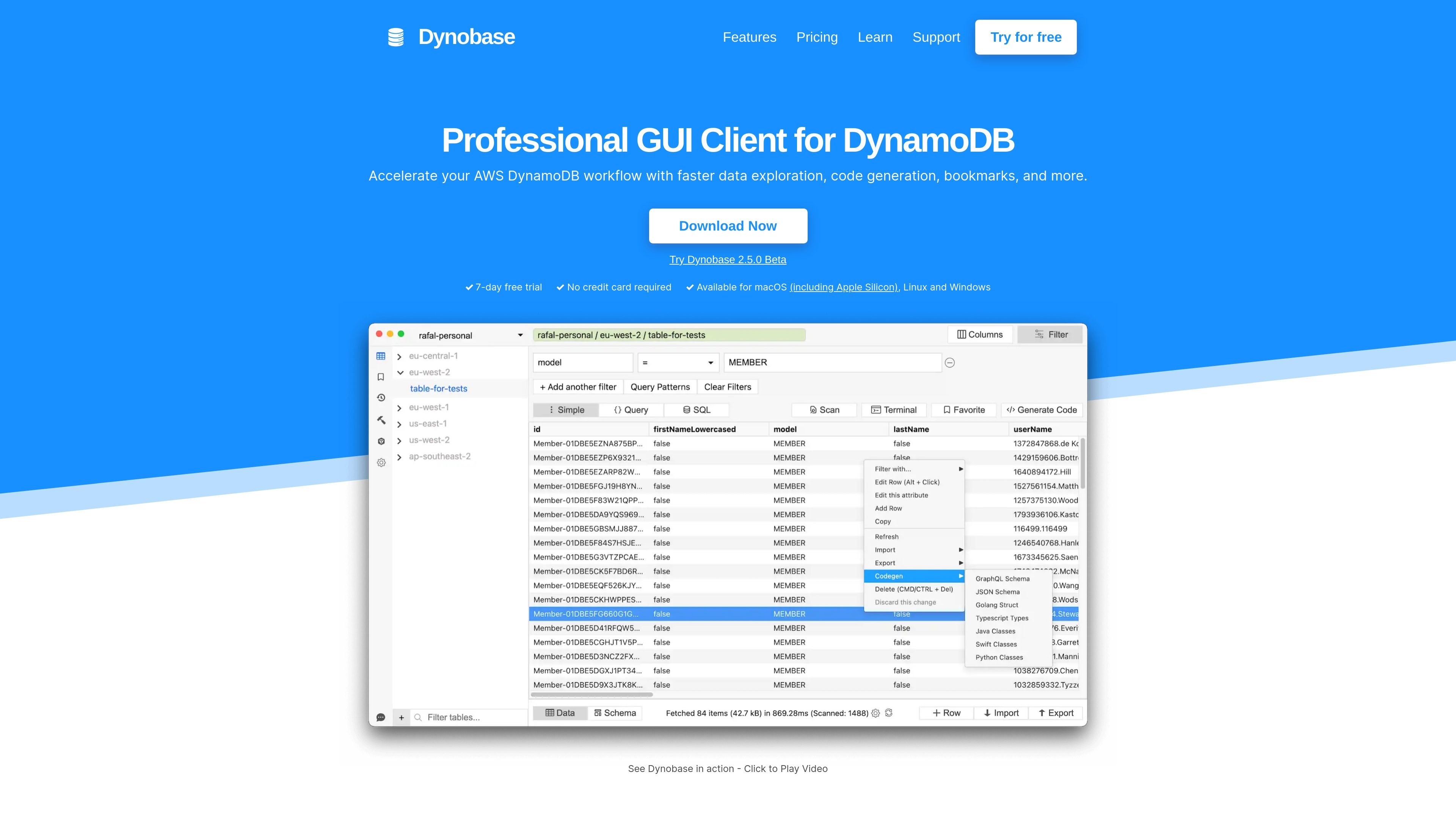
Dynobase is a desktop GUI client for DynamoDB. The site presents it as a professional DynamoDB IDE client that helps users work with AWS DynamoDB through a visual interface instead of relying only on the AWS console or lower-level tools.
It is built for common DynamoDB workflows such as exploring tables, querying data, generating code, saving bookmarks, and reviewing query history. The product also supports SQL / PartiQL usage and can be configured to work with local DynamoDB environments such as DynamoDB Local and LocalStack.
Explore DynamoDB data through a GUI instead of relying only on the AWS console or shell-based workflows.
Build and run SQL / PartiQL queries, then reuse them through query history, bookmarks, and streaming.
Work with local DynamoDB setups by pointing Dynobase at DynamoDB Local, LocalStack, or Docker-based instances.
Adjust offline connection settings such as port, region, and access key when working with local tables.
Speed up common DynamoDB tasks with code generation, query builder, and data exploration tools.
Use Dynobase when you want to inspect tables, browse items, and work through DynamoDB data in a visual interface instead of switching between console views and lower-level commands.
Use the query editor for SQL / PartiQL workflows when you need a familiar syntax to query or modify DynamoDB data and keep a history of what you ran.
Point Dynobase at DynamoDB Local or LocalStack to debug offline tables, confirm settings like region and port, and work with local data during development.
Use bookmarks and code generation to speed up repetitive DynamoDB tasks and keep frequently used queries or patterns easier to revisit.
Use the desktop client to manage DynamoDB tasks on macOS, Linux, or Windows without being tied to a single operating system.
Dynobase is a desktop GUI client for working with DynamoDB. The site describes it as a professional DynamoDB GUI client and a modern DynamoDB IDE client with features for faster data exploration, code generation, bookmarks, and visual querying.
Yes. The home page says Dynobase is available for macOS, Linux, and Windows, including Apple Silicon support on macOS.
Yes. The home page advertises a 7-day free trial with no credit card required.
Dynobase supports querying and modifying DynamoDB data with SQL / PartiQL, and it also lets users bookmark, stream, and browse the history of PartiQL/SQL queries.
For local development, Dynobase can be used with DynamoDB Local, LocalStack, and DynamoDB running in Docker. The product page explains that you can set offline settings such as port, region, and access key to work with local tables.