Dynobase icon

Dynobase

認証する

Dynobase is a desktop GUI client for Amazon DynamoDB that helps users inspect data, run SQL / PartiQL queries, and manage local or cloud-based DynamoDB workflows. It supports macOS, Linux, and Windows and offers a 7-day free trial with no credit card required.

Dynobase

What Dynobase does

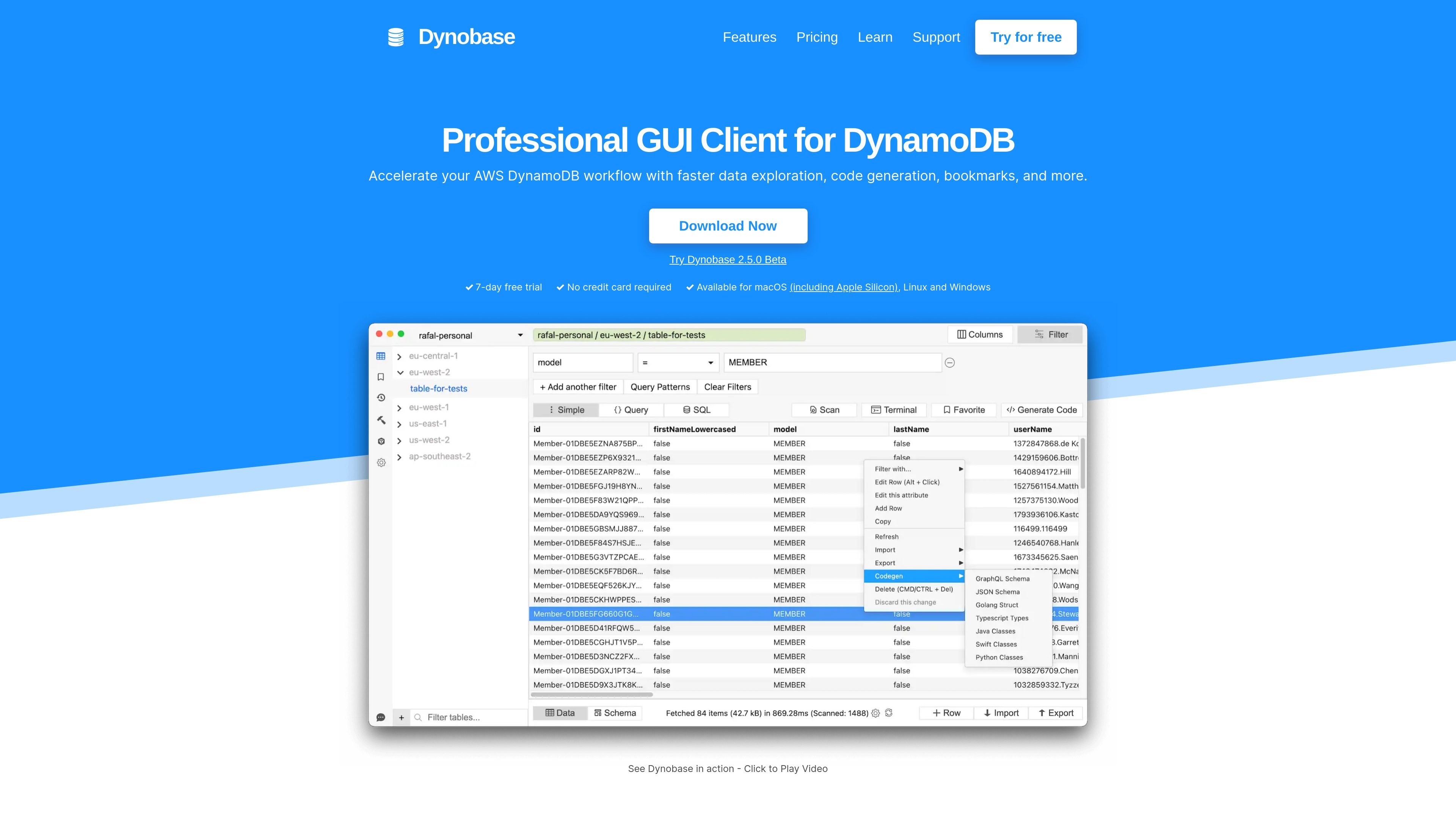
Dynobase is a desktop GUI client for DynamoDB. The site positions it as a professional DynamoDB IDE client that helps users work with AWS DynamoDB through a visual interface instead of relying only on the AWS console or lower-level tools.

It is built for common DynamoDB workflows such as exploring tables, querying data, generating code, saving bookmarks, and reviewing query history. The product also supports SQL / PartiQL usage and can be configured to work with local DynamoDB environments such as DynamoDB Local and LocalStack.

Core features

Visual DynamoDB interface

Explore DynamoDB data through a GUI instead of relying only on the AWS console or shell-based workflows.

SQL and PartiQL support

Build and run SQL / PartiQL queries, then reuse them through query history, bookmarks, and streaming.

Offline DynamoDB support

Work with local DynamoDB setups by pointing Dynobase at DynamoDB Local, LocalStack, or Docker-based instances.

Offline connection configuration

Adjust offline connection settings such as port, region, and access key when working with local tables.

Workflow tools for data work

Accelerate common DynamoDB tasks with code generation, query builder, and data exploration tools.

Common use cases

  • Interactive table exploration

    Use Dynobase when you want to inspect tables, browse items, and work through DynamoDB data in a visual interface instead of switching between console views and lower-level commands.

  • SQL / PartiQL querying

    Use the query editor for SQL / PartiQL workflows when you need a familiar syntax to query or modify DynamoDB data and keep a history of what you ran.

  • Local development and testing

    Point Dynobase at DynamoDB Local or LocalStack to debug offline tables, confirm settings like region and port, and work with local data during development.

  • Repeatable day-to-day operations

    Use bookmarks and code generation to speed up repetitive DynamoDB tasks and keep frequently used queries or patterns easier to revisit.

  • Cross-platform workstation use

    Use the desktop client to manage DynamoDB tasks on macOS, Linux, or Windows without being tied to a single operating system.

Pros and Cons

Pros

  • Provides a visual GUI for DynamoDB workflows.
  • Supports SQL / PartiQL querying and query history features.
  • Works with local DynamoDB options such as DynamoDB Local and LocalStack.
  • Available on macOS, Linux, and Windows.
  • Includes tools for code generation, bookmarks, and data exploration.

Cons

  • Pricing details are not available on the collected pricing page, so plan structure and costs are unclear from this source set.
  • The source material is focused on DynamoDB use cases, so broader third-party integrations are not clearly documented here.
  • Support, limits, and team-oriented details are only partially documented in the collected pages.

FAQ

What is Dynobase?

Dynobase is a desktop GUI client for working with DynamoDB. The site describes it as a professional DynamoDB GUI client and a modern DynamoDB IDE client with features for faster data exploration, code generation, bookmarks, and visual querying.

Which platforms does Dynobase support?

Yes. The home page says Dynobase is available for macOS, Linux, and Windows, including Apple Silicon support on macOS.

Does Dynobase offer a free trial?

Yes. The home page advertises a 7-day free trial with no credit card required.

Can Dynobase run SQL on DynamoDB tables?

Dynobase supports querying and modifying DynamoDB data with SQL / PartiQL, and it also lets users bookmark, stream, and browse the history of PartiQL/SQL queries.

Can Dynobase work with local DynamoDB setups?

For local development, Dynobase can be used with DynamoDB Local, LocalStack, and DynamoDB running in Docker. The product page explains that you can set offline settings such as port, region, and access key to work with local tables.

Quick Facts

Category
Developer Tool
Product type
Desktop GUI client for DynamoDB
Platforms
macOS, Linux, Windows
SQL support
SQL / PartiQL
Local workflow
DynamoDB Local, LocalStack, Docker
Source domain
dynobase.dev

Dynobaseの代替品

Codesphere icon

Codesphere

Codesphereは、開発・デプロイ・運用を統合する仮想クラウド基盤です。オンプレミス、クラウド、ハイブリッド環境に対応し、企業や公共機関の移植性、セキュリティ、クラウド依存の低減に貢献します。

AppVision icon

AppVision

AppVisionは、iOSとAndroid向けのモバイル製品を設計・開発・成長支援するブティックアプリスタジオ。少人数チームの完全なオーナーシップ、週次リリース、データに基づく改善が特長です。

Intract icon

Intract

Intractは、企業向けの国際送金プラットフォームです。リアルタイム決済、30以上の通貨対応、送金と入金の両方を支援し、明確なレートとコンプライアンス対応を提供します。

Newfront icon

Newfront

Newfrontは、保険の手配、保険金請求管理、契約内容の見直しをデータ駆動のツールで支援する法人向け保険ブローカー兼ソフトウェアプラットフォームです。企業保険、福利厚生、退職サービスに対応。

Fullstory icon

Fullstory

Fullstoryは、行動コンテキストを取得し、分析やガイダンスのワークフロー、AI支援のインサイトでプロダクト・従業員・データ活用チームを支えるデジタル体験プラットフォームです。

Trunk icon

Trunk

Trunkは、フレークテストの検出・隔離、GitHubベースのワークフローでのマージキュー管理を支援するCI信頼性プラットフォームです。無料枠、従量課金プラン、SSOやオンプレミス対応のエンタープライズ向けオプションを提供します。