
GPU-accelerated terminal experience
The app is presented as a native terminal with GPU-accelerated scrolling, aimed at keeping the interface responsive during everyday terminal work.

Otty is a native, GPU-accelerated terminal emulator for developers who want a keyboard-first terminal with workflows for code agents, sessions, and prompts.
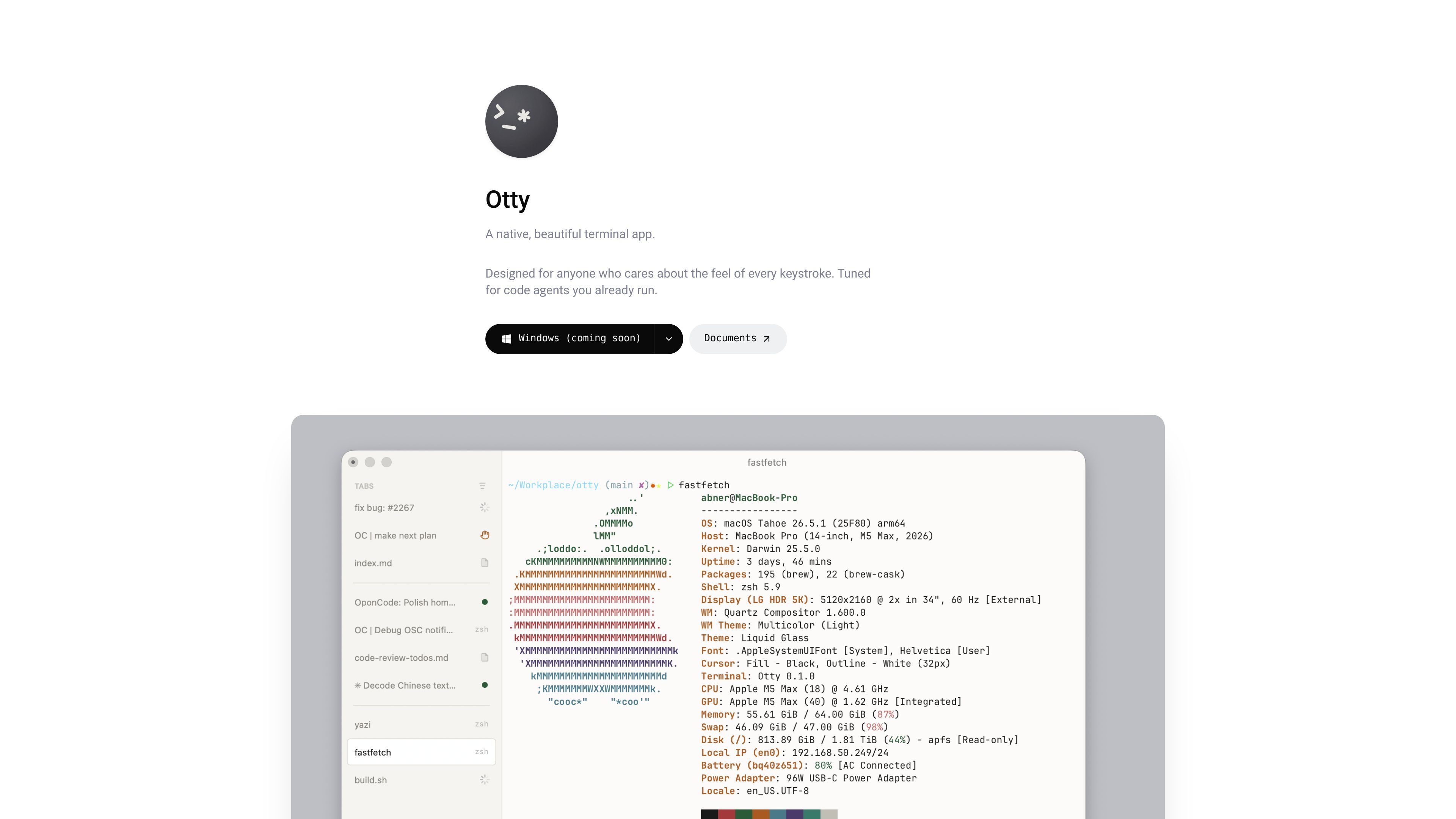
Otty is a native terminal app described as a fast, modern terminal and a blazing-fast, GPU-accelerated terminal emulator. The homepage positions it as a focused, keyboard-first alternative for people who care about how terminal work feels as well as how it looks.
The product sits between a traditional terminal and a full agent development environment. It is designed for users who run code agents inside the terminal and want workflows for sessions, tasks, previews, and prompt handling without the heavier interface of an IDE.
The app is presented as a native terminal with GPU-accelerated scrolling, aimed at keeping the interface responsive during everyday terminal work.
Otty supports programming ligatures, full Unicode, clusters, 24-bit color, bold, italics, and underlines, so rendered terminal output can preserve richer text formatting.
The homepage highlights inline images, interactive links, and beautiful themes, allowing more visual output and easier navigation from within the terminal.
Tabs, splits, and free-form pane layouts are supported, along with session recovery so you can reopen work where you left it.
A command palette, inline autocomplete, quick session switching, and custom snippets or layouts keep common actions available from the keyboard.
The product also surfaces agent-oriented workflows such as parallel tasks, session history, forks, prompt queues, and sending output to chat.
Use Otty as a daily terminal when you want a native app with tabs, splits, session recovery, and a layout that stays keyboard-driven.
Use the app when you run code agents in the terminal and need to track multiple tasks, session history, forks, and queued prompts in one place.
Use inline images, interactive links, and rich text rendering when your terminal output includes visual assets or file and URL references you want to open quickly.
Use the command palette, inline autocomplete, and custom snippets to move faster through repeated terminal actions without relying on the mouse.
Use session recovery and parallel panes to keep long-running jobs organized and return to the same workspace state after closing the app.
Otty is a terminal emulator with a native desktop app for macOS. The homepage also says Windows, Linux, and iOS are coming, but it does not show release dates.
The homepage shows downloads for macOS Apple Silicon and macOS Intel, plus waitlist options for Windows, Linux, and iOS.
Otty is built for people who want a focused, keyboard-first terminal and for code-agent workflows that live inside the terminal.
The homepage highlights tabs, splits, session recovery, shortcuts, command palette access, inline autocomplete, and agent-facing workflows such as tasks, session history, forks, and prompt queues.
The pricing page returned a not-found message, so the site does not currently expose pricing details in the provided sources.