
AI list building with Copilot
Type a plain-English request such as a target company profile or role list, and Cleanlist turns it into an enriched prospect list. The Copilot handles search, enrichment, and verification in one pass.

Cleanlist is an AI-powered B2B data enrichment platform to build, verify, and sync prospect data with list building, waterfall and LinkedIn enrichment.
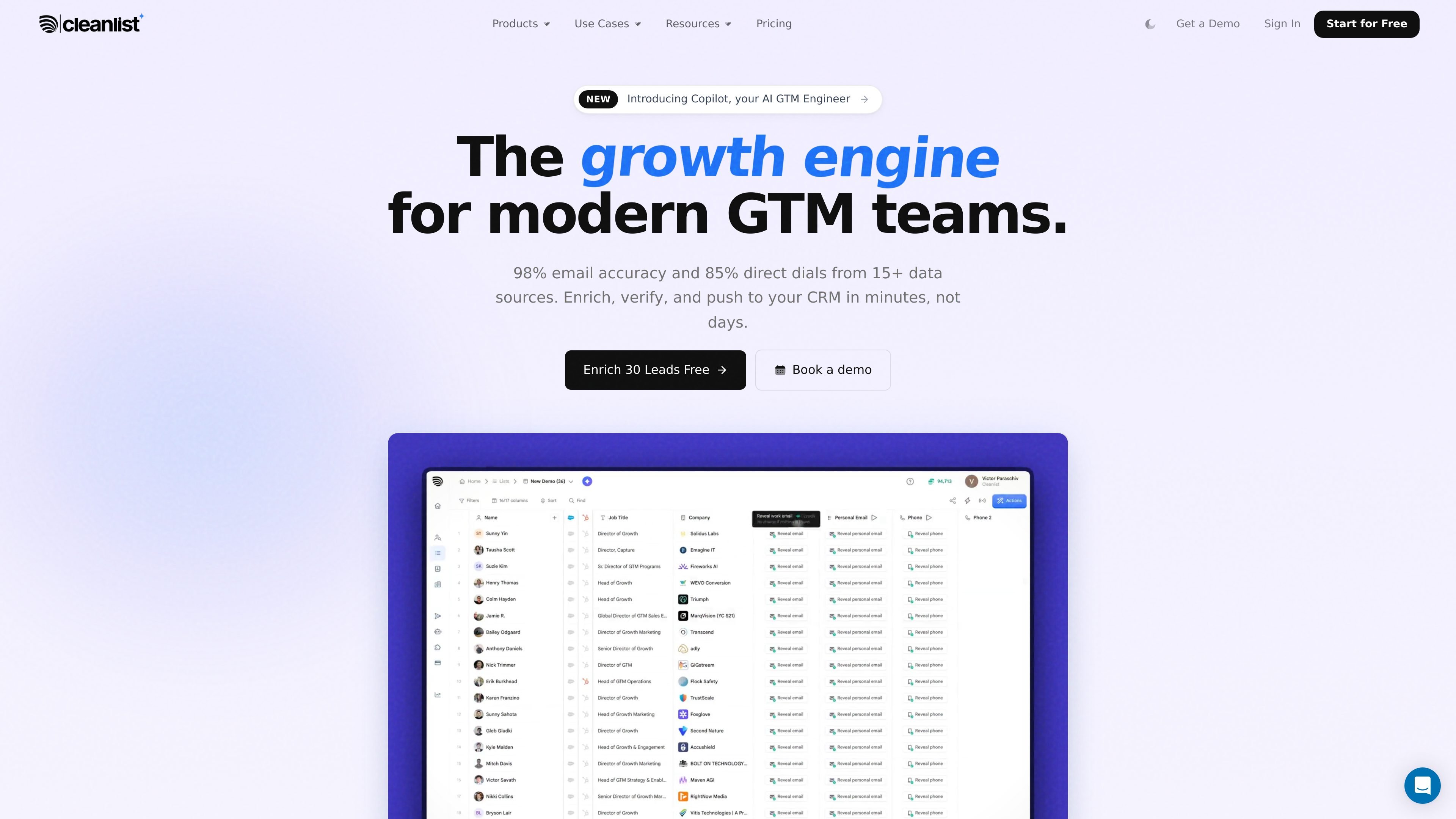
Cleanlist is an AI-powered B2B data enrichment platform for GTM teams that need contact data, company context, and CRM-ready lists in one workflow. The site positions it as a replacement for several separate GTM tools by combining search, enrichment, verification, and sync.
Its public pages show multiple entry points into the product: prompt-based list building with Copilot, waterfall enrichment across 15+ providers, profile-level enrichment from LinkedIn and Sales Navigator, and CSV or CRM-based workflows. The core purpose is to turn incomplete prospect inputs into verified records that can be pushed into sales systems quickly.
Type a plain-English request such as a target company profile or role list, and Cleanlist turns it into an enriched prospect list. The Copilot handles search, enrichment, and verification in one pass.
Cleanlist queries 15+ data providers in sequence, validates responses, and returns a single best-match record. This waterfall approach is used for contact and company enrichment.
Open a LinkedIn or Sales Navigator profile, click Cleanlist, and retrieve a verified email and direct dial without leaving the page. The browser extension can also add the contact to a list or send it to connected tools.
Upload CSVs, names, companies, raw email lists, or LinkedIn URLs and Cleanlist processes each row into a CRM-ready output. The site says it supports different input shapes and can enrich at scale.
Cleanlist can sync enriched records to HubSpot, Salesforce, Pipedrive, Outreach, Salesloft, and lemlist. The pricing page also references API access and webhooks on higher plans.
The platform includes verification and AI-assisted fields such as deliverability checks, company summaries, ICP scoring, and competitor notes. These outputs are designed to reduce manual research before outreach.
Describe an ideal customer profile in plain English and let Copilot build a target account list with the relevant people inside each company. This fits teams that want to move from an idea to a working prospect list without manual research.
Upload names, companies, LinkedIn URLs, or CSV exports and run them through waterfall enrichment to fill missing emails, direct dials, job titles, and company data. This is useful when a team already has a rough list but needs cleaner records before outreach.
Open a LinkedIn or Sales Navigator profile and retrieve a verified email and direct dial from the browser extension. This is a practical workflow for reps who want to enrich prospects while browsing profiles.
Push finished lists into HubSpot, Salesforce, Pipedrive, Outreach, Salesloft, or lemlist after enrichment. This supports teams that want records to move directly into CRM or sequencing tools instead of being exported and cleaned by hand.
Use phone-inclusive enrichment when a campaign needs direct dialing rather than only email. The site frames this as a way to reach decision-makers more often and reduce time spent on manual lookup.
Cleanlist combines AI search, waterfall enrichment, email verification, and CRM sync in one workflow. The site shows list-building via plain-English prompts, CSV uploads, LinkedIn/Sales Navigator profile enrichment, and CRM push-back.
The pricing page shows a Free plan and paid Starter, Pro, and Scale plans. It is credit-based, with emails and phone lookups using different credit amounts, and unused credits can roll over on monthly billing.
Source text shows native connections to HubSpot, Salesforce, Pipedrive, Outreach, Salesloft, and lemlist. The pricing page also mentions REST API and webhooks for custom integrations.
The site states that Cleanlist can return enriched lists ready to push to a CRM, as well as verified contact data such as emails, direct dials, job titles, company data, and social profiles. It also mentions AI columns such as ICP score, company summary, and competitor notes on every row.
The public pages do not spell out every setup step or all product limitations. They do show that setup can be done quickly, with one-click connections and field mapping for CRM sync, but users should review plan details for exact feature access.
Los datos de tráfico son solo como referencia.
| may | 19037 |
|---|---|
| jun | 55003 |
| jul | 107589 |
Las analíticas de tráfico aún no están disponibles.
Las analíticas de tráfico aún no están disponibles.