
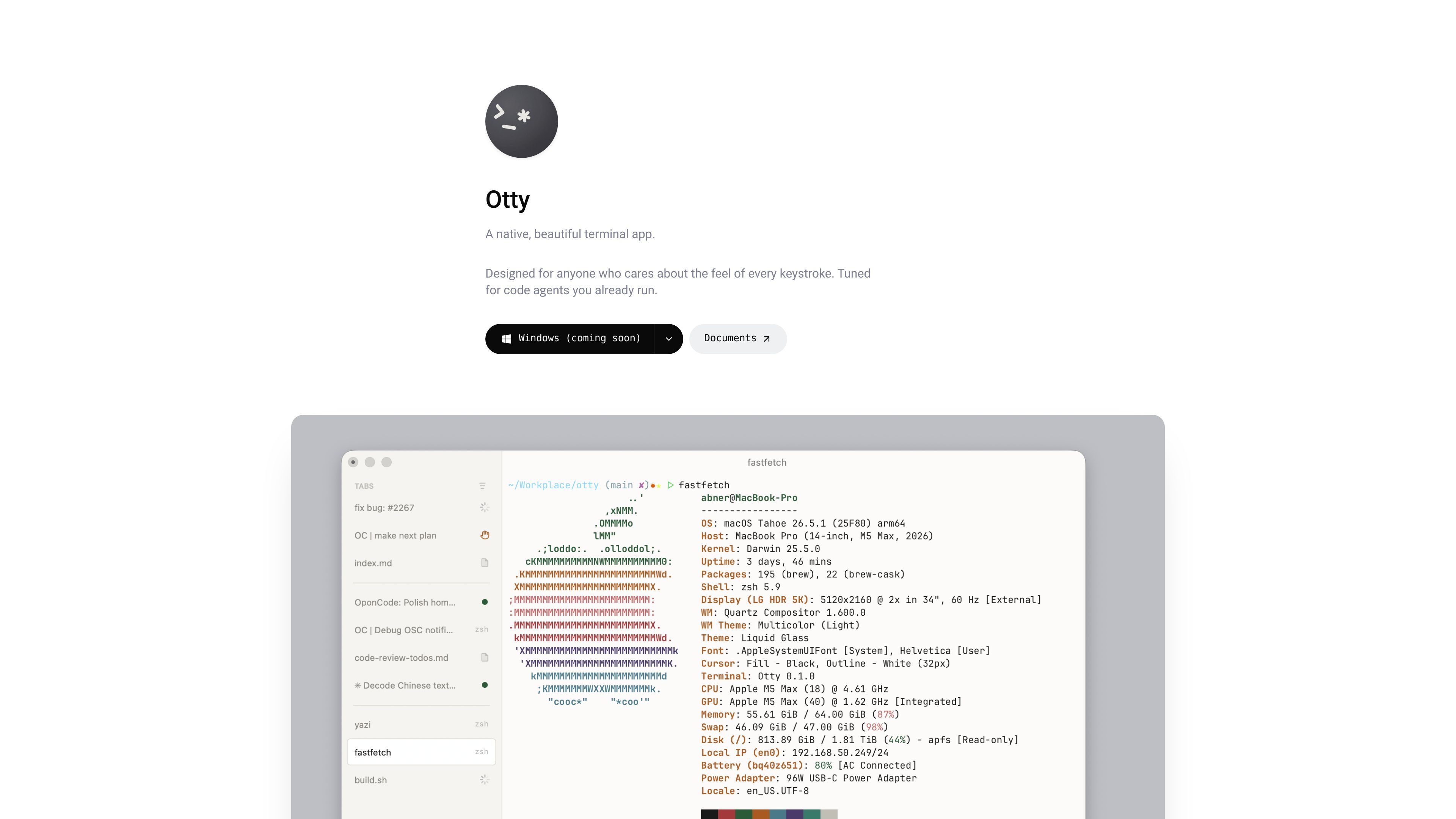
Rich terminal rendering
Supports programming ligatures, Unicode clusters, 24-bit color, bold, italics, and underlines. Inline images appear in scrollback, and GPU-accelerated scrolling helps navigate terminal output.
A native, GPU-accelerated terminal for developers working with shells and code agents.
Otty is a native, GPU-accelerated terminal emulator for developers who work with command-line tools and code agents. It combines a keyboard-first terminal interface with session organization and agent conversation workflows, positioning itself between a traditional terminal and a full agent development environment.
Its core purpose is to keep shell work, parallel agent tasks, and ongoing conversations accessible within one application. Developers can arrange their workspace around different projects and move between sessions without leaving the keyboard.
Supports programming ligatures, Unicode clusters, 24-bit color, bold, italics, and underlines. Inline images appear in scrollback, and GPU-accelerated scrolling helps navigate terminal output.
Organize sessions with vertical or horizontal tabs, live badges, and unread indicators. Drag, snap, and resize panes to create layouts for different tasks.
Track long-running processes and receive notifications when they finish. Session recovery restores pane arrangements so you can resume your workspace.
A command palette fuzzy-finds actions, Open Quickly switches between sessions, and inline autocomplete offers ghost-text suggestions. Customize shortcuts and create recipes for snippets, commands, and layouts.
Run agents side by side and monitor task progress. Review conversation history, fork chats into new directions, draft and queue prompts, and send terminal output into an agent chat.
Tune terminal color schemes, use word jumps and selections, and click files, URLs, and paths to navigate directly from output.
Follow a local web application preview as an agent edits its code, keeping the visible result close to the development session.
Keep separate agent sessions for work such as code review, documentation, and implementation. Track each task and queue follow-up prompts as work progresses.
Send output from a shell command into chat for follow-up analysis, keeping the discussion connected to the terminal workflow that produced it.
Arrange project shells and long-running jobs in separate panes, then return to the recovered layout after stepping away.
Otty is free for macOS, with no account required.
macOS downloads are available for Apple Silicon and Intel Macs. Windows, Linux, and iOS are listed as coming, with waitlist links.
Otty is designed for agents you already run in the terminal. It adds controls for parallel tasks, conversation history, branching, prompt queues, and sending output to chat.
Otty describes its approach as sitting between a traditional terminal and a full agent development environment, with a focused, keyboard-first interface.
トラフィックデータは参考情報としてご利用ください。

