
Automated interview setup and delivery
Set up a role, choose the questions, and send interviews to applicants automatically. Screenify also says it can work with ATS-based workflows and operate on auto-pilot.

Screenify is an AI interviewing platform that screens and qualifies candidates with automated conversational interviews, ATS workflows, and review-ready scores, transcripts, and feedback.
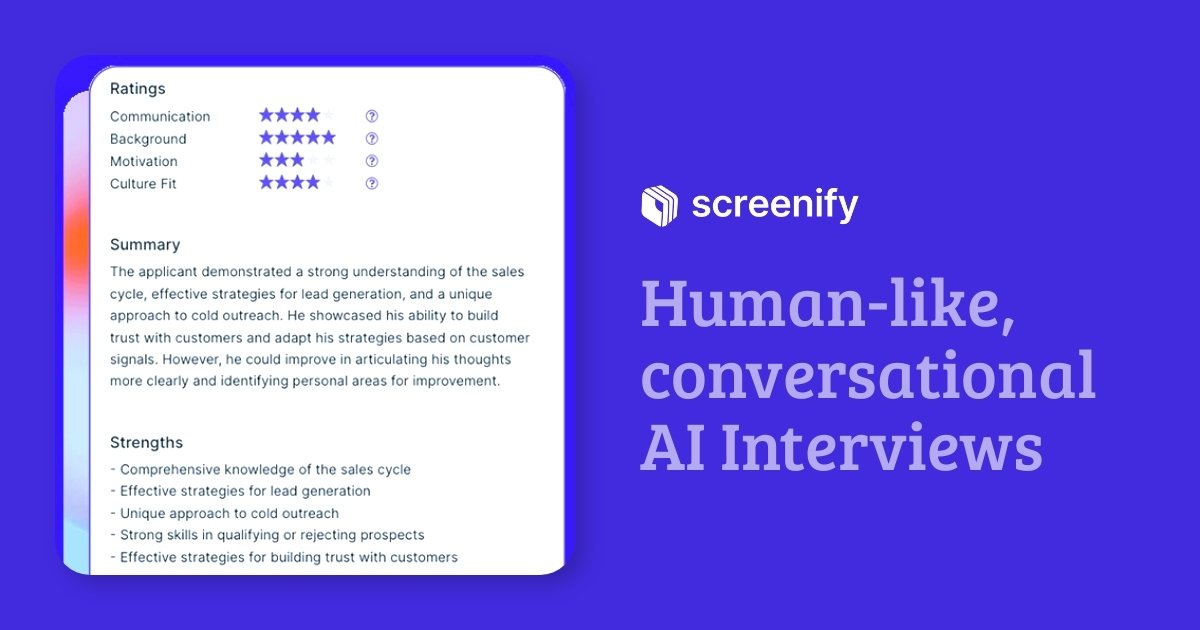
Screenify is an AI interviewing platform for screening applicants and qualifying candidates during hiring. It turns early-stage interviews into an automated workflow where candidates receive an invitation, complete a conversational interview at a convenient time, and produce structured outputs for the hiring team.
The site positions the product for teams that want to reduce time spent on scheduling and manual screening. It says Screenify can work with ATS-based workflows or direct candidate sharing, and that completed interviews can feed into review, scoring, shortlisting, and next-step scheduling.
Set up a role, choose the questions, and send interviews to applicants automatically. Screenify also says it can work with ATS-based workflows and operate on auto-pilot.
Adjust interviews to the role and the candidate’s experience, then score answers against your own criteria. The product says AI scoring is designed to apply the same standards consistently across candidates.
Let candidates interview on their own time through existing meeting platforms such as Google Meet, Zoom, Microsoft Teams, or phone calls. The flow also supports email invitations and custom branding.
Use interactive assessments for tasks such as email writing, coding, or role-playing. This adds task-based evaluation beyond standard question-and-answer prompts.
Review interview feedback, scores, and transcripts after completion. Screenify says these outputs can help you decide whether to shortlist or move candidates forward.
Choose from natural interviewer voices and add introductory audio or video to present the role and company. The site also mentions an Ask Me Anything mode for candidate questions.
Use Screenify to filter applicants before a live recruiter or hiring manager spends time on manual screening. Candidates complete the interview asynchronously, and the team reviews scores and transcripts afterward.
Set role-specific questions and custom screening criteria when you need the interview to reflect a particular job, team, or hiring rubric. This is useful when hiring standards vary across roles.
Use auto-pilot features to automatically shortlist candidates and advance them to the next round. The product also mentions sending candidates to a Calendly flow or similar next-step scheduling process.
Present the company and role with intro video or audio, custom branding, and branded email templates. This helps teams keep the candidate experience consistent across communications.
Combine Screenify with existing ATS or direct candidate sharing when your process is already established. The signup page also says it can work with CRM platforms and in-house systems through APIs.
Screenify is built for screening applicants through AI-led interviews rather than coding tests or generic skills quizzes. Its FAQ says it provides a live, interactive interviewing experience that behaves like a virtual interview with a candidate.
Yes. The source says Screenify can integrate with ATS systems, and if you do not use an ATS, you can still share candidate details directly or use non-ATS systems such as Typeform and Airtable. The signup page also says it supports ATS and CRM platforms and offers APIs for in-house systems.
Yes. The signup page says each plan includes a free 7-day trial, and you can cancel your subscription at any time.
If a candidate does not start the interview, Screenify says it does not charge credits for that interview. Charges apply only to interviews that were started and joined by candidates.
The features page says you can review feedback, scores, and transcripts after completion, and can configure auto-pilot to shortlist candidates or advance them to the next round.