
Job and task management
Create structured jobs, assign owners and deadlines, pin items for quick action, and track recurring work so team responsibilities stay visible.

Client Hub practice management and client portal software for accounting, bookkeeping, CPA, tax, and CAS firms. Centralize communication, tasks, documents, and workflows.
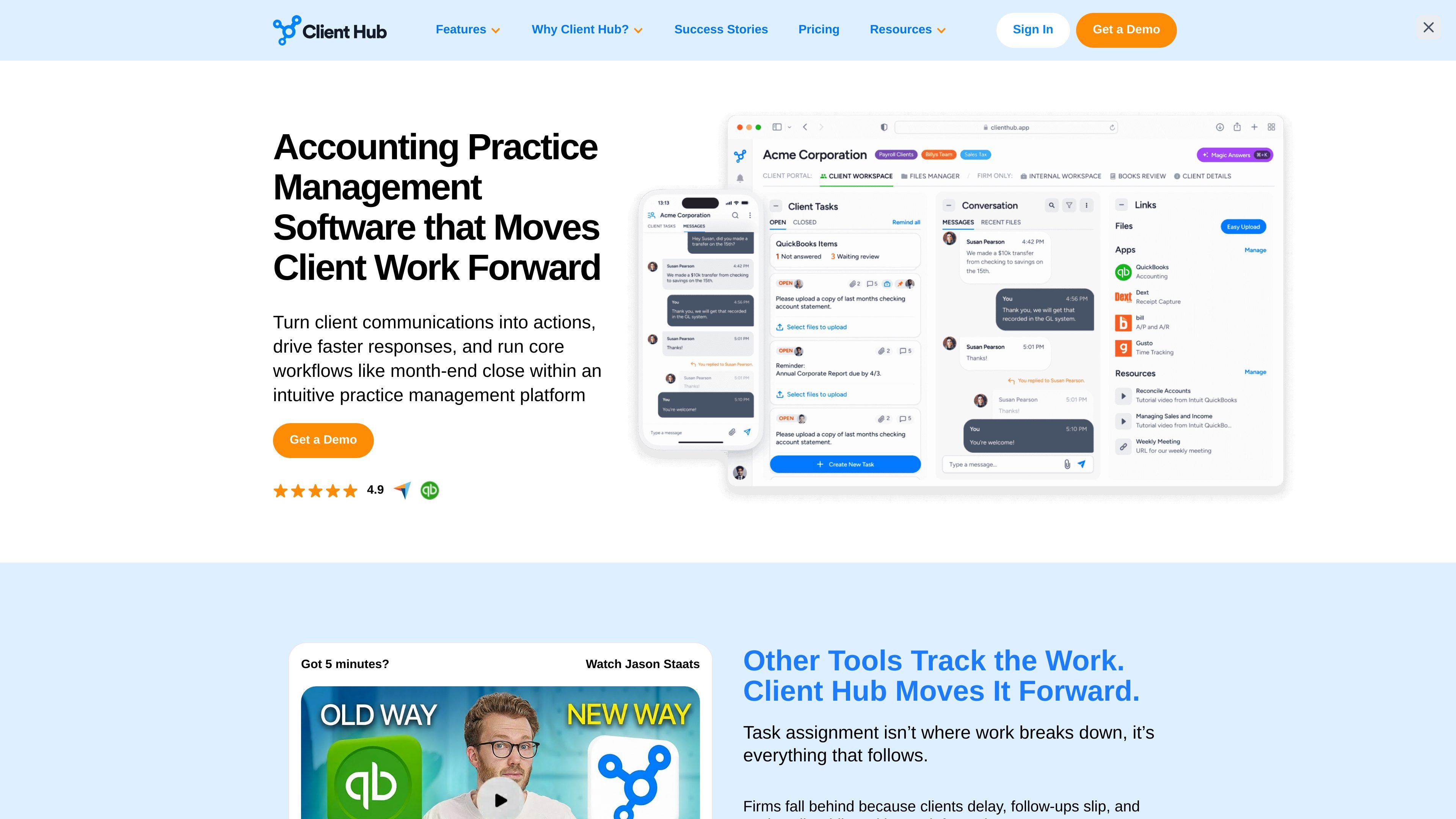
Client Hub is practice management software for accounting and bookkeeping firms. It brings client communication, task management, document sharing, reporting, and integrations into a single workspace.
The product is aimed at firms that want to turn emails and client requests into trackable work items, keep deadlines visible, and support clients through a portal and mobile-friendly experience.
Create structured jobs, assign owners and deadlines, pin items for quick action, and track recurring work so team responsibilities stay visible.
Give clients a shared workspace for requests, messages, file uploads, document sharing, and e-signatures instead of relying on back-and-forth email.
Manage recurring jobs, month-end close work, client requests, and deadlines in a way that keeps each step tied to an accountable owner.
Use AI-based features to draft replies, generate tasks, create client requests, and support month-end close review workflows.
Connect with QuickBooks Online and Xero for two-way sync and workflow actions tied to uncategorized or uncoded transactions and client responses.
Track outstanding and completed work, time versus budget, and team capacity while controlling what different users can see.
Turn incoming client messages and requests into trackable tasks so staff can see what is waiting, who owns it, and what still needs a response.
Use built-in workflows and accounting integrations to organize close tasks, review uncategorized transactions, and publish financial information to clients where supported.
Use the client portal and secure file sharing to request documents, exchange files, and collect e-signatures in one place.
Assign work across team members, monitor deadlines and status, and use dashboards to see bottlenecks and workload across the firm.
When used with Anchor integrations, an approved proposal can trigger client workspace setup and workflow template creation for delivery work.
The site positions Client Hub for bookkeeping, CPA, tax, accounting, and CAS firms that need practice management, client communication, and workflow tools.
Yes. The pricing and home pages both reference a client portal, along with secure messaging, file sharing, and client task workflows.
The site specifically highlights QuickBooks Online and Xero, and also mentions Zapier, email integrations, and Anchor-related workflow automation.
Client Hub publishes per-user pricing with monthly and annual billing options. The pricing page also says all plans include unlimited clients, unlimited storage, AI-based features, support, training, and community access.
The pricing page says the trial is guided rather than self-serve: after a demo, the team sets up the trial environment with a QBO or Xero connection, real client examples, and workflow templates matched to the firm.