
Projects
Create separate projects for different lines of work so tasks and notes stay grouped by context instead of mixing everything into one list.

Paso is a day planner that combines tasks and notes on one timeline, with support for reviewing past work and planning ahead. It is available on macOS, iOS, Android, and web, and the site says you can try it for free with no setup required.
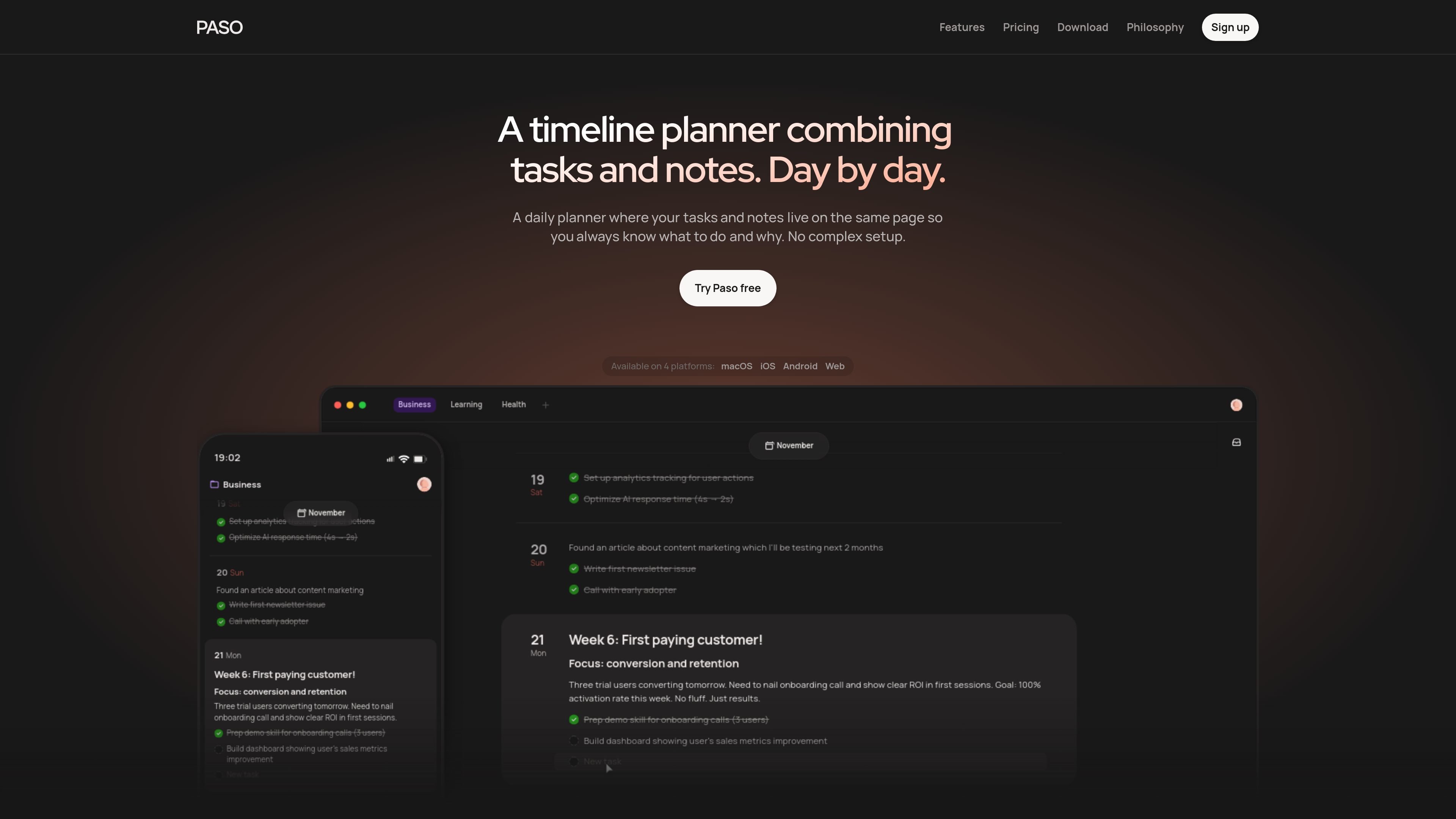
Paso is a day planner that puts tasks and notes on the same timeline. Instead of splitting planning, capture, and context across different screens, it lets you see what needs doing and why in one place.
The product is built around a long view of progress: you can scroll backward to review completed work, forward to plan upcoming days, and keep multiple projects on one timeline. It is available on macOS, iOS, Android, and web, and the site says it is free to try with no setup required.
Create separate projects for different lines of work so tasks and notes stay grouped by context instead of mixing everything into one list.
Keep unscheduled ideas and rough notes in a staging area until they are ready to move onto the timeline.
Plan day by day on a single timeline that you can scroll through to see past work, today, and future work together.
Move tasks and ideas between the inbox and the timeline, or rearrange items directly as your plan changes.
Use keyboard shortcuts, headings, lists, and tasks to write and organize content quickly inside the app.
Sync data instantly across supported devices and jump to distant dates with the calendar for a wider planning view.
Use Paso to plan a workday while keeping reminders, notes, and task context together, so you do not need a separate notes app beside your planner.
Use the backward-and-forward timeline to review what happened last week, understand progress, and map out the next few days from the same view.
Keep several projects on one timeline and switch between them without rebuilding a separate system for each project.
Capture rough ideas in drafts, then move them onto the timeline when they are ready to become scheduled work.
Invite another person to a project when you want shared planning, while keeping other projects private.
Paso is designed to work with tasks and notes on a single timeline, so you can plan, capture context, and review progress in one place. The source also says it is free to try and requires no setup.
The source says Paso includes realtime sync across devices and is available on macOS, iOS, Android, and web, so your timeline stays available on the platforms it supports.
Paso can be used for both work and personal projects, and the features page says you can create separate projects, keep drafts in a staging area, and plan on a shared timeline when needed.
The features page says collaboration is planned and marked as coming soon. It also says you can invite someone to a project and share only what you want them to see.
The features page explicitly says Google Calendar integration is not listed as a feature, and the available sources do not confirm any third-party integrations beyond realtime sync across Paso’s own platforms.
流量数据仅供参考。
| 3月 | 4976 |
|---|---|
| 4月 | 7749 |
| 5月 | 7364 |