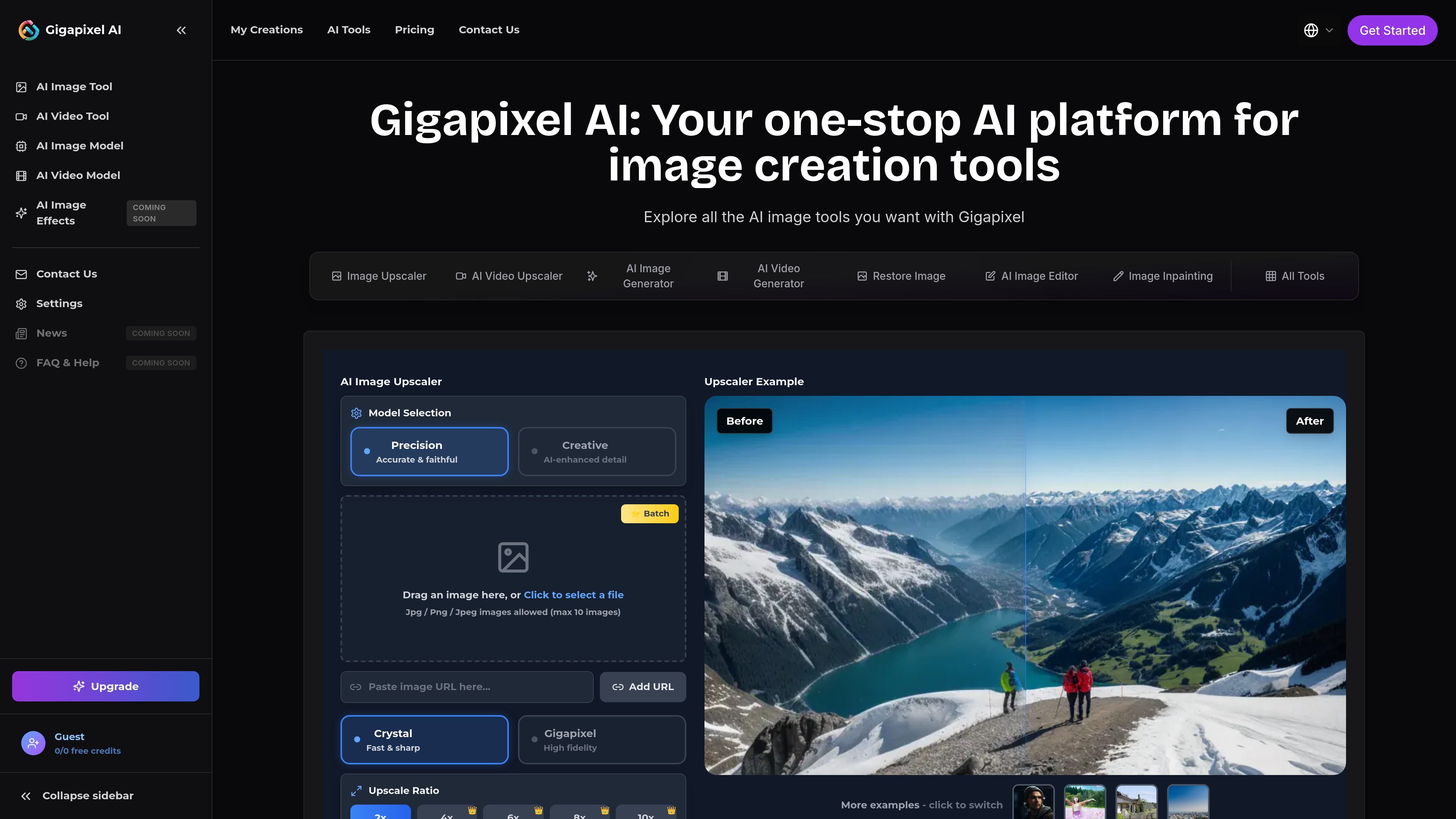
Gigapixel AI is a browser-based AI platform for image and video creation, editing, and upscaling. Enhance media or create new visuals online.

Gigapixel AI

Overview

Gigapixel AI is a web-based AI platform for image and video creation, editing, enhancement, and upscaling. The site combines several tools under one product, including an image upscaler, video upscaler, image generator, image editor, restore-image workflow, and other supporting utilities.

Its core purpose is to help users improve existing media or create new assets without switching between separate tools. The product pages emphasize browser-based workflows for uploading content, processing it with AI models, previewing results, and downloading the final output.

Core features

AI image upscaling

Upscale still images online with batch upload support and multiple style or model choices. The site positions the image upscaler for preserving detail while increasing resolution, with output options that include up to 10x on the home and image-upscaler pages.

AI video upscaling

Enhance low-resolution videos in the browser and choose target resolutions such as 720p, 1080p, 2K, or 4K. The video upscaler page also notes support for multiple formats and frame-rate adjustment.

AI image generation

Generate new images from text or image prompts, with multiple models, styles, and aspect ratios shown on the home page. The site also says the generator can create up to four images at once.

AI image editor

Edit selected regions of an image with Flux Fill-based tooling. The homepage presents this as an AI image editor for precise region-level changes rather than broad filter-style edits.

Photo restoration and colorization

Restore damaged or faded photos and colorize black-and-white images. The restore image page highlights scratch, crack, stain, tear, and fading repair as part of the workflow.

Supporting image tools

Add adjacent workflow tools such as background removal, image inpainting, style transfer, and image-to-prompt conversion. These tools extend the platform beyond upscaling into general image preparation and transformation.

Common use cases

  • Improve images for publishing

    Creators can upscale still images for social posts, thumbnails, or portfolio pieces while keeping the workflow inside the browser. The site also highlights batch processing for repeated image jobs.

  • Upscale low-resolution video

    Video editors and content teams can raise footage to HD or 4K, adjust frame rate, and process common video formats online. The video upscaler page frames this as a cloud-based workflow rather than a local desktop tool.

  • Create and refine design assets

    Designers can generate concept images, refine selected regions, and remove backgrounds when building campaign visuals or product creatives. The product combines generation and editing in one place.

  • Restore old photos

    Families, archivists, and restoration-focused users can repair scratched, faded, or black-and-white photos and then colorize them. The restore-image page is positioned around bringing old photos back to life.

  • Prepare product imagery

    E-commerce teams can clean up product photos with background removal, image editing, and upscaling for better presentation. The workflow fits catalog images that need consistent preparation before publication.

  • Prototype visual concepts

    Game developers, marketers, and startup teams can use the broader toolset to prototype visuals, generate brand assets, and adapt imagery for different themes or formats. The site presents these as separate professional use scenarios.

Pros and Cons

Pros

  • Combines several image and video workflows in one web platform.
  • Supports both enhancement tasks and generative tasks, not just upscaling.
  • Provides dedicated pages for image upscaling, video upscaling, restoration, editing, and generation.
  • Shows practical upload-and-process flows with downloadable results.
  • Offers batch processing and multiple quality or style options on several tools.

Cons

  • The source pages do not provide full documentation for integrations, API access, or team administration.
  • Some capability details are only shown on individual product pages, so broader product scope is clearer than the underlying model or workflow architecture.

FAQ

What is Gigapixel AI?

Gigapixel AI is an all-in-one platform for AI image and video creation, editing, and upscaling. It combines tools such as image upscaling, video upscaling, image generation, image editing, and photo restoration in one site.

What tools does Gigapixel AI offer?

The site highlights image upscaling, video upscaling, AI image generation, AI image editing, restore image, image inpainting, background removal, style transfer, and image-to-prompt tools. The feature pages also show batch processing and multiple output choices for some workflows.

Does Gigapixel AI have a free plan or paid plans?

The pricing page shows a Free plan and paid Starter and Premium plans, with annual billing shown for the paid tiers. It also mentions a one-time credits pack, but the source text does not provide full details for that option.

What file types are supported?

The product pages show common image and video upload flows, plus downloadable results after processing. The video upscaler page supports MP4, WebM, Ogg, MOV, and AVI, while the restore image page supports JPEG, PNG, GIF, and WebP.

Does Gigapixel AI offer an API or team tools?

The source pages do not describe API access or team account features. The product appears to be used through the web app workflow shown on the site.

Quick Facts

Category
AI image and video platform
Platform
Web app
Primary use
Image upscaling, video upscaling, editing, and generation
Domain
gigapixelai.com
Pricing
Free plan plus paid annual plans shown
Workflow
Upload, process, preview, download