
AI-powered text to video
Turn a prompt, document, script, or URL into a video with Vyond Go. The home and pricing pages position this as a fast way to create explainers, sales content, and training videos.

Vyond is an AI video creation platform for business that turns prompts, documents, scripts, URLs, and media into videos with avatars, translation, and recording.
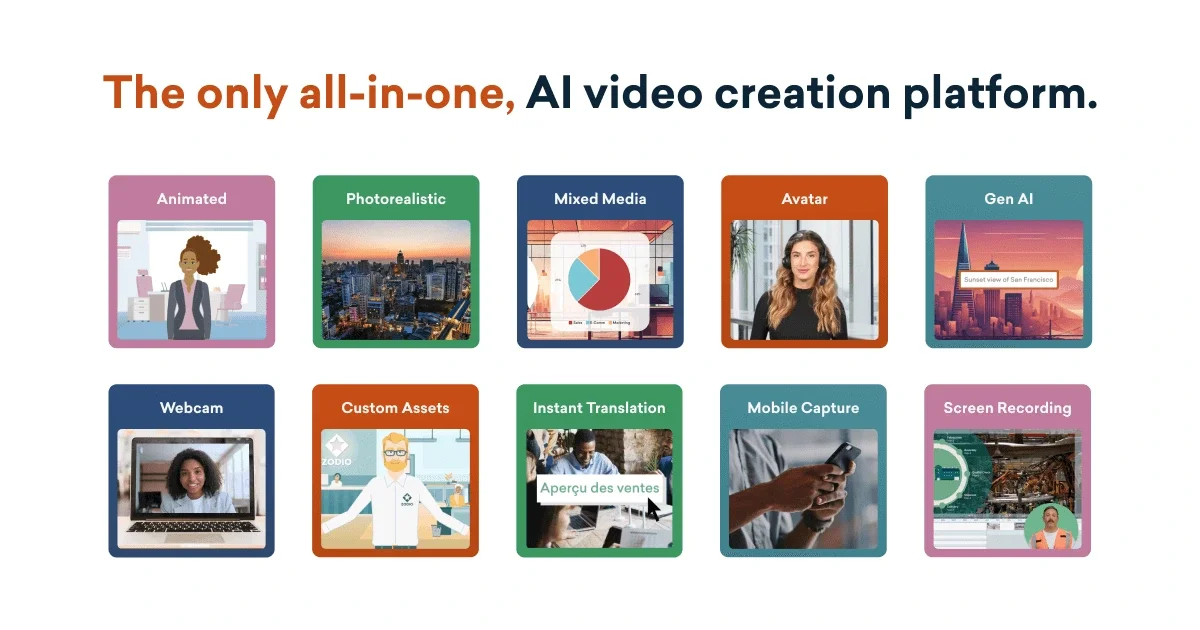
Vyond is an AI video creation platform for business that helps teams make videos in multiple styles from a browser-based workflow. The home page positions it as a fast way to create effective videos in seconds, while the pricing page breaks the platform into starter, professional, enterprise, agency, and government offerings.
The collected pages show a broad creation set that includes Vyond Go for turning text, documents, scripts, or URLs into videos; AI avatars; instant translation; screen and webcam recording; mobile capture; and animated or photorealistic styles. The product is aimed at business communication, training, explainers, sales enablement, and localization.
Turn a prompt, document, script, or URL into a video with Vyond Go. The home and pricing pages position this as a fast way to create explainers, sales content, and training videos.
Choose from more than 1,100 avatar options and use avatars as on-demand presenters. The pricing page also notes generative avatars from a text prompt on higher plans.
Translate on-screen text, text-to-speech, and dialogue scripts into 80+ languages inside the workflow. This supports localization without moving the project to a separate tool.
Capture content with screen recording, webcam recording, and mobile capture. The home page highlights these as part of the creation workflow for software demos, walkthroughs, and presentation-style videos.
Use text-to-speech voices and Shutterstock assets to build out scenes. The pricing page lists 650+ voices on Starter and access to 4M+ Shutterstock assets on Professional.
Add brand controls, collaboration, and enterprise security on higher plans. The pricing page groups these under Brand Management Suite, Advanced Collaboration, and Vyond Secure Suite.
Use Vyond Go to turn a document, script, prompt, or URL into a first-pass business video for an explainer, announcement, or internal update.
Build training and eLearning assets with avatars, narration, screen capture, and animated scenes to explain processes or procedures.
Create localized versions of the same video by translating spoken and on-screen content into 80+ languages within the editing workflow.
Record product demos or software walkthroughs with screen recording and webcam capture for support, enablement, or presentation use.
Assemble branded team content with collaboration tools, shared spaces, brand management, and enterprise controls on higher plans.
Vyond is presented as a business video creation platform that combines AI-assisted creation with editing workflows. The source pages describe Vyond Go for turning text, documents, scripts, or URLs into videos, plus studio-style capabilities such as avatars, translation, screen recording, webcam capture, and animation.
The pricing page shows plans for individual, team, enterprise, agency, and government use. It also distinguishes between monthly and annual billing, with some higher-tier plans only available on annual pricing.
The pricing page says Starter includes AI avatars and tools, text-to-speech voices, screen and webcam recording, and text-to-video. Higher plans add collaboration, Shutterstock assets, instant translation, brand management, and enterprise security features.
Vyond’s instant translation feature is described as translating on-screen text, text-to-speech, and dialogue scripts into 80+ languages directly within the workflow. The home page also highlights instant translation as one of the platform capabilities.
The source pages show that Vyond supports AI-powered video creation in a browser-based workflow and includes features like screen recording and webcam capture. They do not provide native third-party integration details in the collected evidence.