
Prospect list building
Source prospects by uploading addresses, drawing on the map, selecting a jurisdiction, or uploading companies so AI can find contacts.

Terrakotta is a commercial real estate prospecting platform for sourcing leads, making calls, and sending personalized AI voicemails. It helps brokers and CRE teams build prospect lists, verify contact data, and manage outreach in one workflow.
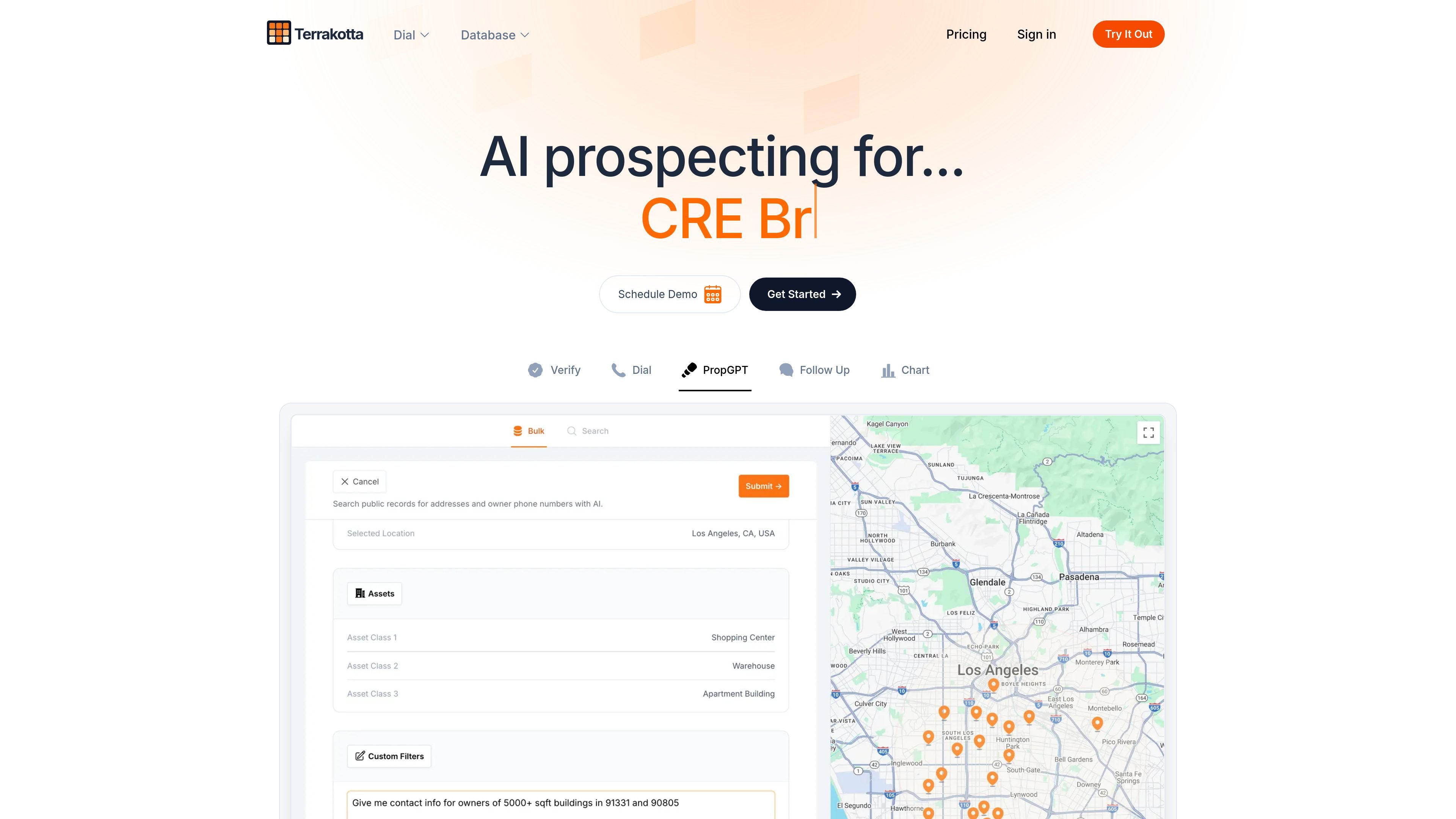
Terrakotta is a commercial real estate prospecting platform for sourcing leads, making calls, and sending personalized AI voicemails. It combines CRE data, dialing, skip tracing, phone verification, and enrichment tools in one workflow for brokers and other commercial real estate teams.
The site positions the product around faster outreach and more targeted prospecting. Users can build prospect lists from maps, addresses, jurisdictions, or company uploads, then call contacts, record conversations, and follow up with voice-cloned voicemails when calls are missed.
Source prospects by uploading addresses, drawing on the map, selecting a jurisdiction, or uploading companies so AI can find contacts.
Skip trace owner phone numbers and verify phone numbers, with API-based verification and bulk requests supported.
Call contacts from inside the platform and use call recording plus AI summaries to review conversations afterward.
Create voice clones and generate personalized AI voicemails for contacts who do not answer.
Connect Terrakotta with CRM and workflow tools such as Salesforce, HubSpot, RealNex, Follow-Up Boss, and Monday.
Enrich contact context with property details, owner history, and market insights to make outreach more targeted.
A broker can assemble a prospect list by uploading addresses, drawing a radius or polygon on the map, or selecting a jurisdiction, then start outreach from that list.
An outreach team can skip trace owner phone numbers, verify them through the API, and sync contact data into CRM tools before calling.
A caller can use the built-in dialer, connect live when someone answers, and capture call recording plus AI summaries for later review.
When a prospect does not answer, a user can rely on a cloned voice or other AI voicemail workflow to leave a personalized message without speaking live.
Teams that already use Salesforce, HubSpot, RealNex, Follow-Up Boss, or Monday can connect Terrakotta to keep prospect data aligned across systems.
Terrakotta offers a REST API and pre-built connectors, with CRM integrations mentioned for Salesforce, HubSpot, RealNex, Follow-Up Boss, and Monday. The pricing page also notes that custom integrations may be built on request, typically on an enterprise subscription.
According to the pricing page, phone number verification through Terrakotta’s API typically takes less than 2 seconds per number. It also supports bulk verification requests of up to 1,000 numbers at once.
Yes. The pricing page says users can bring their own phone number and register it in Terrakotta to place calls from it.
If someone answers, Terrakotta connects you to the live conversation on the device running Terrakotta without lag or latency, so you can continue the call directly.
Terrakotta stores voice data on encrypted servers and lets users delete it from account settings. The pricing page also says contact data uploaded or imported from a CRM is not shared, used, or distributed to third parties.