
Launch Cloud Agents
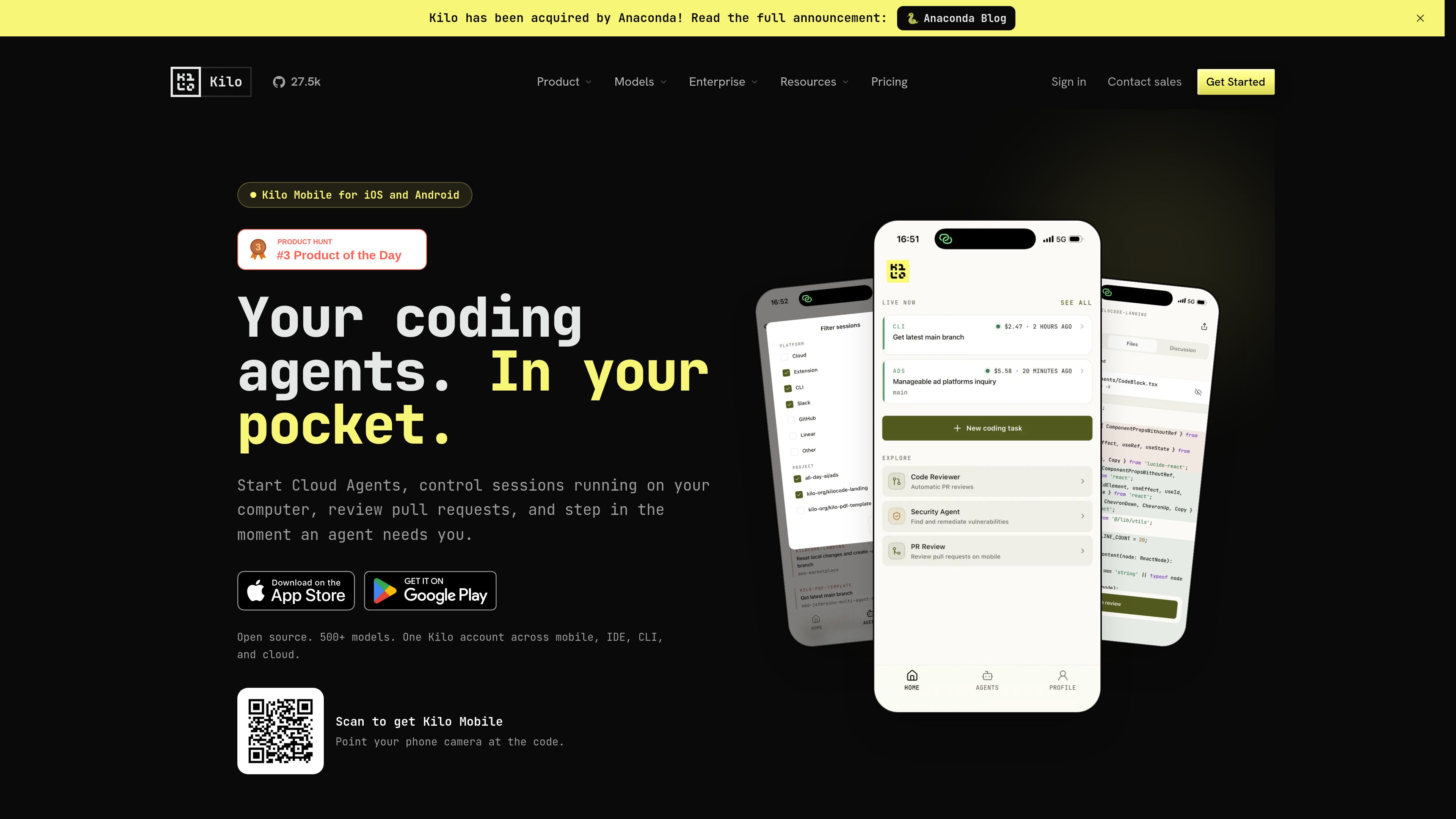
Choose a repository and model, describe a task, and start a Kilo Cloud Agent from a phone or tablet without opening a laptop.

Kilo Mobile extends Kilo’s AI coding workflow to iPhone, iPad, and Android. It lets developers launch cloud coding sessions, control supported CLI and VS Code sessions, and review GitHub pull requests from a mobile device.
Kilo Mobile is a mobile companion for Kilo’s AI coding platform for iPhone, iPad, and Android. It helps developers continue coding-agent work away from a computer by launching Cloud Agents, controlling supported Kilo CLI and VS Code sessions, and reviewing GitHub pull requests.
The app supports an end-to-end remote workflow: choose a repository and model, start a task, monitor progress, respond when the agent needs input, inspect changes, and review the resulting pull request. It also provides notifications, mobile input options, and visibility into activity across Kilo’s cloud and connected desktop surfaces.
Choose a repository and model, describe a task, and start a Kilo Cloud Agent from a phone or tablet without opening a laptop.
Follow session progress, view cost and context pressure, queue follow-up instructions, and respond when an agent requests input.
Pair with supported Kilo CLI or VS Code sessions running on a computer to send instructions, inspect diffs, and use slash commands on a connected CLI instance.
Open pull requests, inspect checks and syntax-highlighted diffs, leave line comments, submit reviews, reply in threads, and merge from the app.
Receive configurable notifications for input requests, milestones, and low balance; dictate prompts, attach files, or share text, links, and files into Kilo.
Leave a desk-based workflow without abandoning a running CLI or VS Code session. Use the phone to provide the next instruction or check the current diff while away.
Launch a Cloud Agent from a mobile device for tasks such as codebase exploration, debugging, planning, or refactoring when a local development machine is not available.
Use push notifications and the Active now tray to notice when an agent needs a decision, additional context, or another prompt instead of waiting until returning to a computer.
Inspect a GitHub pull request, examine checks and diffs, discuss individual lines, submit a review, and merge completed work from a phone or iPad.
Kilo Mobile is presented for iPhone, iPad, and Android devices. The product page specifically describes an iPad layout with side-by-side diffs.
Yes. The app can launch a Kilo Cloud Agent after you choose a repository and model and describe the task. Cloud Agents run in isolated cloud environments, so the task does not require a local machine.
Yes. Kilo Mobile can connect to supported Kilo CLI and VS Code sessions running on a computer. You can send instructions and review diffs; some other surfaces remain available in read-only mode.
For GitHub pull requests, the app supports viewing checks, inspecting syntax-highlighted diffs, leaving line comments, submitting reviews, replying in threads, and merging.
Kilo separates platform access, AI inference, and cloud compute. The pricing information lists a free individual platform tier; inference and cloud compute may incur separate usage costs depending on the selected options. Cloud compute is billed separately from model inference.

code.claude.com
Claude Code is an agentic coding tool from Anthropic that reads codebases, edits files, runs commands, and supports development work from the terminal, IDE, desktop app, or browser. It is designed for developers handling tasks such as bug fixes, tests, onboarding, and code migrations.

mastra.ai
Mastra Factory is an open-source, agent-powered software delivery environment for taking software work from issue intake through planning, implementation, and pull-request review. It provides persistent coding agents, repository workspaces, and configurable lifecycle stages in a web application you can deploy on the Mastra Platform or your own infrastructure.

jackalope.dev
Jackalope is a desktop workspace for running AI coding agents in parallel across separate Git worktrees. It helps developers carry project context between tasks, use supported agent tools, and review related changes together.

onorca.dev
Orca is an Agent Development Environment for shipping with coding agents, running parallel CLI agents in isolated worktrees with desktop and mobile companion workflows.

blopai.com
Blop writes browser tests as code, runs them in CI, clusters repeated failures, and opens pull requests to fix broken tests.

rlama.dev
Local AI platform for RAG systems and intelligent agents