Fifi logo

Fifi

Freemium
Visit

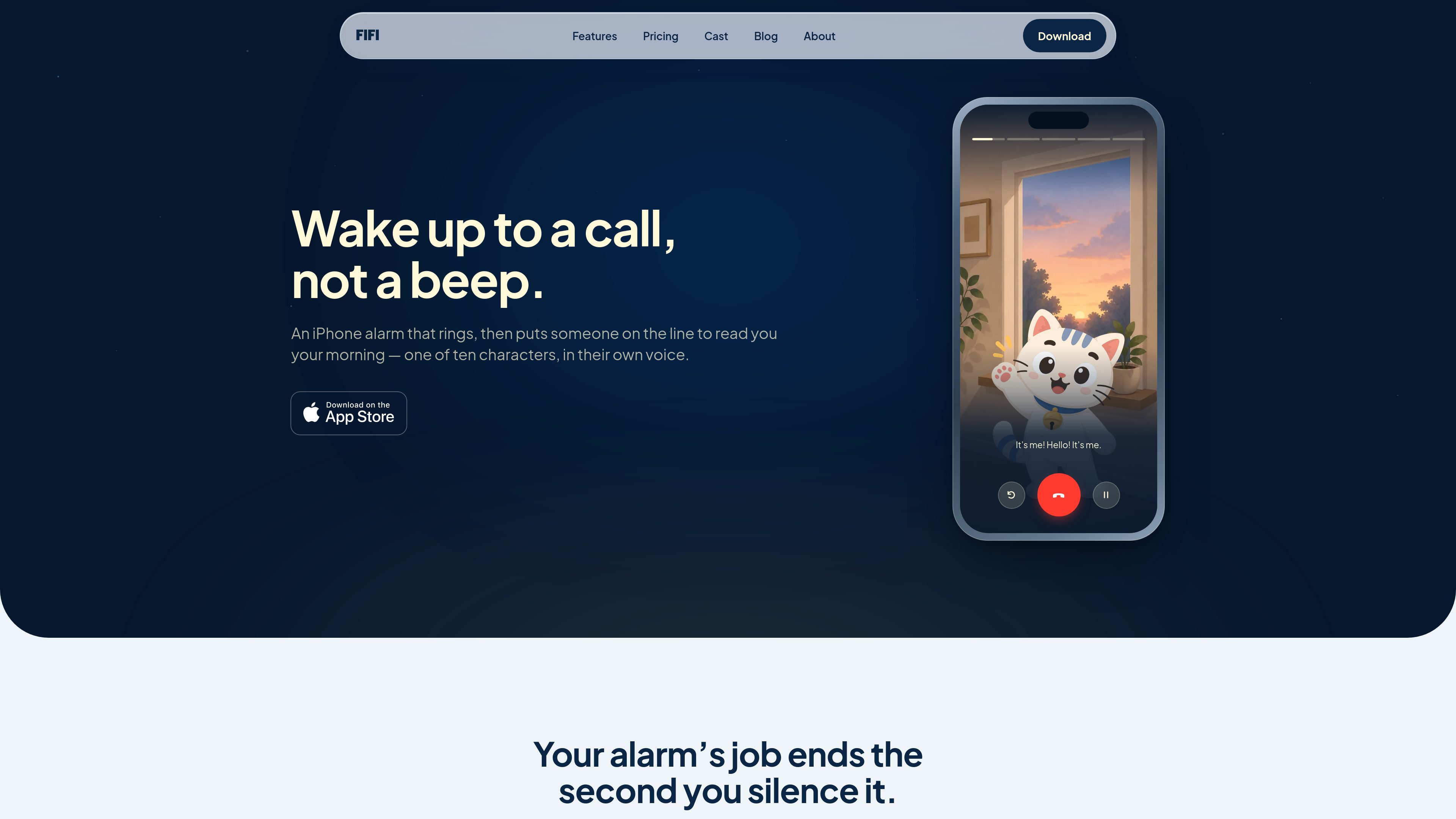
Fifi is an iPhone alarm that rings like an incoming call, then has a selected character read a customizable morning briefing. It is designed for people who want their alarm to lead into the day’s information rather than end with a dismissible tone.

What is Fifi?

Fifi is an alarm clock for iPhone that uses a real system alarm. After you stop the alarm, one of ten selectable character voices speaks to you, turning the first moments after waking into a short morning briefing rather than ending at the alarm tone.

The briefing can include a character-specific greeting, a voice note, the local forecast from Apple Weather, selected news headlines with their sources, and a sign-off. Each segment is optional, so you can choose how much information the call contains. Voice notes can be recorded in your own voice or provided by another person, and they play inside the call rather than replacing the selected character.

Fifi is built for iPhone and uses Apple’s AlarmKit. Its alarm can ring through silent mode and Focus when the required alarm permission is enabled, and it does not need an internet connection to go off. The app does not track sleep with the microphone, score nights, or require a puzzle before dismissal. It is a subscription product with all ten characters, the briefing, and recorded voice notes included in both plans.

What can Fifi do?

System alarm behavior

Fifi sets a real iPhone alarm that can ring through silent mode and Focus when AlarmKit permission is enabled. The iPhone displays the normal alarm interface with Stop and Snooze; the character call begins after the alarm is stopped.

Ten selectable character voices

Choose among ten versions of Fifi, including Fifi Noir, Sergeant Fifi, Fifi Planet, Fifi Whisper, Coach Fifi, Fifi Talk, Fifi Vlog, Fifi Fae, and Baroness Fifi. Each has its own voice, script, setting, and greeting.

Configurable spoken briefing

Greeting, voice note, weather, news, and sign-off are separate switches. You can turn off individual sections, including the news, to keep the call focused.

Personal voice notes

Record a note in the app using your own voice or someone else’s recording. The note plays within the briefing, between the character’s spoken segments.

Weather and news read aloud

The briefing can include the local day’s forecast from Apple Weather and a few headlines with their sources from a selected news category.

49 selectable ringtones

Choose the sound used by the alarm before the call begins. Ringtones are grouped into bells, handsets, voices, digital, melodic, and alarm sounds, and can be previewed in a browser.

Use Cases

“A structured start to the workday”

Set a wake time, choose a character, and have the alarm move directly into the forecast and selected headlines without requiring you to open another app first.

“A personal reminder in the morning”

Leave yourself a spoken note for a task, intention, or other reminder. The recording is played as one part of the next briefing.

“A message from someone else”

Ask a partner, parent, or another person to record a voice note, then hear that recording inside the morning call while the selected Fifi character handles the rest of the briefing.

“Different moods on different mornings”

Switch among the ten character styles—from Whisper for a gentler delivery to Sergeant Fifi or Coach Fifi for a more forceful start—without changing subscription tiers.

Frequently Asked Questions

What happens after the alarm rings?

The iPhone shows its normal alarm screen. After you stop the alarm, the selected Fifi character speaks the enabled briefing segments and ends the call automatically.

Will Fifi work when my iPhone is on silent or Focus?

It can ring through silent mode and Focus because it uses Apple’s AlarmKit, provided Fifi has alarm permission. Check Settings → Fifi → Alarms if the alarm does not sound.

Does Fifi need an internet connection for the alarm to ring?

The alarm itself does not need an internet connection to go off. The briefing includes online-dependent information such as weather and news, but the source does not specify their offline behavior.

Can I use Fifi on Android?

No. Fifi is an iPhone app that requires iOS 26 or later and is built on AlarmKit, which has no Android equivalent.

What does Fifi cost?

The subscription costs $5.99 per week or $34.99 per year. The annual plan includes a three-day free trial for eligible new subscribers; the introductory offer is available once per Apple Account. There is no free tier, and subscriptions are managed through Apple Account settings.

Quick Facts

Category
iPhone alarm and morning briefing app
Platform
iPhone; requires iOS 26 or later
Alarm technology
Apple AlarmKit system alarm
Selectable callers
10 character voices, all included in the subscription
Subscription
$5.99 weekly or $34.99 annually; three-day annual-plan trial for eligible new subscribers
Data handling
No account is required; alarms, to-do items, photos, and recordings remain on the iPhone, and deleting the app deletes them

Fifi Traffic Analysis

Traffic data is for reference only.

Domain Rating
0

Fifi Alternatives

Blanc Browser logo

Blanc Browser

blancbrowser.com

Blanc is a minimal desktop browser for macOS, Windows, and Linux with built-in ad and tracker blocking, private tabs, and keyboard-first navigation. It is designed for people who want a smaller browser surface while keeping tools for tab organization, profiles, reference viewing, and optional encrypted sync.

LinkFlick logo

LinkFlick

linkflick.com

LinkFlick is a macOS menu bar utility that transfers supported Apple Magic accessories between trusted Macs on the same local network. It is designed for people who use one Magic Keyboard, Mouse, or Trackpad with multiple Macs and want to avoid manual re-pairing.

Payflip logo

Payflip

payflip.xyz

Payflip is a payment app and claim-link protocol for sending money to a person by email, phone number, @username, QR code, or link. Recipients can choose an available way to receive the payment, while unclaimed transfers are designed to return automatically after the sender’s selected time limit.

Nearfield logo

Nearfield

trynearfield.com

Nearfield is a native Mac app that combines two Apple Studio Displays into one true left/right stereo speaker system. It is designed for Mac users who want system-wide stereo playback, app-based routing, and normal volume control without manually maintaining an Aggregate Device.

DrawGenie logo

DrawGenie

drawgenie.io

DrawGenie creates personalized, print-ready AI coloring books from a child’s first name, age, and a theme. It is designed for parents, grandparents, teachers, illustrators, and educators who want custom pages they can download and print at home.

Relic logo

Relic

relic.space

Relic is a clipboard manager that saves what you copy, makes it searchable, and syncs your history across computers and phones. It is designed for people who need to recover text, files, images, links, and other copied material without sending it to themselves manually.