
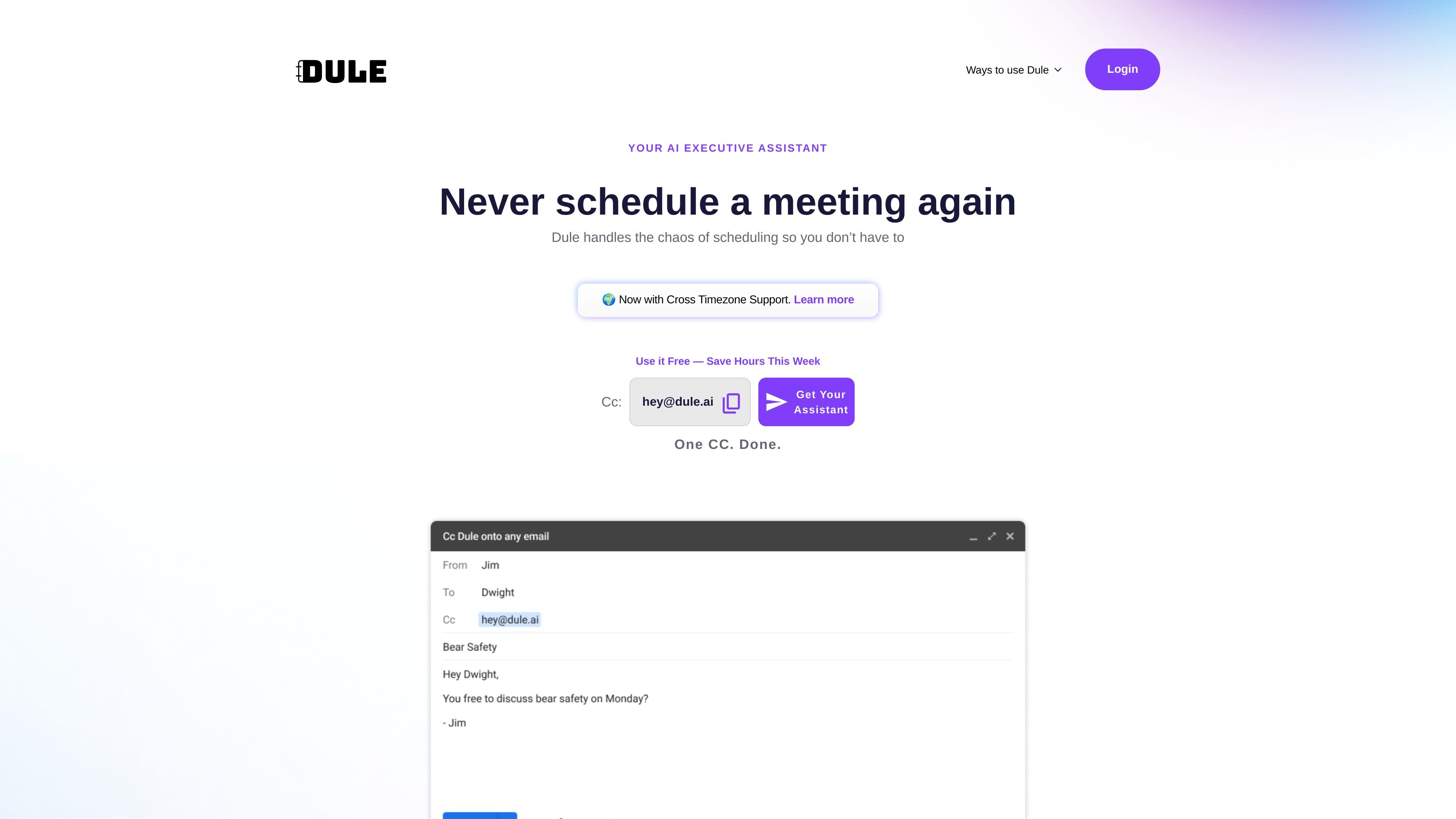
Inbox-native scheduling
CC Dule on an email thread and it reads the conversation, looks at availability, and keeps the scheduling process moving without a separate app or booking page.

Dule.ai is an email-native AI scheduling assistant for booking, following up on, and rescheduling meetings.
Dule.ai is an email-native AI scheduling assistant that handles meeting coordination directly in the inbox. The product is designed for people who want to avoid back-and-forth scheduling, booking links, and extra tabs by CCing Dule on a thread and letting it propose times, follow up, and send calendar invites.
The site positions Dule as a personal AI executive assistant for scheduling. It supports calendar-aware scheduling, time-zone handling, group and recurring meetings, and custom instructions, with onboarding paths that include connecting a calendar or starting by CCing Dule on an email thread.
CC Dule on an email thread and it reads the conversation, looks at availability, and keeps the scheduling process moving without a separate app or booking page.
Dule proposes meeting options, compares availability, and handles time-zone math so participants can coordinate across locations without manual conversion.
The product can send gentle follow-ups when people do not reply, then continue the thread until a meeting is confirmed or updated.
Users can share availability, time zones, out-of-office notes, custom instructions, and scheduling preferences by email, similar to briefing an executive assistant.
Dule imports meetings and holidays from Google Calendar and uses the connected calendar to avoid double booking.
The site says Dule works across Gmail, Outlook, and Superhuman, and that invitees can reply normally without creating an account or using a new interface.
Recruiters can CC Dule on candidate threads to handle interview scheduling, reminders, and time-zone coordination without manually chasing replies.
Founders, VCs, and operators can use Dule to arrange pitches, intro calls, and vendor meetings directly in email, reducing back-and-forth across busy calendars.
Teams working across regions can rely on Dule to suggest times that fit multiple time zones and to keep threads moving when participants reply at different times.
Users who want a more personal workflow can share custom instructions, availability, out-of-office notes, and meeting preferences so Dule follows their scheduling rules.
When a meeting thread stalls or a proposed time changes, Dule can send follow-ups and reschedule without requiring the user to restart the process.
Dule is set up by connecting a calendar and then CCing its address on an email thread. The source describes two onboarding paths: an instant calendar connect flow and a CC-to-begin flow that prompts you to link a calendar before Dule takes over.
Dule is designed to work in email threads. The source says it works in Gmail, Outlook, and Superhuman, and that invitees do not need to leave their email or install anything.
The source shows Google Calendar support on the home page and says Dule can connect Google or Outlook during onboarding. It also mentions importing meetings and holidays from Google Calendar and, on the pricing page, connecting up to four shadow calendars on the Pro plan.
Dule can propose times, handle time zones, send invites, follow up on no-replies, and manage rescheduling or cancellations. The source also mentions group and recurring meetings and multi-thread coordination.
The source describes Dule as focused on scheduling and coordination. It does not claim broader assistant functions such as travel booking, inbox triage, or research, and some enterprise features are marked as coming soon.
Traffic data is for reference only.

hirekai.ai
Kai is an AI executive assistant that connects to Google or Outlook to manage calendars, inboxes, meetings, and task follow-through.

claralabs.com
Clara is an AI scheduling assistant that books meetings from email threads and works with Google and Outlook calendars.

briefmymeeting.com
Brief My Meeting sends AI-powered briefings before external meetings using your email and calendar context.

pally.com
Pally is a personal assistant that lives in your texts over iMessage or RCS, helping you manage messages, meetings, calendars, files, tasks, and web context—all from a single conversation thread.

slashy.com
Slashy is an AI email client that drafts replies, organizes inboxes, and handles calendar and follow-up tasks in one workflow for individuals, teams, and enterprises.

town.com
Personal AI assistant for email, calendars, and recurring tasks, with free and paid plans.