
Bring your own model
Switch between Claude, ChatGPT, OpenRouter, and local models while keeping the same agent workflow.

Craft Agents is an open-source desktop app for working with AI agents, models, APIs, MCP servers, local files, and a built-in browser.
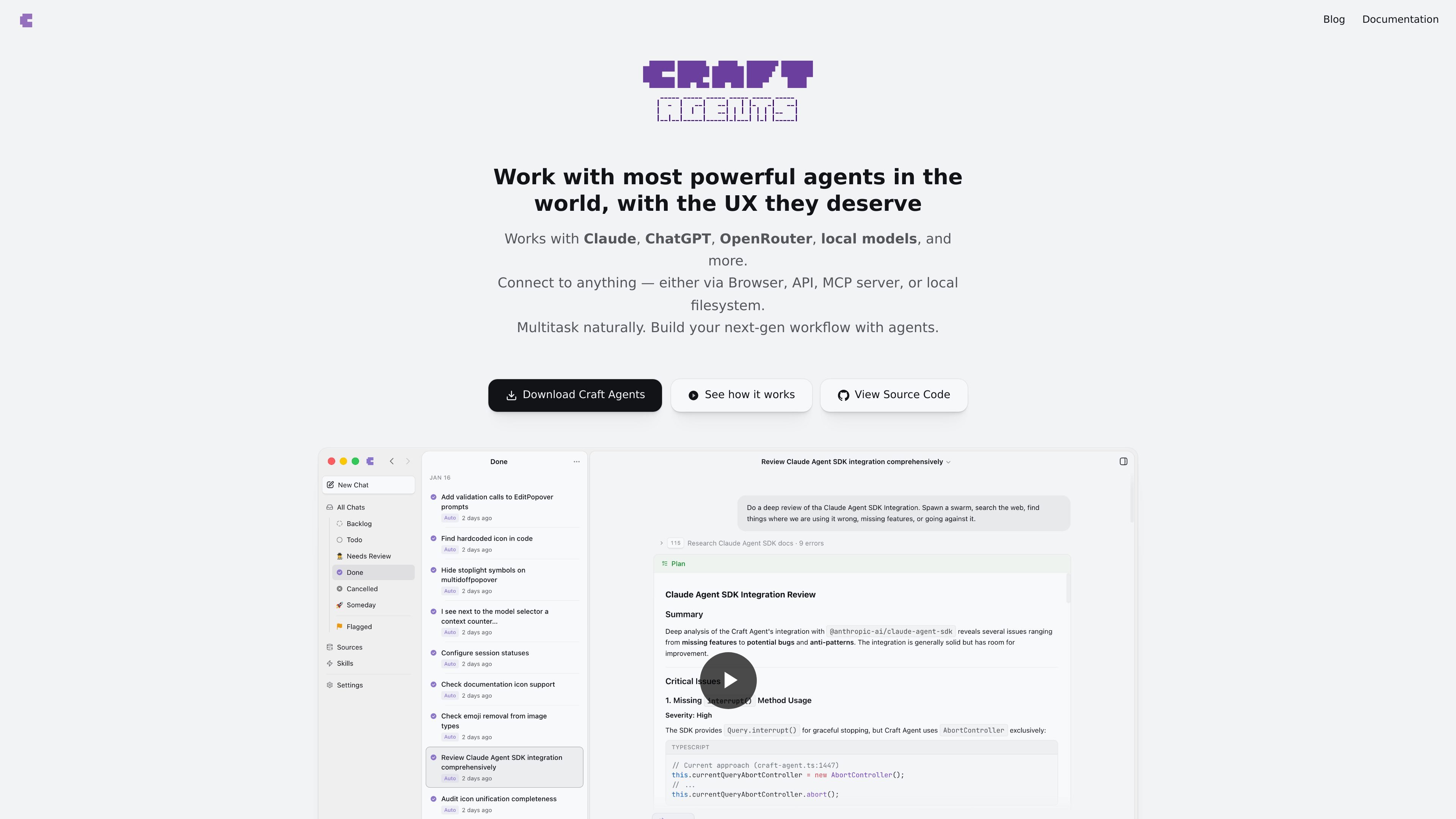
Craft Agents is an open source desktop app for working with AI agents across coding and non-coding tasks. It is built as a UI for agent work, with support for connecting models, data sources, and browser actions in one place.
The product is centered on a persistent inbox-style workflow. You can start in Explore mode to review a plan, then switch to Execute when you are ready to let the agent act. Sources can include APIs, MCP servers, local files, and browser-based interactions, which makes the app useful for research, automation, and cross-tool workflows.
Switch between Claude, ChatGPT, OpenRouter, and local models while keeping the same agent workflow.
Connect agents to REST APIs, MCP servers, local files, and a browser so they can work across tools and websites.
Use a read-only Explore mode to review plans before changes, then move to Execute for autonomous work.
Keep multiple conversations active, preserve full history, and return to long-running tasks later.
Use a built-in Chromium browser for login flows, form filling, page navigation, screenshots, and data extraction.
Share sessions as documentation with decisions, trade-offs, and implementation context preserved.
Use Craft Agents to research, draft a plan, and inspect proposed changes before allowing the agent to act. This is suited to tasks where you want a review step before execution.
Connect the app to services such as GitHub, Linear, Slack, or internal APIs so the agent can gather context and carry out work across systems.
Use the built-in browser for services that lack a direct API, including login flows, form entry, page navigation, and data extraction.
Keep multiple sessions running at once for different projects or threads, then return to each one with full history intact.
Share session transcripts with teammates so they can see decisions, trade-offs, and the reasoning behind the outcome.
Craft Agents is designed around a desktop app workflow where you can connect sources, start a session, and let the agent research or act based on the mode you choose. The docs describe persistent conversations, custom statuses, and shared sessions, so it is suitable for individual work and team review.
The source material indicates the app supports desktop use on macOS, Windows, and Linux, and the docs also mention access through a browser or CLI when using a remote server. The main product is a desktop app.
Yes. The homepage says it works with Claude, ChatGPT, OpenRouter, local models, and more. It also notes compatibility with Anthropic, OpenAI, Google Gemini, xAI Grok, Mistral, DeepSeek, Meta Llama, Cohere, Groq, Together.ai, Fireworks, Cerebras, Perplexity, Amazon Bedrock, Azure OpenAI, Google Vertex, Alibaba Qwen, MiniMax, Inflection Pi, Moonshot, DeepInfra, SambaNova, Zhipu AI, FriendliAI, and OpenAI-compatible endpoints.
Craft Agents supports connecting to REST APIs, MCP servers, and local files or filesystem sources. The homepage also says it can work through a browser and that local MCP servers run as subprocesses on your machine.
The source material does not show exact pricing amounts. The pricing page confirms the product is available from the site, but no plan numbers or limits are provided in the supplied text.
Traffic data is for reference only.

apps.mergeable.io
Diffsmith is a native macOS app for reviewing local git changes made by AI coding agents such as Claude Code, Cursor, Codex, and Copilot. Add inline comments and send them back to the agent as a prompt or via a local MCP server.

hcompany.ai
AI products for browser automation, multimodal models, and enterprise workflows

caveman.so
Caveman is a token-efficiency stack for AI agents and production workflows. It helps teams reduce eligible context, route traffic, and measure verified savings across local tools, a TypeScript SDK, and a managed cloud layer.

extella.ai
Extella is a local AI platform that installs tools, runs workflows, and remembers reusable setups on your machine—automating repeatable tasks from plain-language requests without the terminal.

donely.ai
Donely is a multi-instance OpenClaw platform for deploying AI agents from one dashboard, with access control and unified billing for personal, team, and enterprise use.

www.tryargos.cc
Argos is a Chrome extension and desktop/browser automation tool that lets you open tabs, fill out forms, research topics, and complete tasks in your logged-in browser. It also includes a CLI that runs locally and can be controlled via Telegram.