
Local-first review execution
Reviews run on the user’s computer against the local checkout. The source site states that code is not uploaded to vendor clouds or external cloud databases.

A local-first desktop app for AI-assisted GitHub pull request reviews.
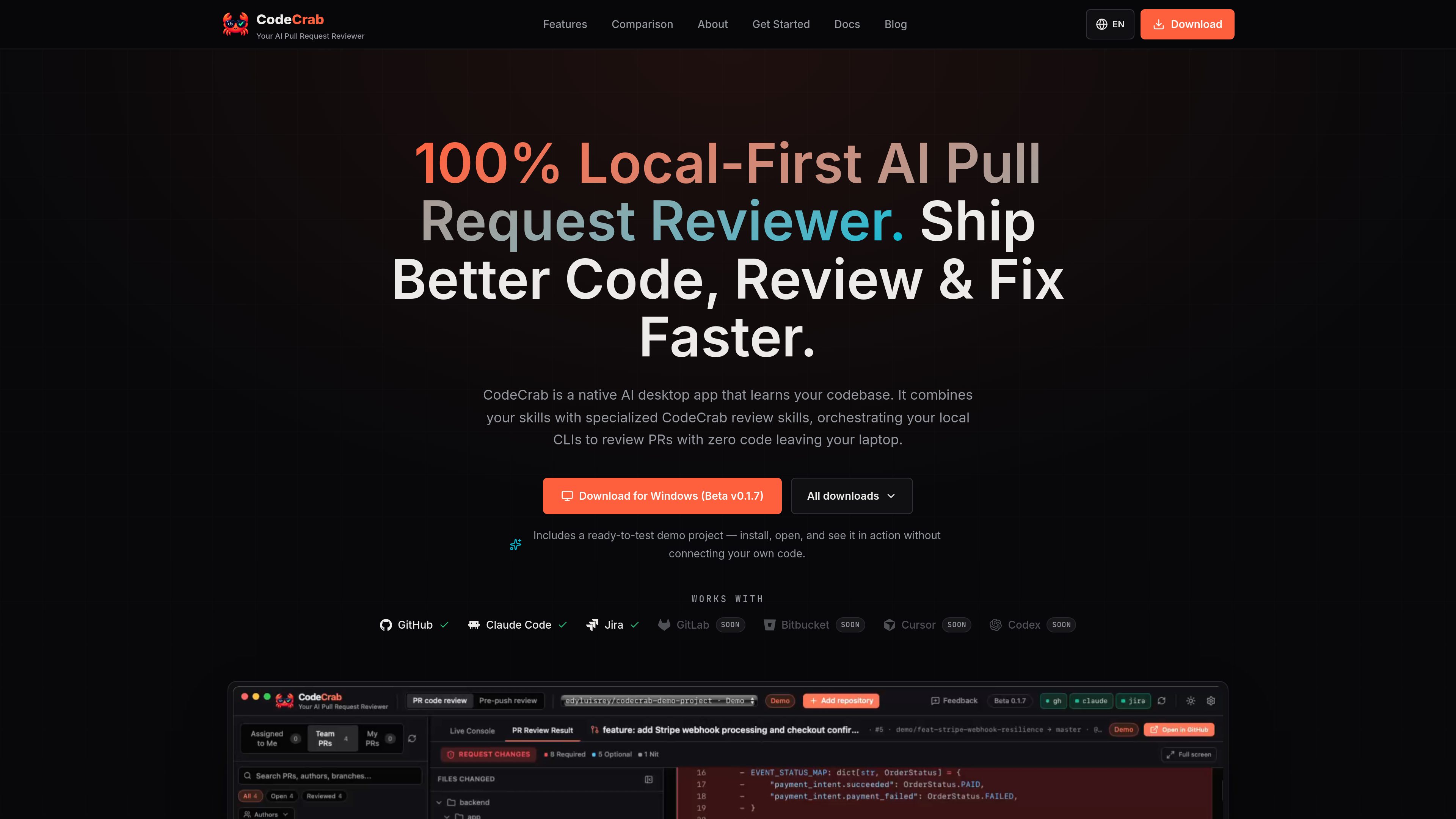
CodeCrab is a native desktop application for AI-assisted GitHub pull request reviews. It works against a repository’s local checkout, showing the file tree, diff, and inline observations while a live execution console records what ran. Its core purpose is to help engineers investigate code changes with repository context without uploading source code to an external review service.
The app uses local tools and existing authenticated sessions, including GitHub CLI (gh) and Claude Code. It is read-only toward GitHub and does not edit the local repository: users decide whether a finding becomes a comment, a bug, or a note. Repository profiles, selectable review skills, and optional Jira context let reviews reflect project conventions and the reason behind a change.
Reviews run on the user’s computer against the local checkout. The source site states that code is not uploaded to vendor clouds or external cloud databases.
CodeCrab loads the pull request’s file tree and changed lines, then places AI observations next to the code they reference for in-context investigation.
The app can generate a profile from a repository’s codebase, CI, and conventions, with evidence for the rules it identifies. Profiles can be regenerated after major changes.
Users can enable built-in passes such as security or test completeness, and can also select local Claude Code skills from repository or user skill directories.
CodeCrab uses the GitHub CLI to read pull requests, diffs, and comments, but does not post comments, approve, commit, or push. The engineer controls any resulting action.
A live console shows the review activity. Optional Jira setup can add linked ticket information, including an issue’s stated requirements, to the review context.
Open a pull request from CodeCrab’s list, inspect the complete local diff, and investigate findings against repository conventions before deciding what feedback to share.
Use the My PRs workflow to investigate vague or unclear review comments with local code context and produce a fix prompt that can guide the next change.
Run a pre-push review against local changes that do not yet have a pull request, using the repository profile and selected skills to catch issues earlier.
Enable an additional security or test-completeness pass when a change warrants extra scrutiny, rather than applying the same intensive review to every pull request.
The documentation provides installation options for macOS, Windows, and Linux. macOS downloads are available for Apple Silicon and Intel; Linux packages include AppImage, Debian/Ubuntu, and Fedora/RHEL formats.
GitHub CLI (`gh`) and Claude Code are required. Both must be installed and authenticated on the computer. Jira is optional and can provide linked ticket context.
The product states that source code stays on the laptop and is not uploaded to vendor clouds. CodeCrab is read-only toward GitHub: it does not post comments, approve, commit, or push.
Yes. CodeCrab can recognize local Claude Code skills in `.claude/skills` or `~/.claude/skills`, and users can select those skills alongside CodeCrab’s repository-aware review skills.
The documentation says the app includes a ready-to-test demo project, allowing users to explore review findings before connecting their own code.
Traffic data is for reference only.

graphite.dev
Graphite is a GitHub-connected code review platform for stacked pull requests, AI-assisted reviews, and merge workflows. Manage pull requests, feedback, and CI in one system.

coderabbit.ai
CodeRabbit is an AI code review tool for pull requests, IDE workflows, and CLI reviews, supporting GitHub and GitLab with context-aware feedback on paid plans.

gitar.ai
Gitar is an AI-powered code review and pull request automation tool for teams that need to verify changes before merging. It reviews code, diagnoses CI failures, applies fixes under configurable rules, and checks that the pipeline passes.

reviu.dev
A desktop workspace for reviewing coding-agent changes and managing local Git workflows.

gitwarren.com
GitWarren is a local code-review tool for inspecting and commenting on the staged, unstaged, and untracked changes in an agent’s Git worktree before they are committed or pushed. It runs on the machine containing the repository and can be used through a desktop app, a browser, or an MCP server connected to coding agents.

contextgoblin.com
Context Goblin is an AI code reviewer for GitHub pull requests that uses call-graph and cross-repository context to assess changes. It helps development teams review architecture, security, logic, and test concerns with findings verified against the codebase.