
No-code chatbot builder
Build chatbots without code and embed them directly into websites or applications for conversational data collection and support flows.

Typebot is a no-code platform for building chatbots and conversational forms for websites, with WhatsApp, webhooks, and automation integrations. Free plan available.
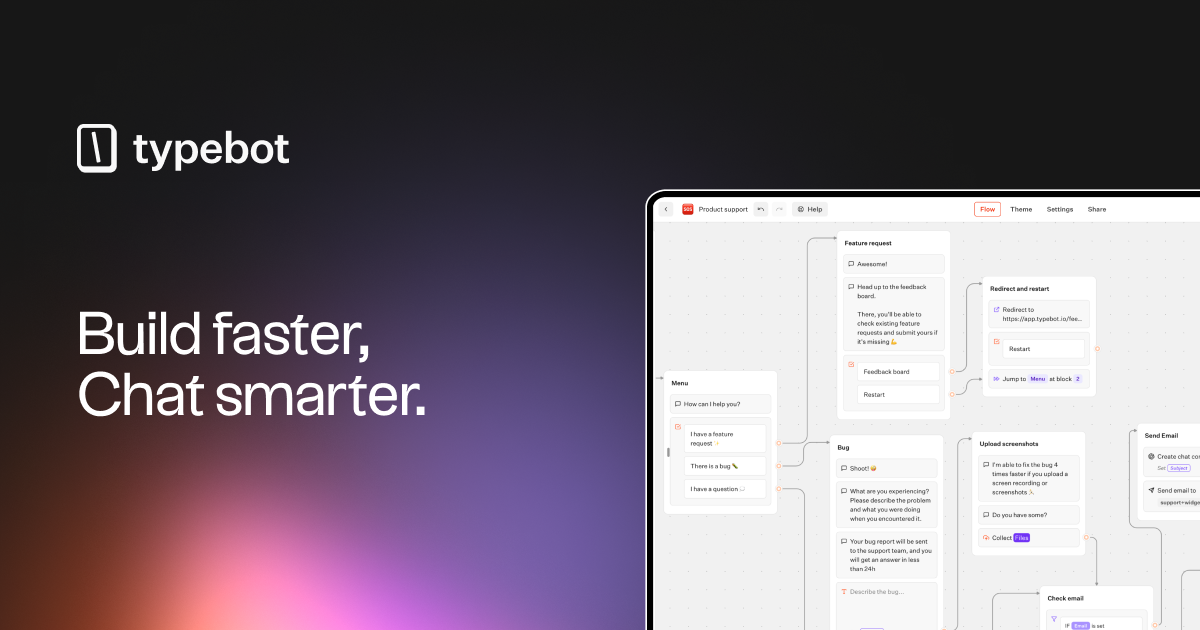
Typebot is a no-code platform for creating advanced chatbots and conversational forms that can be embedded into websites and used across chat channels. The product is positioned for people who want to build chat-based experiences without writing code, while still connecting those experiences to external services and workflows.
The pricing page shows a tiered model that starts with a free Personal plan and moves up to paid Starter and Pro plans, with an Enterprise option for larger organizations. Across the plans, Typebot emphasizes usage-based chat limits, integrations, collaboration seats, and operational controls such as support levels and custom domains.
Build chatbots without code and embed them directly into websites or applications for conversational data collection and support flows.
Create chat forms with reusable blocks, starter templates, and support for custom Javascript and CSS when you need more control over behavior or appearance.
Connect bots to external tools through native integrations, webhooks, Google Sheets, Google Analytics, email sending, Zapier, Pabbly Connect, and Make.com.
Collect files from users, export results to CSV, and organize bots into folders for managing multiple projects or teams.
Add branding removal, custom domains, in-depth analytics, and WhatsApp integration on higher plans for more polished deployments and broader distribution.
Use Typebot to create embedded conversational forms that collect structured responses in a chat-style flow instead of a traditional static form.
Connect a bot to webhooks, spreadsheets, and automation tools to route submitted data into internal systems or downstream workflows.
Deploy a bot on a website or chat channel to answer common questions and guide visitors through a support flow with structured prompts.
Use the higher-tier options to manage branded, domain-specific deployments and add analytics for monitoring performance over time.
Set up a bot for team use with multiple seats, folders, and access controls when several people need to collaborate on the same workspace.
Typebot counts a chat when a user starts a conversation, not for every message exchanged. If a remembered session continues later, that return visit does not count as a new chat.
Yes. The pricing page says subscriptions can be cancelled, upgraded, or downgraded at any time, with no minimum commitment or lock-in.
Typebot has a free Personal plan with unlimited typebots and 200 chats per month, and paid Starter and Pro plans for higher usage and additional features. Enterprise is available by quote.
The source material explicitly mentions websites and chat platforms like WhatsApp. The pricing page also lists native integrations, webhooks, Google Sheets, Google Analytics, email sending, Zapier, Pabbly Connect, and Make.com.