
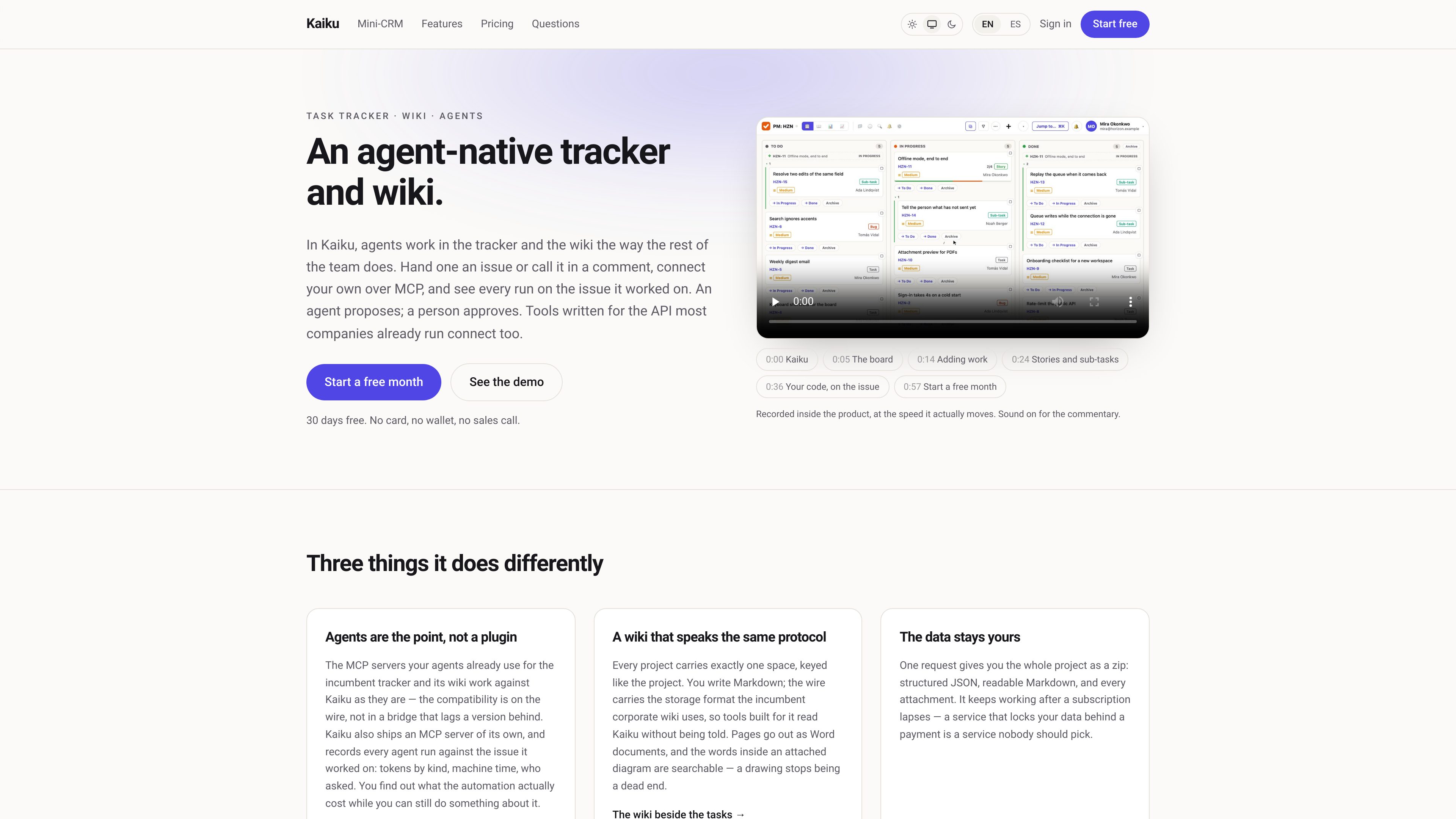
Issue tracking with agent participation
Manage issues, sub-tasks, comments, and threads on a board. Built-in agents can be called by name in a comment and answer in the same thread.

Kaiku est un suivi des tâches natif pour les agents et un wiki d’équipe qui réunit tickets, documentation et travail assisté par l’IA dans un même espace. Les agents se connectent via MCP, agissent selon les autorisations de l’appelant et laissent des traces vérifiables de leurs exécutions, sources, propositions et coûts.
Kaiku is an agent-native task tracker and wiki. Teams can organize issues and sub-tasks, document projects in Markdown pages, and call agents from issue comments or through MCP while keeping the work in the same workspace.
Agents run with the invoking person’s permissions and are restricted to the relevant project. Kaiku records the issues and pages an agent read, the result of each call, and its cost; when an agent proposes a decision, the proposal remains a question for a person to answer.
Manage issues, sub-tasks, comments, and threads on a board. Built-in agents can be called by name in a comment and answer in the same thread.
Each project includes one wiki space. Markdown pages can link to issues from both directions, include live issue lists, and use page-level read and edit restrictions.
Every page save creates a version, and restoring an older version creates a new record rather than erasing history. Pages can be exported as Word documents or PDFs.
Kaiku provides a workspace-specific MCP server for clients such as Claude Code and Cursor. The product also states that tools built for widely used corporate tracker and wiki APIs can work against Kaiku without a bridge.
Agents have no independent account, password, or token. They run as the caller, are limited to the issue’s project, use read-only tools, and return the sources they actually read.
Each agent call records who requested it, which role and issue were involved, what happened, and what it cost. Proposals are stored as issue questions, so a person’s answer or lack of an answer determines the outcome.
Connect Claude Code, Cursor, or another MCP client so an agent can read and update the team’s issue and documentation context within the caller’s permissions. Runs and costs remain associated with the relevant work.
Link implementation or operational pages to their issues, then have an agent read or update both through the same MCP server. Live issue lists help pages reflect the current state when they are read.
Ask an agent for analysis in an issue thread when a decision needs context. The agent can provide an answer or propose options with supporting sources, while a person makes the recorded decision.
A company administrator can import a project from the cloud version of a popular task manager. Kaiku preserves issue keys and selected work data, and checks beforehand which items, such as change history or logged time, will not move.
Enable the Mini-CRM view for a project to represent clients as rows with custom fields and show their related work underneath. The client records remain issues, so comments, files, history, search, and agent access use the same system.
Kaiku has a workspace-specific MCP server available over streamable HTTP with a token in the Authorization header. Settings provides the workspace address and token instructions; the site also describes connecting clients such as Claude Code and Cursor.
Built-in agents use read-only tools and run with the caller’s permissions. Kaiku writes the resulting comment, proposal, and journal record; an agent proposal becomes an issue question, and a person must answer it for a decision to be recorded.
A run records who called the agent, which role and issue were involved, what came of the call, and what it cost. Answers and proposals also include the issues and pages returned by the agent’s tools.
Pages can be exported as Word documents or PDFs. Page access can be restricted, and the documentation states that a restricted page is not sent to a model.
The site offers a first month free without a card and describes a trial. The agent documentation states that the trial includes other product features but does not include AI.
Les données de trafic sont fournies à titre indicatif uniquement.

aruvi.dev
Aruvi réunit suivi des tâches, documentation, connaissances et workflows d’agents IA dans un espace de travail conçu pour les équipes produit et techniques.

runevr.com
runevr est un espace de travail collaboratif pour les équipes créatives. Il réunit tableaux, revue de médias en direct, chat, espace de stockage, appels, enregistrements et agents IA dans une seule salle de projet, pour garder travail, retours et validations dans leur contexte, du brief à la livraison.

clickup.com
ClickUp est une plateforme de gestion du travail qui réunit tâches, documents, objectifs, chat et IA dans un espace unique.

spaces.ez-ai.io
Spaces est un espace de travail IA sur ordinateur, conçu pour les particuliers et les équipes. Il organise les conversations de projet, les fichiers, les spécialistes IA et les routines planifiées dans des espaces partagés. Connectez-vous à ChatGPT, Claude, Gemini ou à un modèle exécuté localement, tandis que les agents et les comptes connectés restent sur l’ordinateur de chaque utilisateur.

linear.app
Linear est une plateforme de développement produit qui centralise la planification, la création et le suivi du travail, avec suivi des tickets, gestion de projets, programmation assistée par IA, revue de code et opérations produit.

niftypm.com
Espace de travail propulsé par l’IA pour gérer tâches, documents, discussions, formulaires, rapports et automatisations