
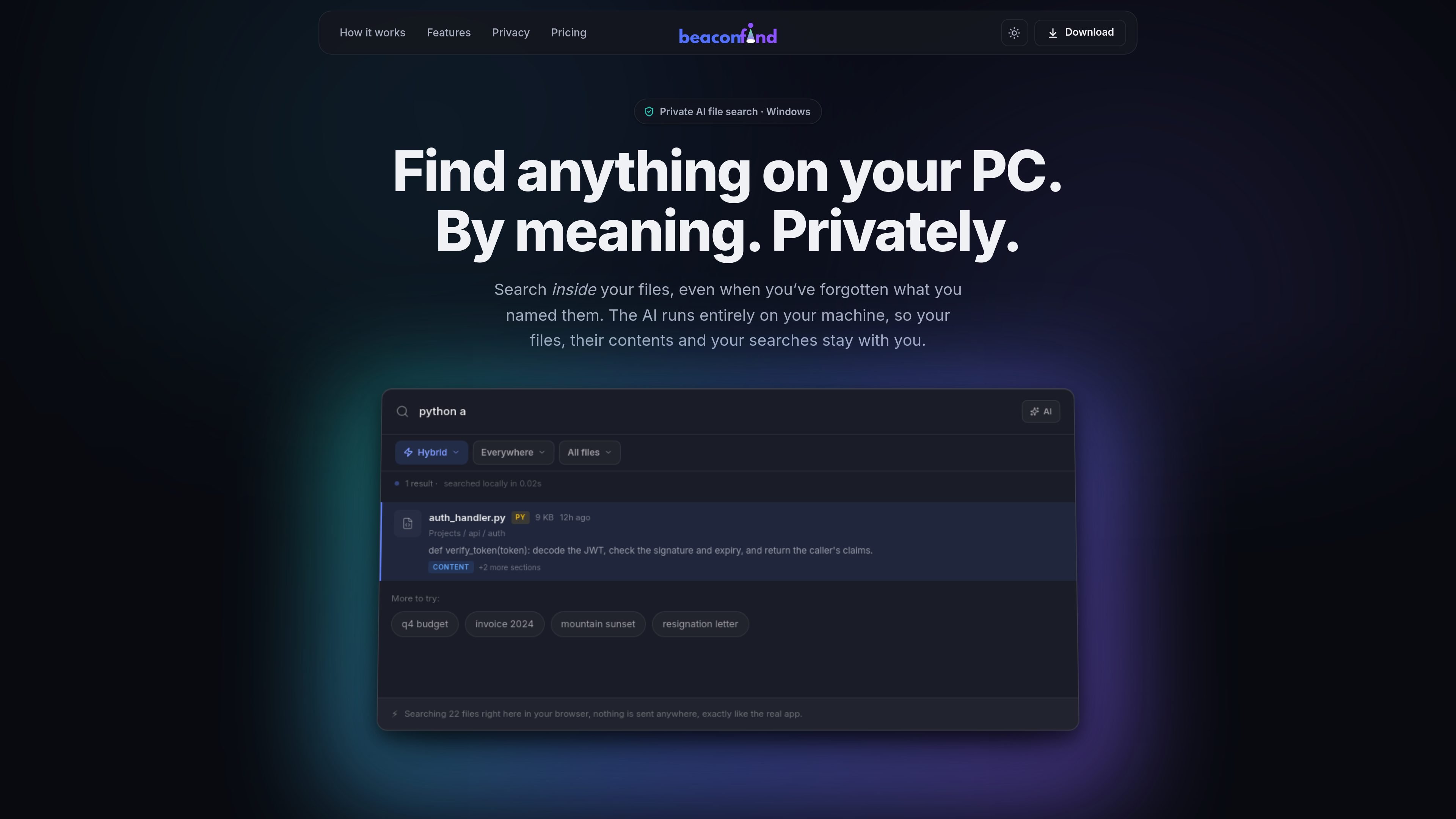
Semantic file search
Search files by describing what you remember in plain language, instead of relying on an exact filename match.

BeaconFind est une application privée de recherche de fichiers par IA pour Windows, qui les retrouve par leur sens plutôt que par leur nom exact. L’indexation et la recherche restent sur votre appareil, avec Ctrl+K, la recherche multilingue et des réponses citant vos documents.
BeaconFind is a private AI file search app for Windows. It is designed to help you find files on your PC by meaning, using Ctrl+K to search with plain-language prompts instead of exact filenames.
The product’s core promise is that the AI runs on your machine. The site says your files, their contents, your searches, and the index stay local, with no cloud uploads or API keys required.
Search files by describing what you remember in plain language, instead of relying on an exact filename match.
Search across documents, notes, images, screenshots, and scans, with text extraction and visual understanding where applicable.
Ask questions about your files and get answers with citations that open back to the source passages.
Use filters and saved views to narrow results by type, date, size, and other metadata, then reuse those views later.
Let the app run in the background on a schedule, or pause it with performance and gaming modes when you want resources back.
Keep search local with an on-device stack that supports 50+ languages and does not require cloud APIs or API keys.
Use it when you remember what a document is about but not the filename, such as a quarterly report, a lease clause, or a draft you saved under a vague name.
Search across screenshots, scans, and photos by what they show, which is useful for whiteboard photos, scanned notes, or image-based records.
Ask questions about contracts, agreements, or other documents and jump to cited passages instead of reading whole files manually.
Search in the language you think in and retrieve files written in another language, which fits multilingual personal archives or mixed-language work folders.
Tune indexing and background activity for your machine, including overnight indexing or performance mode when you want to reduce resource usage.
BeaconFind indexes folders on your Windows PC and lets you search them by meaning rather than exact filename. It also supports asking questions about retrieved documents and opening cited passages.
The site states that BeaconFind runs entirely on your machine, with no cloud, no uploads, no API keys, no telemetry, and offline operation supported.
You can point BeaconFind at folders such as Documents, Desktop, and Downloads. The product then reads files on your device and builds a local index you can search with Ctrl+K.
The pricing page states that BeaconFind offers a free 14-day trial, a lifetime purchase option, and a 30-day refund. It does not show subscription tiers in the captured text.
The product page says BeaconFind is for Windows 10 and 11.
Les données de trafic sont fournies à titre indicatif uniquement.

rename.click
RenameClick est une application de bureau locale pour macOS et Windows qui renomme, organise et recherche les fichiers par contenu, avec des suggestions d’IA à valider avant application.

www.docusmart.eu
DocuSmart AI est un outil de recherche documentaire et de base de connaissances destiné aux organisations à but non lucratif et de la société civile. Il indexe les fichiers de Google Drive, OneDrive et Dropbox afin que les équipes posent des questions en anglais courant et obtiennent des réponses avec des citations tirées de leurs propres documents.

memoria.anasouh.fr
Memoria est une application de recherche de photos et de vidéos qui fonctionne sur l’appareil et permet de retrouver du texte, des paroles, des objets, des visages, des lieux et les métadonnées de l’appareil photo dans votre bibliothèque personnelle. Conçue pour les collections volumineuses difficiles à parcourir, elle traite tout localement, sans compte ni abonnement.

dashworks.ai
Assistant IA pour les questions professionnelles, avec recherche unifiée dans les apps, documents, sites web et Slack

iask.ai
Moteur de recherche et de réponses IA avec résumés, analyse de documents, création d’images et outils d’étude.

siriil.com
Ollie est un agent IA local-first pour Windows qui se connecte aux e-mails, aux discussions, aux documents, aux fichiers, aux calendriers et aux outils métier, puis répond aux questions sur ces informations en langage clair, sans terminal ni fichiers de configuration.