
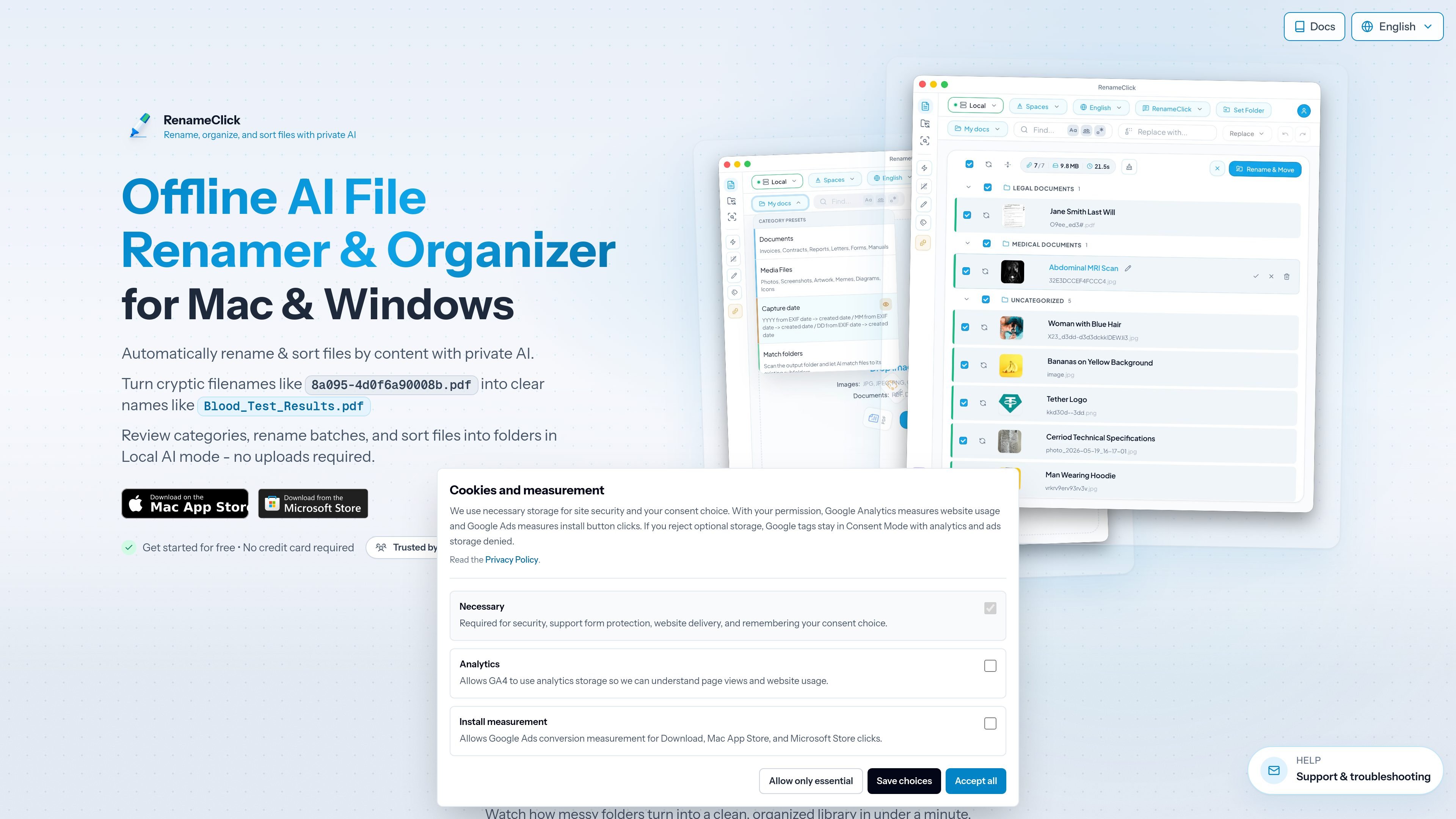
Review-first rename workflow
RenameClick analyzes file content, then suggests descriptive names and categories you can review before applying them. The workflow supports rename-only, organize-only, or combined rename-and-move actions.

RenameClick est une application de bureau locale pour macOS et Windows qui renomme, organise et recherche les fichiers par contenu, avec des suggestions d’IA à valider avant application.
RenameClick is a local-first desktop app for macOS and Windows that renames, sorts, and searches files based on their content. It reads images, PDFs, and other common documents, then suggests new names and folder destinations that you can review before applying changes.
The app is built around three workspaces: Rename for batch renaming and categorizing, AI Search for finding files by meaning, and Auto Flow for watching folders and processing new arrivals automatically. By default it runs on-device with a bundled model, but you can also connect LM Studio, Ollama, or supported cloud providers when you want a different setup.
RenameClick analyzes file content, then suggests descriptive names and categories you can review before applying them. The workflow supports rename-only, organize-only, or combined rename-and-move actions.
AI Search looks for files by meaning instead of exact filename, which helps when folder names and file names are messy. It is a separate workspace from batch renaming and Auto Flow.
Auto Flow can watch source folders such as Downloads or Scans and process new files automatically. Files are handled with rules that can rename them, move them, or do both.
RenameClick ships with a built-in local model and also supports optional providers such as LM Studio, Ollama, OpenAI, Google AI, and Alibaba Cloud when you explicitly connect them.
The app supports format patterns, EXIF-based placeholders, custom instructions, metadata-driven folders, undo/redo, and duplicate filename handling so naming rules can fit different file sets.
Turn raw camera rolls, screenshots, and mixed folders into readable filenames that describe what the file contains instead of using camera or export names.
Rename scanned PDFs, invoices, receipts, contracts, and reports so they are easier to archive and later retrieve.
Use Auto Flow to watch folders like Downloads or Scans and process new files automatically as they arrive.
Search for a file when you remember the topic or subject but not the exact filename, then review the matches returned by AI Search.
Apply metadata-based folder rules, EXIF placeholders, or custom instructions to standardize naming and filing conventions across a project.
RenameClick is a local-first desktop app for macOS and Windows that renames, organizes, and searches files by their content instead of the original filename. It supports review-before-apply workflows, AI Search, and folder watching with Auto Flow.
Yes. RenameClick is designed to work offline with its built-in local model. Cloud providers such as OpenAI, Google AI, and Alibaba Cloud are optional and require your own API keys and an internet connection.
No. The source material says the app can process unlimited files for free, but you need credits to apply changes that modify files on disk. The free tier includes 30 credits per month for rename or move actions.
Supported files include common image formats such as JPG, PNG, GIF, WEBP, BMP, SVG, HEIC, HEIF, TIFF, and TIF, plus document formats such as PDF, DOC, DOCX, TXT, MD, CSV, RTF, and ODT.
Yes. The docs describe right-click integration in Finder on macOS and File Explorer on Windows, so you can launch RenameClick from the context menu.
Les données de trafic sont fournies à titre indicatif uniquement.

beaconfind.app
BeaconFind est une application privée de recherche de fichiers par IA pour Windows, qui les retrouve par leur sens plutôt que par leur nom exact. L’indexation et la recherche restent sur votre appareil, avec Ctrl+K, la recherche multilingue et des réponses citant vos documents.

tryreference.com
Reference est un outil de recherche locale de fichiers pour les agents IA, qui fournit des citations issues des fichiers présents sur la machine de l’utilisateur. Il est conçu pour garder les données en local, sans aucun téléversement vers le cloud.

myaidrive.com
AI Drive est une plateforme cloud de gestion documentaire et d’analyse par IA pour les équipes juridiques et professionnelles, avec OCR, recherche sémantique et agents IA personnalisés.

www.docusmart.eu
DocuSmart AI est un outil de recherche documentaire et de base de connaissances destiné aux organisations à but non lucratif et de la société civile. Il indexe les fichiers de Google Drive, OneDrive et Dropbox afin que les équipes posent des questions en anglais courant et obtiennent des réponses avec des citations tirées de leurs propres documents.

quark.cn
Navigateur IA et outil de productivité pour PC et mobile, avec recherche, stockage cloud, traitement PDF, traduction vidéo et informations scolaires.

n.cn
纳米AI est un outil d’IA pour la recherche, la création de contenu et la gestion des connaissances, capable de générer vidéos, rapports et PPT à partir d’une phrase.