
Automatic subtitles
Upload a video and let Zubtitle generate captions automatically, then review the transcript and timing in a simple editor.

Zubtitle is a web-based video editor for captions, headlines, branding, and platform-ready formatting for talking videos.
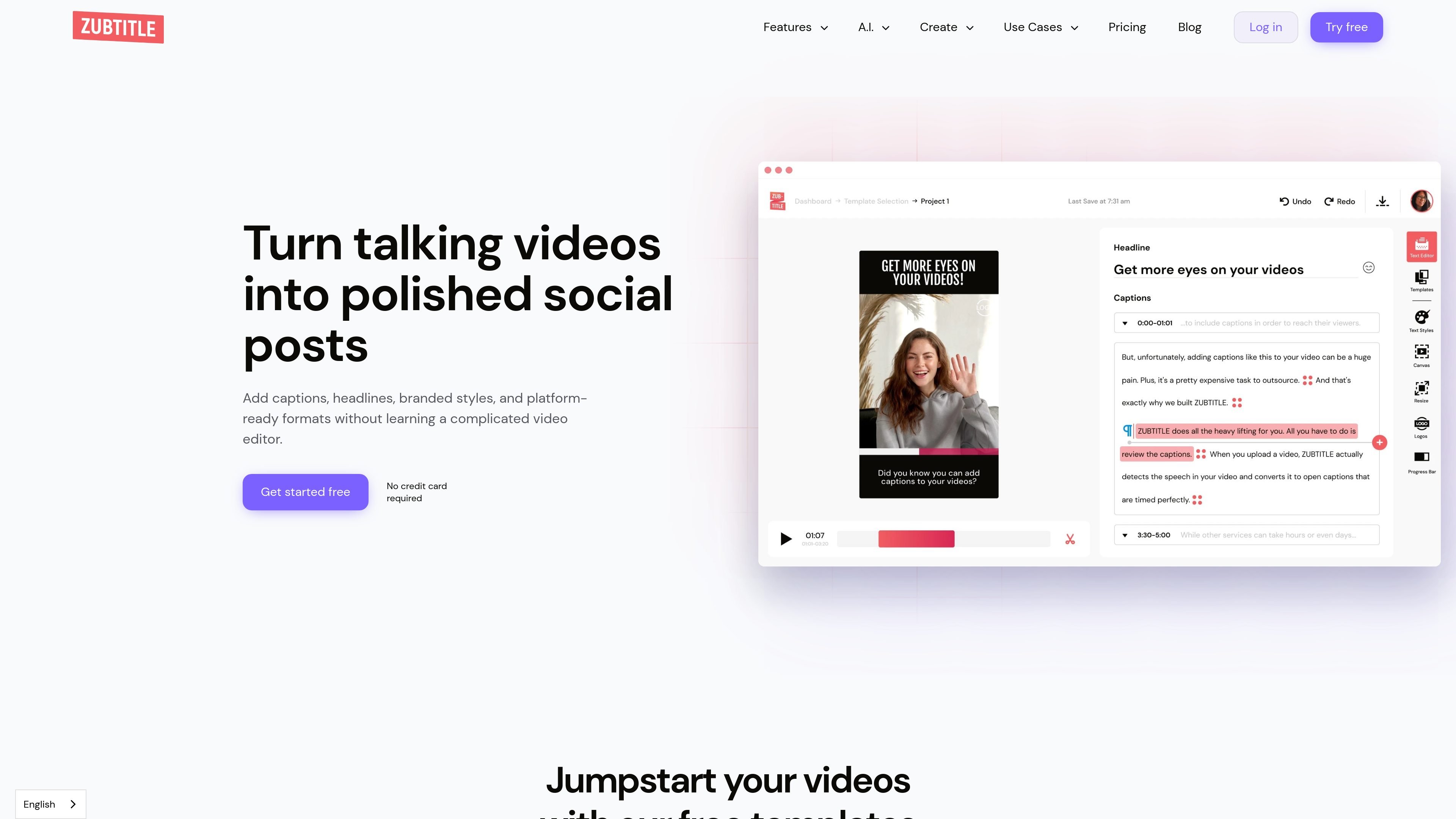
Zubtitle is an online video editor built for turning talking videos into social media posts. The site describes it as a tool for adding captions, headlines, branded styles, and platform-ready formats without needing a complicated editor.
The product’s core workflow is straightforward: upload a video, let Zubtitle transcribe the speech, edit the captions and timing if needed, then resize, trim, and style the result for sharing online. It is positioned for coaches, creators, podcasters, experts, and small teams that want a faster way to prepare videos for social platforms.
Upload a video and let Zubtitle generate captions automatically, then review the transcript and timing in a simple editor.
Add a headline to the top of a video to introduce the topic or frame the message before viewers scroll past.
Resize, crop, and reframe videos into square, vertical, widescreen, or feed-ready formats for different platforms.
Trim videos to the strongest section so the final clip is shorter and more focused.
Apply branded fonts, colors, templates, logos, watermarks, and progress bars to keep videos visually consistent.
Download subtitle files such as .TXT or .SRT after processing, alongside burned-in captioned video exports.
Turn recorded talks, interviews, or explainers into captioned social clips that are easier to watch on mute and quicker to post.
Prepare square, vertical, or widescreen versions of the same video for different social platforms without rebuilding the edit from scratch.
Add branded headlines, fonts, colors, logos, and templates so repeated posts keep a consistent visual style.
Export .SRT or .TXT subtitle files when you need a subtitle file in addition to the video export.
Use the free option or lower-tier plans for smaller video batches, then move to higher plans when you need more uploads and support.
Yes. The pricing and home pages say you can cancel or change plans at any time, so subscriptions are not locked in.
Yes. The home page says Zubtitle is mobile friendly on both iOS and Android devices.
Yes. The site offers a free trial/free plan that lets you upload one video and use the video editing features, including captioning, at no cost.
Yes. For each processed video, Zubtitle says you can download a .txt or .srt file.
Zubtitle accepts .mp4, .mov, and .m4v files under 1.0 GB, with H.264 video codec, resolution up to 4096x2160, and duration up to 20 minutes.