万彩AI logo

万彩AI

Reclamar

万彩AI是一套面向个人和企业的 AI 内容创作工具,覆盖智能写作、文章转视频、数字人制作、视频处理和智能问答等场景。它适合需要在同一工作台完成文案、脚本和视频内容生产的用户。

万彩AI preview

Product Overview

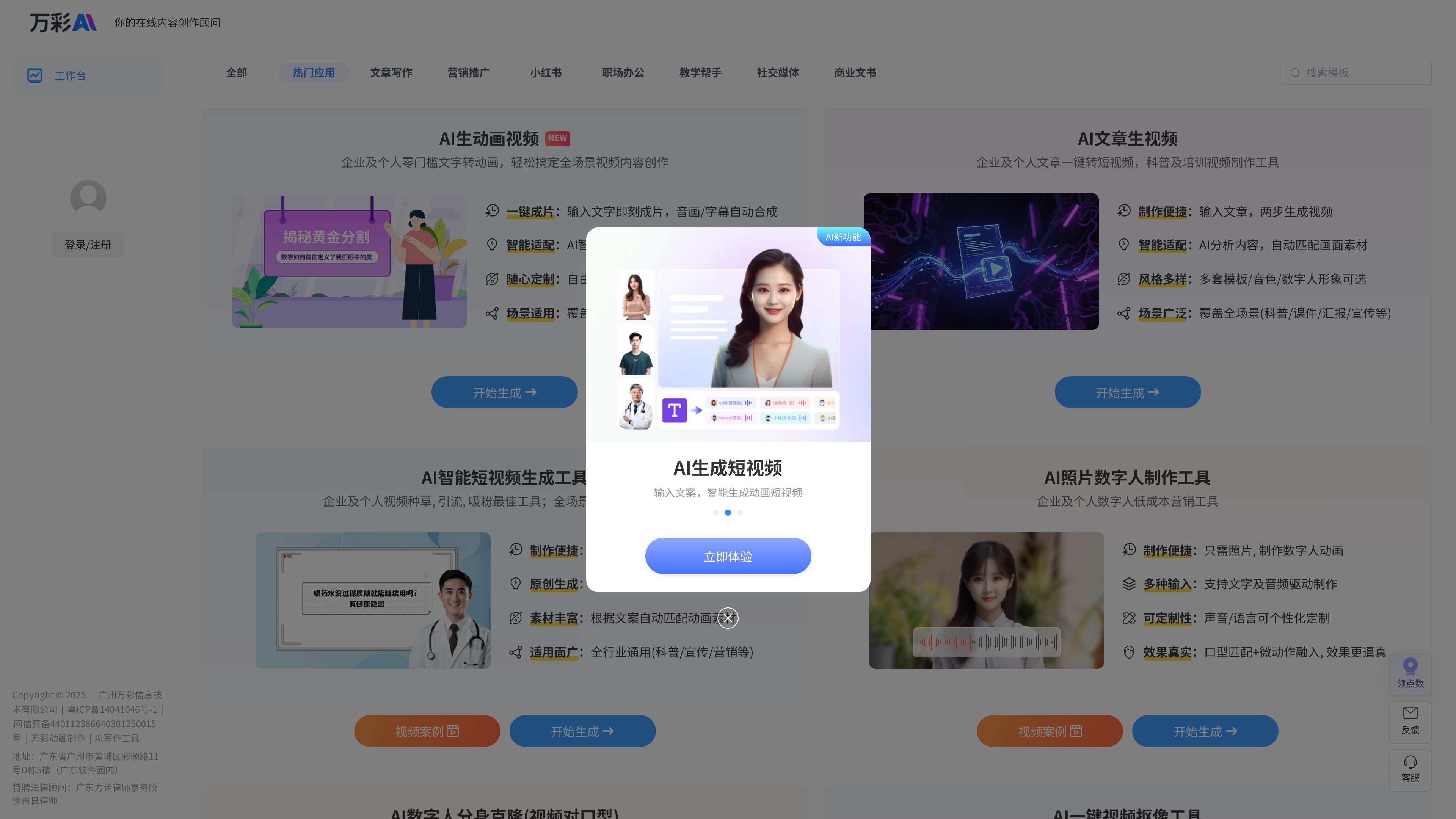
万彩AI is a suite of AI tools for content creation, centered on writing, short videos, animated videos, digital humans, and smart Q&A. The homepage positions it as an “AI intelligent writing generation tool,” while also providing entry points for article-to-video, AI animated video creation, AI short video production, AI face swapping, and digital human creation.

From the publicly available pages, its use is not limited to a standalone writing tool. Instead, it brings text, image, and video generation capabilities into one workspace, allowing individuals and businesses to complete scripts, copy, videos, voiceover scripts, digital human avatars, background processing, and multilingual video production according to different scenarios. The AI smart Q&A module also notes DeepSeek deep thinking mode, indicating that the product also covers knowledge Q&A and information understanding scenarios.

Core Features

Multi-scenario intelligent writing

Provides copy generation capabilities for a variety of writing scenarios, including articles, WeChat official account posts, weekly reports, notices, polishing, rewriting, continuation, titles, and summaries, making it suitable for everyday content production tasks.

Text to video and animated videos

Supports converting input text into videos, or directly generating animated short videos, automatically matching templates, visual assets, voiceovers, background music, and subtitles to lower the barrier to video content creation.

Digital human video creation

Provides digital human creation, digital avatar cloning, and lip-sync video capabilities, enabling character-based videos driven by photos, text, or audio.

AI smart Q&A

Includes an AI smart Q&A feature, with the page stating that it is connected to DeepSeek deep thinking mode for quickly understanding questions and providing answers.

Multiple content generation modules

Supports generative features such as video background removal, video translation, photo animation, photo singing, cartoon speech, and animal speech, covering a broader range of multimedia processing scenarios.

A workspace organized by scenario

Provides scenario entry points organized by industry and purpose, such as education, marketing, social media, business documents, and workplace office tasks, making it easy to enter the corresponding template-based workflow directly.

Typical Use Cases

  • Everyday writing and office copy

    Suitable for users who need to quickly produce WeChat official account articles, weekly work reports, notices, titles, summaries, or rewritten and polished content, shortening drafting time with template-based writing.

  • Article-to-video and short video production

    Suitable for scenarios where articles, drafts, or scripts need to be directly turned into videos, such as science communication, training, reporting, and promotional content, especially for teams that need to publish quickly.

  • Digital human presentation videos

    Suitable for users who want to create talking digital humans, digital avatar clones, or lip-sync videos, with content generation driven by photos, text, or audio.

  • Secondary editing of images and videos

    Suitable for users who need to process static images, videos, or character materials into content that is more suitable for distribution, such as photo animation, photo singing, video background removal, and video translation.

  • Smart Q&A and knowledge retrieval

    Suitable for users who want to quickly understand questions, obtain answers, or assist with internal knowledge lookup, especially in Q&A scenarios that require support from DeepSeek deep thinking mode.

Pros and Cons

Pros

  • Brings writing, video, digital human, Q&A, and other content capabilities together in one workspace.
  • Supports generating different types of content from text, articles, images, or videos, with many workflow options.
  • The animated video page clearly states that templates, visual assets, voiceovers, background music, and subtitles can be matched automatically, making fast video creation easier.
  • The AI smart Q&A feature explicitly notes DeepSeek deep thinking mode and offers usage access for free users.

Cons

  • The currently public pages do not show complete pricing details, plan limits, or specific output specifications.
  • No clear third-party integration information appears in the collected text, so external workflow capabilities need further confirmation.
  • There are many feature modules, so first-time users need to determine whether an entry point is for writing, video, or digital human scenarios.

FAQ

What kinds of content creation can 万彩AI mainly handle?

The 万彩AI pages show multiple entry points for writing and content generation, including article writing, WeChat official account creation, weekly reports, notice writing, polishing, original rewriting, content continuation, as well as video, digital human, and Q&A features. The pages do not provide a complete general configuration guide, so it is more suitable to choose the corresponding module directly based on the specific scenario.

Which main workflows does it support?

Based on the page content, 万彩AI covers text generation, article-to-video, turning text into animated videos, AI short videos, digital human videos, video background removal, AI Q&A, photo animation, and video translation modules. The input methods differ by module, and common workflows involve entering text, articles, photos, or videos to generate the corresponding content.

Is AI smart Q&A free?

The page shows that the AI smart Q&A feature is connected to DeepSeek deep thinking mode and is clearly marked as “free to use” and “available to free users with usage limits.”

How can I view pricing and plans?

The pricing page only confirms that the site has a pricing entry, but the currently visible text does not show specific prices, plan contents, or usage limits.

What external integrations does it support?

From the collected pages, there is no clear third-party integration information. If you need external connection capabilities, please refer to the actual in-product page instructions.

Quick Facts

Product Name
万彩AI
Website Domain
ai.kezhan365.com
Product Category
AI content creation suite
Main Features
AI writing, AI short videos, AI digital humans, AI Q&A
Target Users
Businesses and individuals
Pricing Signal
A pricing page exists, but the current text does not show specific prices