
Text-to-speech generation
Converts typed text into spoken audio and lets you download the finished voiceover as an MP3 file.

Text to Voice Online is a web-based text-to-speech tool for turning typed text into spoken audio. It supports multiple voices and languages, with Gen2 and premium voice options for expressive output.
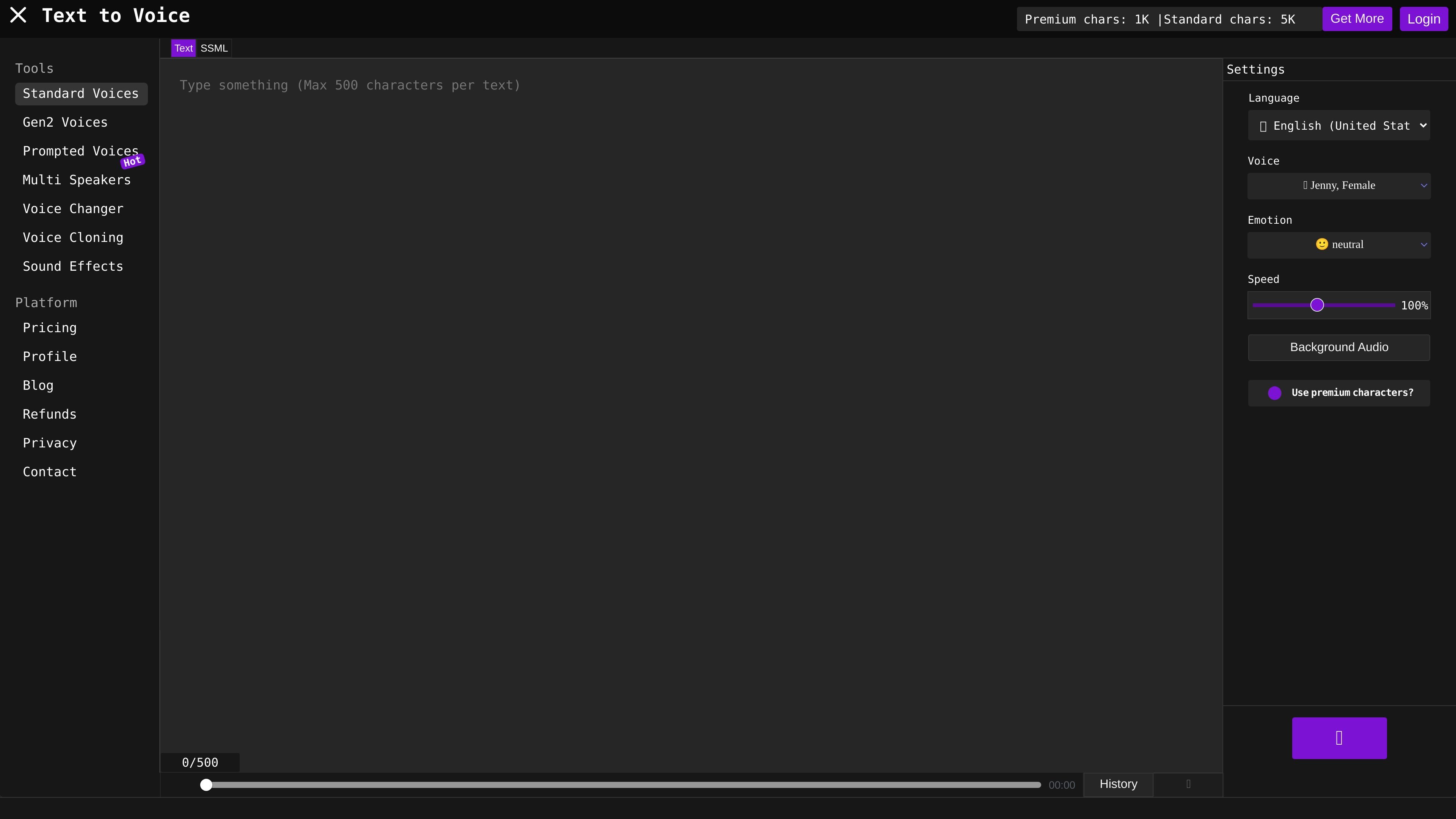
Text to Voice Online is a web-based text-to-speech tool that converts typed text into spoken audio. The accessible product pages describe it as a free online English text-to-speech converter and also show support for multiple languages and voice types within the app.
The product’s core workflow is straightforward: enter text, choose a language, voice, and speaking style or emotion, then generate and download the result as an MP3. The site positions Gen2 voices as a more lifelike option that uses text context to vary emotion and tone, while premium voice mode is described as a less robotic alternative to the standard algorithm.
Converts typed text into spoken audio and lets you download the finished voiceover as an MP3 file.
Lets you choose language, voice, speech style, and emotion before generating audio.
Shows many available voices across languages, including English, Spanish, French, German, Japanese, and more.
Offers Gen2 voices that the site describes as producing more lifelike audio and emotion-driven delivery from text context.
Includes a premium voice mode that the site says sounds more realistic and less robotic than the standard algorithm.
Lists additional tools such as multi speakers, voice changer, voice cloning, and sound effects in the product navigation.
Turn scripts, notes, or short passages into spoken audio without installing desktop software. The browser workflow is aimed at quick conversions and straightforward playback.
Create voiceovers where tone matters, using the emotion and speech-style controls plus Gen2 voices for more expressive results.
Generate audio in multiple languages using the site’s large voice and language lists, including support shown for many common world languages.
Test whether a script sounds better with a premium voice before choosing a final output, especially when a less robotic delivery is preferred.
Work with longer or more advanced voice projects using the site’s additional tools such as multi-speaker, voice changer, voice cloning, and sound effects.
It is an online text-to-speech converter that turns typed text into spoken audio. The site emphasizes English text-to-speech, while also showing support for multiple languages in its Gen2 voice mode.
The site says you can type text, choose a language, select a voice and speech style or emotion, and then play the result. When generation finishes, you can download the voiceover as an MP3 file.
The site shows standard voices, Gen2 voices, prompted voices, multi-speaker tools, voice changer, voice cloning, and sound effects in its navigation. The accessible pages most clearly document standard text-to-speech and Gen2 emotion voices.
Premium voice mode is not available for all languages and voices. The site also notes that background audio and some other options require a higher subscription level or more premium characters.
The site presents several subscription tiers, including a free tier and paid plans. The accessible pages do not provide a separate public pricing page with full details, so plan names and included limits are based on the site’s product pages.