
Outreach and negotiation support
Keeps creator outreach in motion by drafting replies, following up, and surfacing the rate, usage-rights, and payment decisions that need approval.

Stormy is an AI employee for creator and influencer teams that helps manage outreach, roster updates, post tracking, and payout handoffs. It connects with tools like Gmail, Google Sheets, social platforms, and team chat while keeping approvals in the loop.
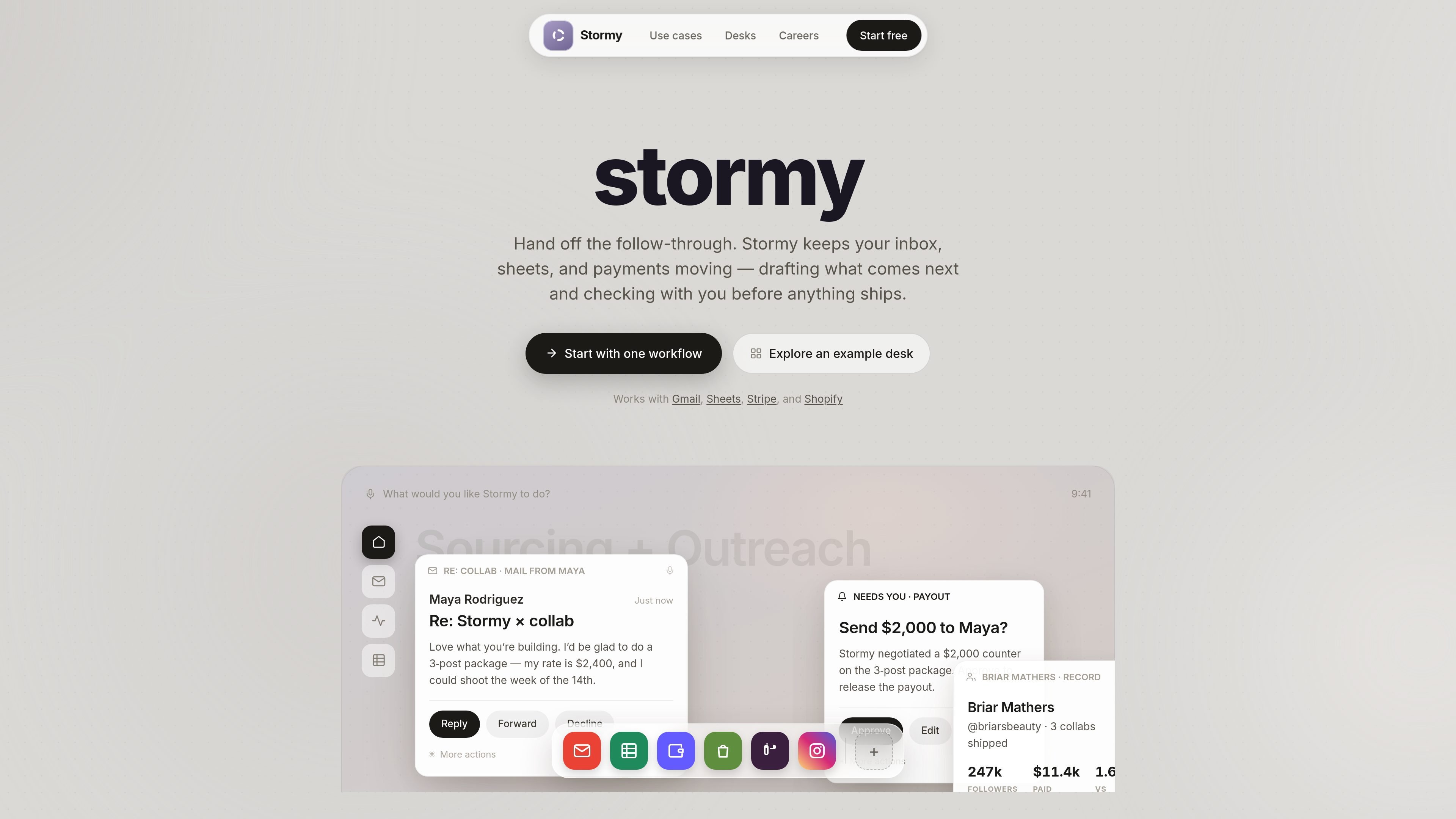
Stormy is an AI employee for creator and influencer teams, positioned to take on the follow-through work that sits between inboxes, spreadsheets, campaign files, and approvals. The site describes it as a desk-based workflow tool that keeps creator ops moving while surfacing only the decisions that need a human.
It is built around creator campaign operations: sourcing and outreach, negotiation, roster updates, post proof, promised deadlines, and paid handoffs. The product is shown working with Gmail, Google Sheets, social platforms, and team chat, with read-only behavior on day one so replies, payments, spend, and launches still pass through approval.
Keeps creator outreach in motion by drafting replies, following up, and surfacing the rate, usage-rights, and payment decisions that need approval.
Tracks creator campaign sheets as the source of truth, enriching contacts, scoring fit, updating outreach stages, and flagging stale rows.
Attaches briefs, raw videos, deliverables, deadlines, and usage rights to the right creator record so campaign context stays together.
Verifies when posts go live on TikTok, Instagram, YouTube, and X, then captures proof and monitors view thresholds.
Requests Spark codes when a post performs well and prepares paid handoffs for approval before money moves.
Forecasts replies and follow-ups, then surfaces items that are due or at risk so the team can intervene early.
Use Stormy when a creator team needs help managing a high-volume outreach queue: it can draft replies, keep follow-ups moving, and flag when a rate or usage-rights decision needs approval.
Use it to keep the campaign roster current by enriching contact records, updating outreach stages, and surfacing stale rows in a shared spreadsheet.
Use Stormy when posts need to be verified across platforms. It can track live posts, capture proof, and watch for view thresholds that may trigger the next step.
Use it for deadline management when creators have promised deliverables or post dates. Stormy chases the commitments and surfaces the ones at risk before they slip.
Use it for the final steps of a campaign, when a post has earned a Spark code or a payout needs to be prepared. Stormy can draft the handoff and wait for approval.
Stormy is presented as an AI employee for creator and influencer teams. It connects to Gmail, Google Sheets, social accounts, team chat, and campaign files to manage follow-through across outreach, tracking, and approvals.
The site shows Stormy handling creator outreach, negotiation, post tracking, payout handoffs, and roster updates. It also says workflows start in a read-only mode on day one, with you approving replies, payments, spend, and launches.
The home page says Stormy connects to Google Sheets, Gmail, TikTok, Instagram, YouTube, and team chat for creator campaign operations. The app and pricing pages also mention Slack, Docs, and ad accounts.
The source only shows example workflows and a sign-in screen, not a full setup guide. It is clear that Stormy is aimed at creator ops and paid social teams, but the detailed onboarding process is not described on the page.