
Topic- or PDF-based generation
Generate an interactive classroom from a topic or a PDF, rather than starting from a blank lesson. The product is positioned around turning source material into a multi-scene learning experience.

OpenMAIC is an open-source AI classroom generator that turns topics or PDFs into interactive, multi-scene lessons for teachers, course authors, and self-hosters.
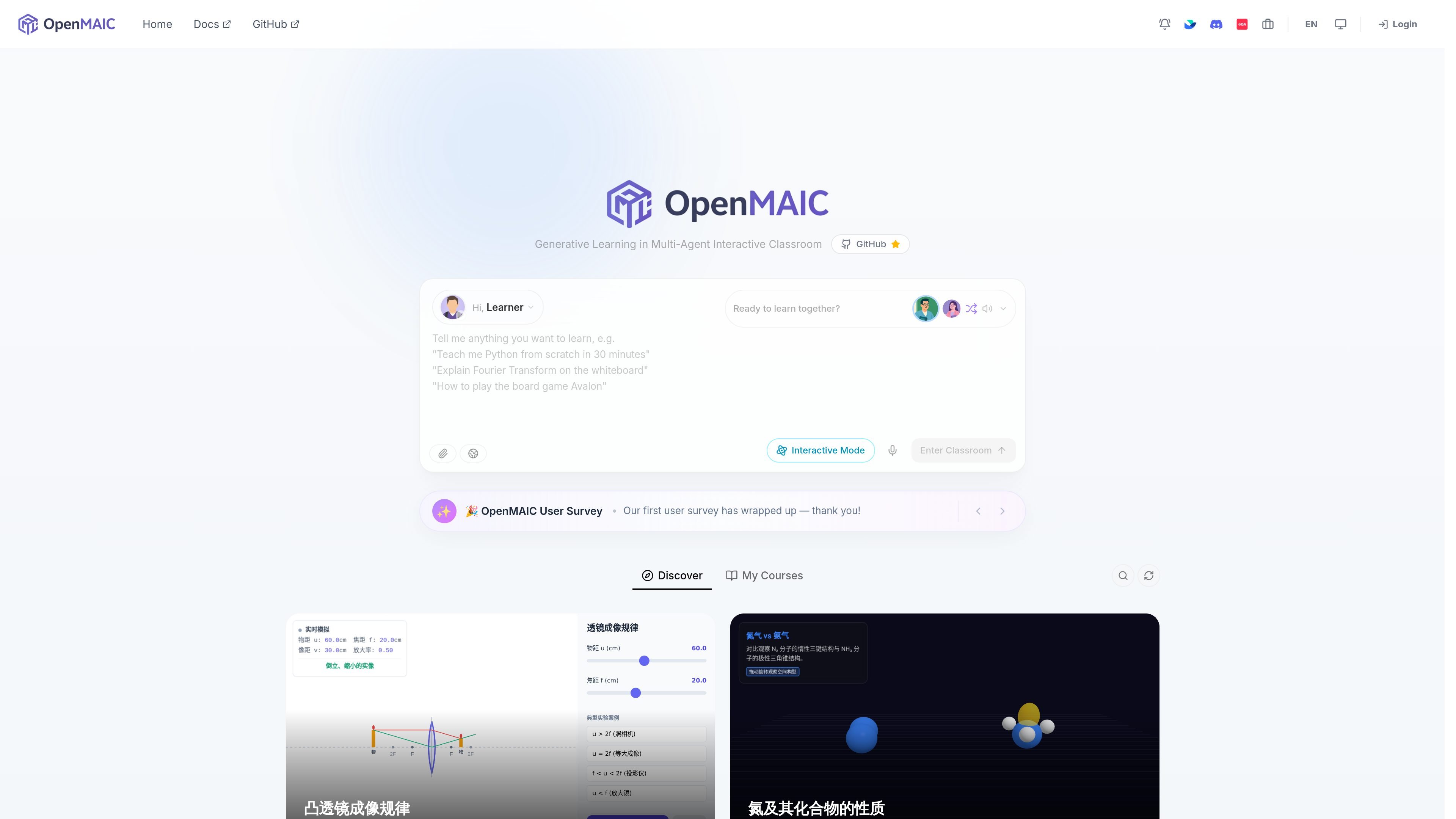
OpenMAIC is an open-source AI interactive classroom builder that generates multi-scene learning experiences from a topic or a PDF. The homepage and docs describe it as a Next.js application that can be run locally, self-hosted, and connected to one or more LLM providers.
The product is designed to turn source content into an interactive classroom rather than a static summary. Its workflow includes classroom generation, course outline review, AI-led discussion, editable slides, and export options that support offline sharing.
Generate an interactive classroom from a topic or a PDF, rather than starting from a blank lesson. The product is positioned around turning source material into a multi-scene learning experience.
Support an AI teacher and multi-agent learning flow, which the homepage describes as a generative learning environment in a multi-agent interactive classroom.
Review the course outline before generation, then add, remove, reorder, or insert scenes. This helps shape the lesson structure before the classroom is produced.
Generated slides are lightly editable in Pro Mode, allowing users to tweak text and elements on each page after generation.
Export classrooms with external resources inlined so they open completely offline or when shared. This makes the output easier to distribute outside the original app.
Run locally with Node.js and pnpm, or deploy to Vercel, Docker, or your own server. The getting-started guide also lists multiple LLM providers and local Ollama support.
Teachers or course authors can upload a reference PDF and generate a classroom-style lesson that turns the material into a guided learning experience.
Instructors can use the outline review step to shape a lesson before generation by adding, removing, or reordering scenes to match a teaching plan.
Learners can explore subjects such as fractions, photosynthesis, programming, chemistry, or circuit behavior through interactive classroom scenes shown on the homepage.
Teams sharing lessons outside the original environment can export classrooms with resources inlined so the content opens offline or without relying on external links.
Users running the project themselves can configure local or cloud LLM providers, then run the classroom generator on their own machine or server.
OpenMAIC is a Next.js application that can run locally, and the getting-started guide lists Node.js 20 or later, pnpm 10 or later, and at least one LLM API key as prerequisites. It also supports Ollama as a local provider.
The homepage shows a workflow centered on entering a topic or uploading a PDF, then generating an interactive classroom. The docs say you can drop a topic or PDF, click Generate, and watch an AI teacher build a full multi-scene classroom.
The source pages show OpenMAIC as a classroom generator for interactive learning experiences, with examples spanning math, science, programming, chemistry, and exam review. The homepage also mentions an interactive mode and course-like classroom outputs.
The documentation says the project can be deployed to Vercel, Docker, or your own server. The homepage also includes links for Docs and GitHub, indicating a self-hosted/open-source workflow.
The homepage and docs emphasize generation of a full classroom experience, while the release notes mention lightly editable generated slides, outline review before generation, and fully offline interactive export. Those details suggest the output is intended for classroom presentation and sharing.