
Email and social extraction
Extracts email addresses associated with listed companies, even when they are not shown directly in Google Maps.

Google Maps Scraper is a Chrome extension for extracting Google Maps business and location data and exporting it to CSV or XLS for lead generation, research, and analysis.
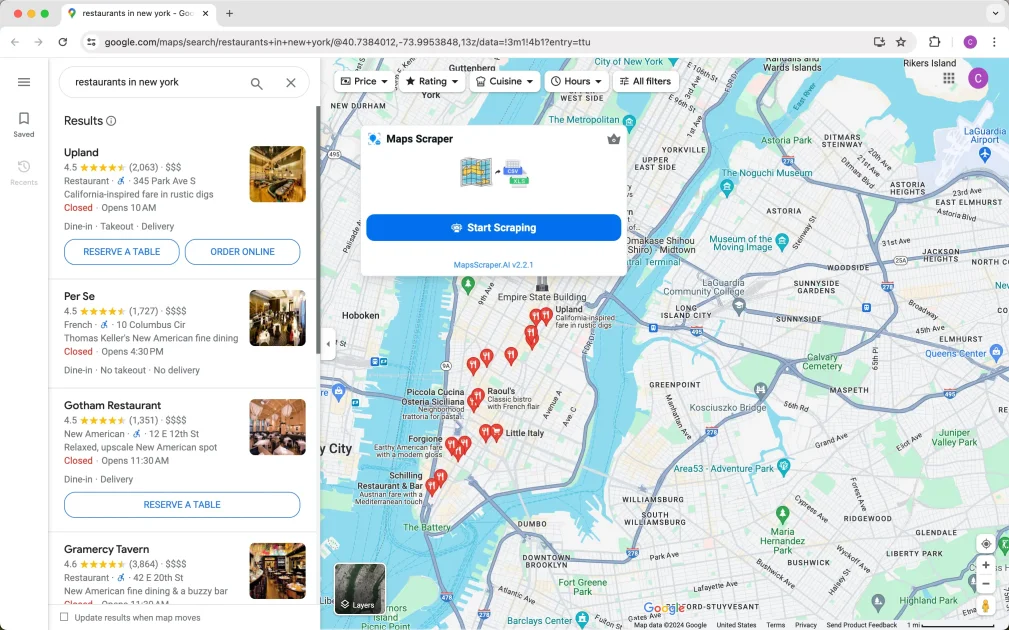
Google Maps Scraper is a Chrome extension for collecting business and location data from Google Maps. It is positioned for lead generation, research, competition monitoring, and other workflows that depend on place-level contact and profile information.
The site highlights extraction of names, phone numbers, websites, reviews, locations, emails, social profiles, and identifiers such as Place ID and CID. It also describes a simple workflow: search on Google Maps, open the extension, and export results to CSV or XLS.
Extracts email addresses associated with listed companies, even when they are not shown directly in Google Maps.
Lets users extract Google Maps data without writing Python or JavaScript.
Supports searching multiple keywords at once to streamline batch lookups.
Uses Chrome-based browsing behavior to reduce the chance of being blocked while collecting data.
Provides updates to keep the software working as Google Maps changes.
Exports results for downstream use in spreadsheet-based workflows.
Build local lead lists by searching Google Maps for businesses in a city or ZIP code and exporting the contact fields you need.
Collect reviews, ratings, and place details for competitor monitoring and market research.
Pull website, email, and social profile data into spreadsheets for outbound prospecting and contact enrichment.
Use place identifiers, coordinates, categories, and opening hours for structured analysis and reporting.
Google Maps Scraper is a Chrome extension for extracting business listing data from Google Maps, including names, phone numbers, addresses, reviews, and related fields that can be exported to a spreadsheet file.
The page says the extension can be installed in Chrome by downloading and unpacking the extension, enabling Developer mode, and loading it unpacked in chrome://extensions.
The site says results can be exported in CSV or XLS format, and the workflow is designed to export contacts and other place data for later analysis.
The FAQ notes that for large regions you should narrow the search to smaller areas such as cities or ZIP codes to improve result coverage.
The site says subscriptions can be canceled from the app settings by choosing Manage Subscription.