
Chrome extension job capture
Save job postings from the web with a single click using the Chrome extension, which parses jobs from popular job boards.

Eztrackr is a job application tracker and resume tool with a Chrome extension, dashboard, spreadsheet import, AI writing tools, and resume scoring.
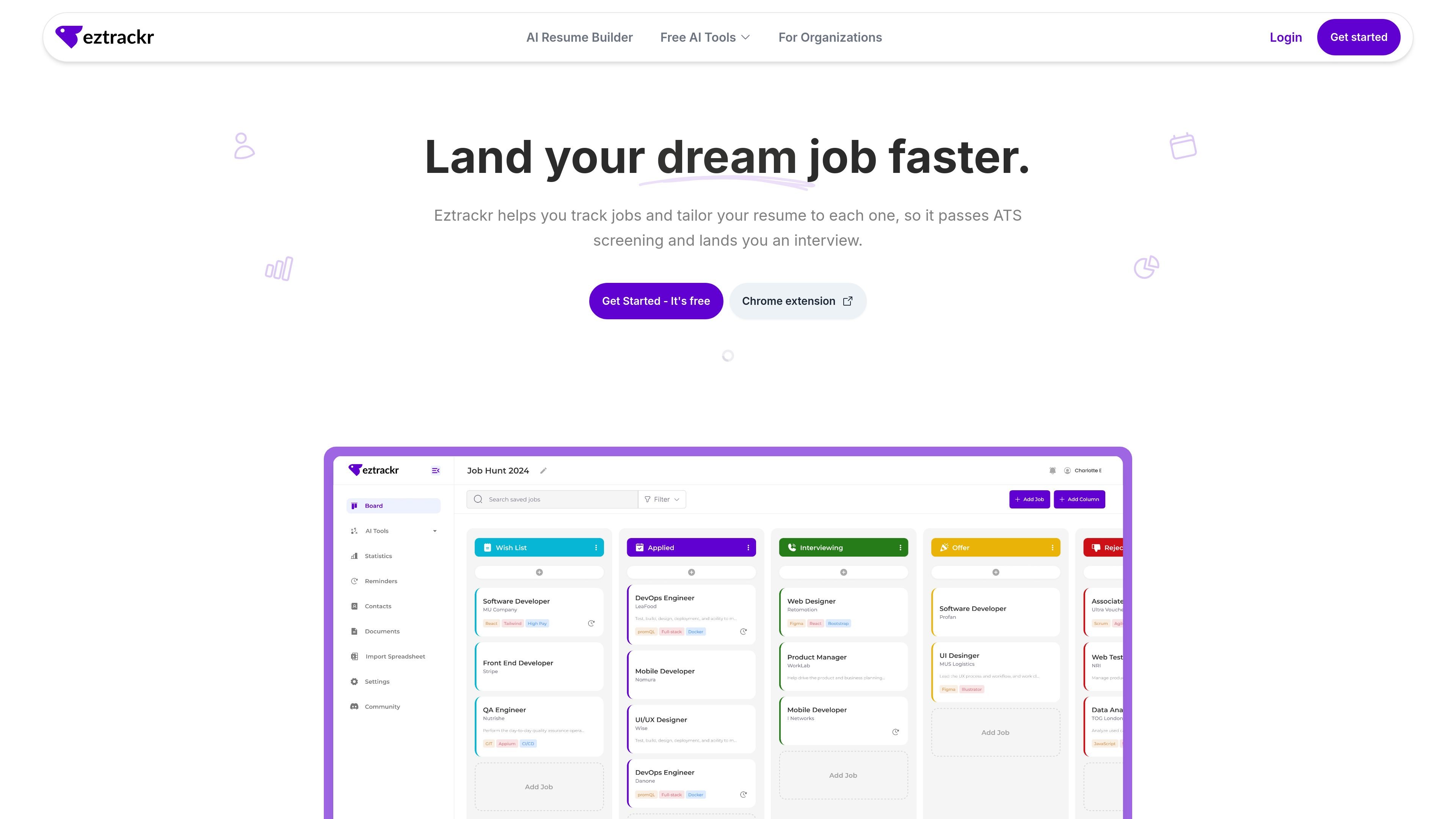
Eztrackr is a job application tracker and resume tool for people managing an active job search. It combines application tracking, resume scoring, and AI-assisted writing tools in one product, with a Chrome extension for saving jobs from the web and a dashboard for organizing them.
The core workflow is to collect job postings, track each application through stages, and keep related documents, contacts, notes, and follow-up reminders in one place. The site also supports importing existing job data from spreadsheets and offers tools for tailoring resumes and generating job-search writing content.
Save job postings from the web with a single click using the Chrome extension, which parses jobs from popular job boards.
Organize applications in a clean Kanban board and move them through stages as you progress from applied to hired.
See progress with statistics and timeline views that show your job hunt history and overall activity.
Import an existing spreadsheet of applications to bring older job search data into Eztrackr.
Store contacts, documents, resumes, cover letters, notes, and reminders alongside each application.
Use AI tools for answers, cover letters, resume summaries, interview questions, and resume scoring.
Use Eztrackr to collect applications from different job boards, then keep them organized in one place instead of scattered across spreadsheets or bookmarks.
Track each application through stages in the Kanban board and use reminders to stay on top of interviews and follow-ups.
Import an existing spreadsheet of applications when you already have job data and want to move it into the tracker.
Review resume scores and ATS-related feedback before applying to a role, then use the AI tools to refine the resume or job-specific answers.
Store contacts, documents, notes, and job summaries with each role so you can keep interview context and application materials together.
Eztrackr is built for individual job seekers who want to track applications, store related details, and stay organized throughout the hiring process. The source does not describe a dedicated team workflow.
Yes. The pricing page includes free AI tools and references Eztrackr Pro, but it does not show pricing amounts in the supplied source text.
You can add jobs with the Chrome extension, which parses jobs from popular job boards such as LinkedIn, Lever, and Indeed. The site also says you can import existing jobs from a spreadsheet.
The resume scorer evaluates a resume across multiple factors such as content, keywords, formatting, ATS compatibility, impact statements, skill relevance, and overall presentation, then returns suggestions for improvement.
The supplied sources mention a Chrome extension and a dashboard, but they do not provide a full list of supported platforms or integrations beyond that.