
Fast capture launch
The app is designed to open in about 0.5 seconds so you can start typing almost immediately. The product copy emphasizes getting thoughts onto the screen without loading screens or extra navigation.

dumppp is a mobile capture app for Notion that focuses on rapid note entry, context switching, offline capture, and lightweight property updates. It helps Notion users record thoughts quickly on phone without the usual navigation and loading friction.
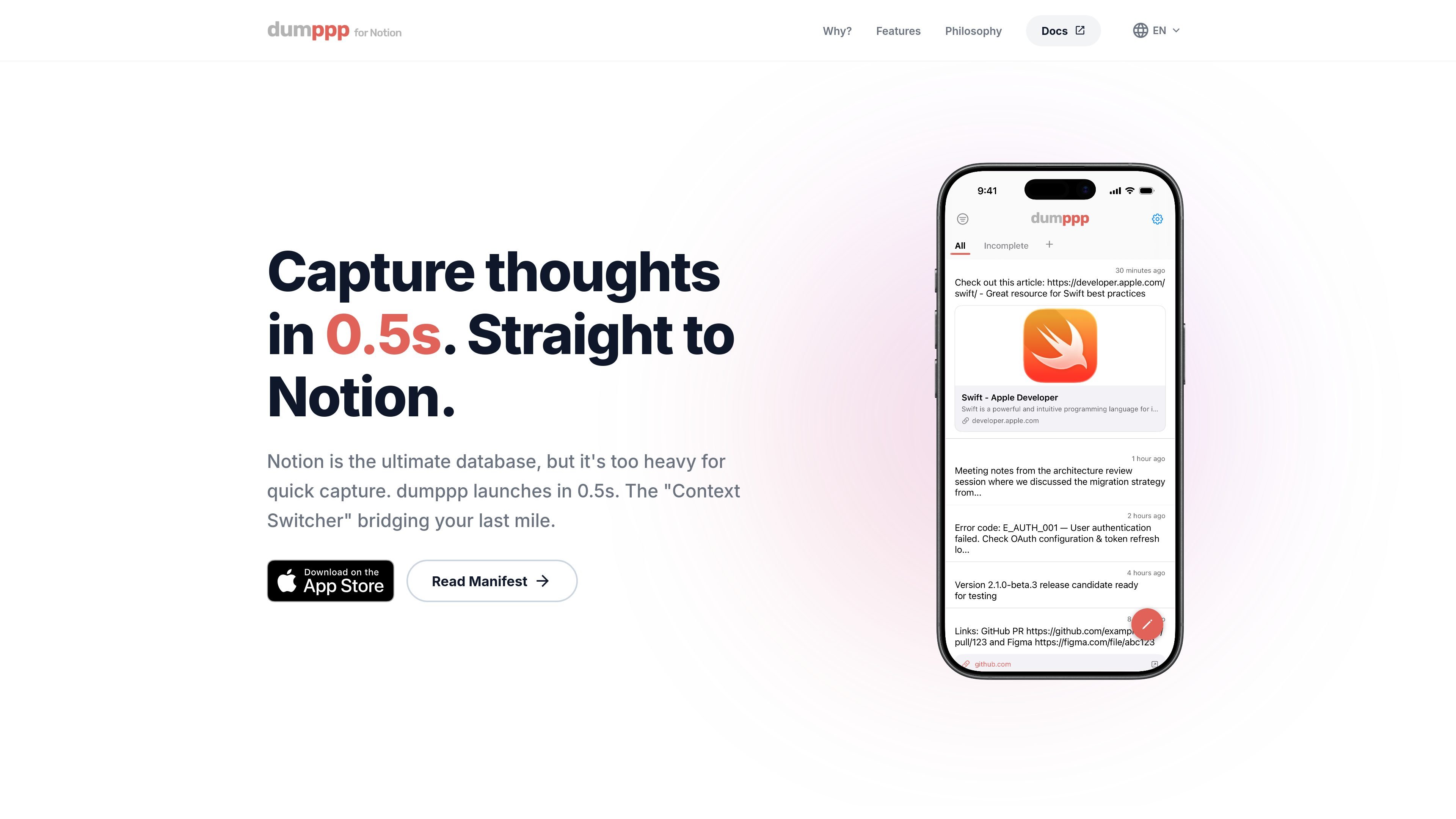
dumppp is a mobile capture app for Notion users who want to record thoughts with as little delay as possible. The site describes it as a “0.5s Capture for Notion” tool that launches quickly, opens directly into typing, and sends notes straight into Notion.
It is built around the problem that Notion feels powerful on desktop but slow and deep on mobile. dumppp focuses on shortening the path from thought to note with tabs for switching contexts, offline capture with background sync, and mobile-friendly property edits such as swipes and taps.
The app is designed to open in about 0.5 seconds so you can start typing almost immediately. The product copy emphasizes getting thoughts onto the screen without loading screens or extra navigation.
dumppp lets you move between different contexts with tabs, including databases, filters, view settings, and multiple workspaces on Pro. The manifesto frames this as instant tab switching and auto-configuration per tab.
The app works offline and syncs automatically when connectivity returns. This supports note capture in places like subways, planes, or other low-signal situations.
The homepage says you can map commonly used properties to swipes and tap icons, and that major property types are supported. This reduces the number of taps needed to update entries on mobile.
The homepage highlights a timeline view for revisiting past notes. The manifesto also emphasizes seeing what you posted and knowing which context it belongs to, so capture is not treated as write-only.
Use dumppp when you want to capture an idea the moment it appears, without waiting for a slower app to load or navigating deep page hierarchies first. The app is positioned around immediate note entry into Notion.
Use the tab-based context switching when you keep separate Notion areas for work, personal notes, or other projects. The product says tabs can bundle databases, filters, view settings, and multiple workspaces so you can switch contexts in one tap.
Use the offline-first workflow when you are traveling, underground, or otherwise disconnected. dumppp stores the note locally and syncs it once you are back online.
Use the swipe and tap controls when you need to update statuses or other properties from your phone. The homepage specifically calls out major property types and a lower-tap mobile workflow.
Use the timeline view when you want note capture to support later review, not just one-way posting. The site presents the timeline as a way to revisit past notes after they are captured.
dumppp is built to capture thoughts directly into Notion with minimal delay. The homepage positions it as a fast mobile companion for Notion, and the manifesto emphasizes instant capture, context switching, and review after posting.
The site says it launches in 0.5 seconds and is designed for immediate typing with no loading screens. It is described as the “Context Switcher” for Notion users who need a faster mobile capture flow.
The homepage says dumppp works offline and syncs automatically when you are back online. The manifesto also notes that syncing happens quietly in the background.
The homepage mentions database, filters, view settings, and multiple workspaces on the Pro plan. That suggests it is aimed at people who use Notion as a structured database and want faster mobile access to that structure.
The source material does not provide a working pricing page. The site’s /pricing URL currently returns a 404, so plan details and limits are not available from the captured evidence.
Los datos de tráfico son solo como referencia.
| abr | 670 |
|---|---|
| may | 319 |
| jun | 217 |