
Trains on past support data
Builds answers from a company’s historical tickets, documentation, and internal sources so responses can reflect real support patterns and product context.

CoSupport AI is an AI customer support automation platform that uses a company’s past tickets and support data to handle repetitive requests and assist human agents. It supports omnichannel support workflows, integrations with common helpdesk tools, and a no-cost 30-day pilot.
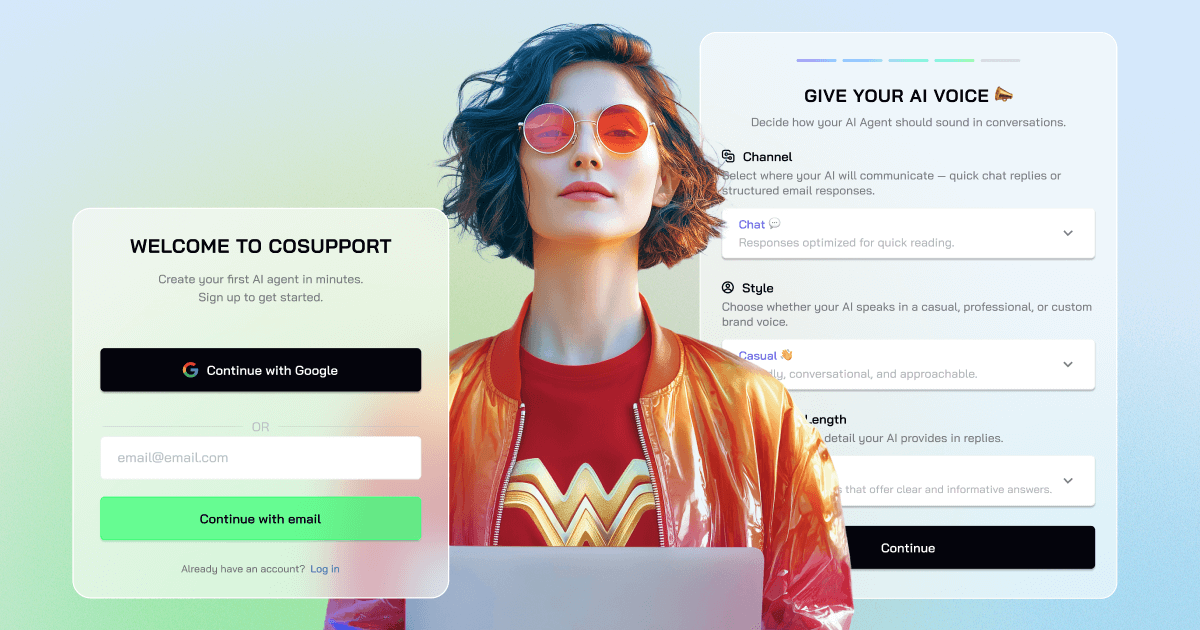
CoSupport AI is an AI customer support automation platform built to reduce repetitive ticket handling and help teams manage support volume more efficiently. The site says it is trained on a company’s past tickets and support data so it can resolve routine questions with responses that are grounded in a business’s own knowledge.
The product is presented as two related tools: an AI Customer Support Agent that can resolve routine requests autonomously, and an AI Assistant that helps human agents by drafting replies, summarizing conversations, translating, and suggesting solutions. CoSupport AI is positioned for teams that want automation across chat, email, voice, and other customer-facing channels, with integrations into common helpdesk, CRM, messaging, and knowledge systems.
Builds answers from a company’s historical tickets, documentation, and internal sources so responses can reflect real support patterns and product context.
Separates full automation from agent support: the AI Agent resolves routine tickets directly, while the AI Assistant drafts, summarizes, translates, and suggests next steps for human review.
Connects to helpdesks, CRM tools, chat channels, messaging apps, and knowledge bases without code, with support for standard systems and custom API-based connections.
Supports customer support across chat, email, voice, and social channels, with multi-language coverage described as 40+ languages on the site.
Offers pricing models based on server hosting, responses, or resolutions, so teams can choose a structure that matches their support volume and cost preferences.
Includes a no-cost 30-day pilot, real-ticket handling during the pilot, and a day-60 performance guarantee tied to a 60% AI resolution target.
Automate repetitive support questions such as order status, account updates, returns, and other routine requests so agents can focus on exceptions and escalations.
Draft responses, summarize long threads, and suggest resolutions for human agents who still need to review and send the final reply.
Route customer questions through helpdesk-connected workflows in tools such as Zendesk, Freshdesk, Zoho, or Intercom without rebuilding the support stack.
Use company documentation, product data, and historical tickets to keep replies aligned with internal terminology and current customer information.
Handle support across multilingual and multi-channel environments, including chat, email, voice, and social channels, where consistent response quality matters.
CoSupport AI is trained on a company’s historical support data, documentation, and related knowledge sources. The site also says setup can be completed in a few days, with a 30-day no-cost pilot that includes discovery, setup, training, and integration.
The product is positioned for support teams that want to automate repetitive tickets, draft replies for agents, and handle customer questions across chat, email, voice, and other channels. The site highlights use in SaaS, e-commerce, finance, education, and BPO.
The AI Agent handles routine requests autonomously, while the AI Assistant drafts replies, summarizes conversations, advises solutions, and translates for human agents to review before sending.
The site says CoSupport AI plugs into helpdesks, CRMs, messaging tools, and knowledge sources such as Zendesk, Freshdesk, Zoho, Intercom, Slack, Teams, Shopify, Stripe, Notion, Confluence, Google Drive, and Microsoft SharePoint. It also says custom API integrations are available.
Pricing uses server-based, resolution-based, or response-based models. The pricing page also states there is a no-cost 30-day pilot and a 60% AI resolution performance guarantee with a full refund if the target is not met by day 60.