Pallyy logo

Pallyy

認領

Pallyy is a social media scheduler and management tool for agencies, brands, and small businesses. It combines planning, approvals, publishing, analytics, inbox management, and link in bio pages in one workspace.

Pallyy preview

Social media scheduling and management in one workspace

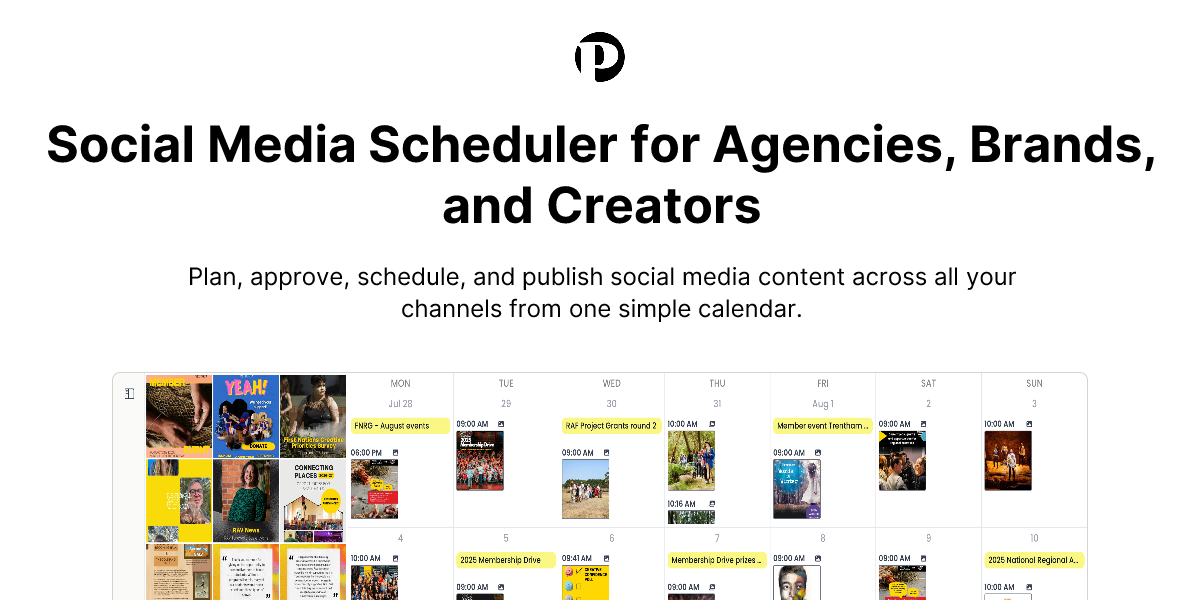
Pallyy is a social media scheduler and broader social media management tool for agencies, brands, and small businesses. Its core workflow centers on a visual calendar where teams can plan content ahead of time, choose where posts should go, set dates and times, and publish automatically.

The product combines publishing, approvals, analytics, a shared inbox, and link in bio pages in one workspace. The source pages describe it as a simpler way to keep social media planning, review, publishing, and reporting in one place, with support for multiple accounts, teams, and client workflows.

Manage your social media from one place

Publishing

Plan your social media content calendar, manage approvals, and schedule posts across every channel from a single visual calendar.

Analytics

Measure social media performance, compare channels, and create reports for your team or clients without spreadsheets.

Inbox

Collect comments, messages, and reviews in one shared inbox beside the rest of your social media workflow.

Link in bio

Build a branded bio link page that connects to your content and works as a simple landing page for campaigns and links.

Approvals

Share a public calendar URL so clients or teammates can review, comment, and approve content before it goes live.

Collaboration

Invite teammates to create, edit, review, and schedule posts in the same workspace.

Built for agencies, brands, and small businesses

  • Agency client approvals

    Use the public calendar and approval workflow to let clients review scheduled posts before they are published.

  • Brand content operations

    Coordinate multi-channel content planning, scheduling, and performance reporting for brand accounts from one workspace.

  • Small business social posting

    Keep a consistent publishing cadence, manage comments and messages, and maintain a simple post schedule without extra complexity.

  • Community management

    Use the shared inbox to handle comments, messages, and reviews while staying in the same workflow as publishing and reporting.

  • Link-in-bio campaigns

    Create a branded bio link page for campaigns and content destinations when you need a simple social landing page.

Pros and Cons

Pros

  • Supports planning, approvals, publishing, reporting, inbox management, and link in bio pages in one product.
  • Provides a visual calendar for scheduled posts, which makes upcoming content easier to review across channels.
  • Includes a public calendar URL for client or teammate review before posts go live.
  • Supports multiple brands, clients, channels, and teammates in a single workspace.
  • Covers a wide list of supported social platforms, including Instagram, Facebook, LinkedIn, TikTok, Pinterest, Google Business, YouTube, X, and Threads.

Cons

  • The source material does not provide pricing numbers or plan details beyond the existence of a pricing page and trial/demo prompts.
  • Integration details are limited in the provided pages, so the connected apps and full platform list are not fully documented here.

FAQ

What is a social media scheduler?

A social media scheduler helps you plan content ahead of time, choose where it should go, pick a date and time, and publish automatically. In Pallyy, scheduled posts live in a visual calendar so you can see what is coming up across every channel.

Which social media platforms can I schedule posts to?

You can schedule posts to Instagram, Facebook, LinkedIn, TikTok, Pinterest, Google Business, YouTube, X, Threads, and more, all from one calendar.

Can I use Pallyy for client approvals?

Yes. You can share scheduled posts with a public calendar URL so clients or teammates can review, comment, and approve content before it goes live.

Can I manage multiple social media accounts in Pallyy?

Yes. You can manage multiple brands, clients, and channels in one workspace, which helps keep posts organized without jumping between separate tools.

Can my team schedule posts together?

Yes. Invite teammates to create, edit, review, and schedule posts in the same workspace so the publishing workflow stays clear and organized.

Quick Facts

Category
Social media scheduler
Primary users
Agencies, brands, and small businesses
Core workflow
Plan, approve, schedule, and publish from one calendar
Source domain
threadcreator.com
Supported platforms
Instagram, Facebook, LinkedIn, TikTok, Pinterest, Google Business, YouTube, X, Threads, and more
Pricing signal
Pricing page exists; trial and demo prompts are shown, but no prices are provided in the source