Flux Pro AI logo

Flux Pro AI

認領

Flux Pro AI is a web-based platform for generating and editing images and short videos from text or uploaded images. It includes free tools, credit-based paid access, and separate workflows for image generation, context-aware editing, and video creation.
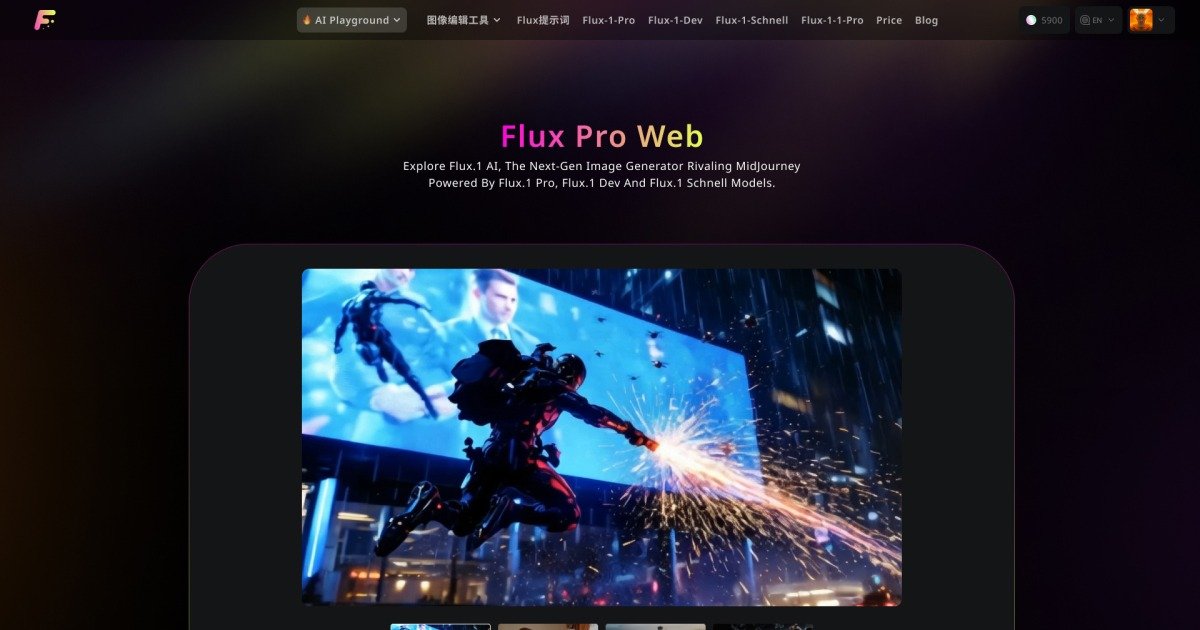
Flux Pro AI preview

Overview

Flux Pro AI is a web-based AI image and video creation platform available at fluxproweb.com. It combines image generation, image editing, and video generation tools in one interface, with separate pages for core workflows such as Flux AI Image Generator, Flux Kontext, and Flux AI Video Generator.

The site presents the product as a place to generate visuals from text or images, upload source images, and transform them into edited images or short videos. It also includes free utility tools and a pricing page with free check-in credits plus one-time paid credit packs.

Core Features

Image generation and editing

Create images from text prompts, image uploads, and image-to-image workflows using Flux-branded models and other listed model options.

Video creation workflows

Generate short videos from text or uploaded images, including image-to-video, text-to-video, and video effect workflows on the video page.

Multiple model options

Access specialized models and editors such as Flux Kontext, Nano Banana, Seedream, and Flux.2 variants for different rendering and editing tasks.

Supporting free tools

Use free utilities like image describer, image-to-prompt, background remover, format converter, prompt generator, and image upscaler.

Credit-based usage and storage options

Choose between free check-in credits and one-time paid credit packs, with paid plans adding private generations, no-watermark downloads, and longer history.

Practical Use Cases

  • Generate images from text or references

    Create still images from prompts or source images when you need generated visuals for concepts, thumbnails, or general creative work.

  • Create short AI videos from images

    Turn uploaded images into short videos or apply motion-focused video models when you want static visuals to become animated clips.

  • Revise and extend existing images

    Edit or refine existing visuals with context-aware tools such as Flux Kontext, image-to-image generation, and multi-image editing workflows.

  • Prepare assets for downstream workflows

    Use the free tools to prepare assets before generation, including prompt creation, format conversion, background removal, and image upscaling.

  • Run higher-volume paid workflows

    Buy credits for heavier use when you need private generations, no-watermark downloads, and longer history retention.

Pros and Cons

Pros

  • Combines image creation, image editing, and video generation in one site.
  • Offers both free credits and one-time paid credit packs.
  • Includes specialized pages for image, video, and context-aware editing workflows.
  • Lists a range of free utility tools alongside the paid generators.
  • Shows storage and access differences between free and paid users.

Cons

  • The site does not provide integration details or workflow connections to third-party apps.
  • Some important setup and audience-fit details are only lightly described on the public pages.
  • The pricing structure is credit-based, so the cost of each workflow depends on the selected model or generation type.

FAQ

What is Flux Pro AI?

Flux Pro AI appears to be a web-based AI image and video creation platform. The site presents tools for text-to-image, image-to-image, image editing, and several video workflows, including image-to-video and text-to-video.

What kinds of tools does Flux Pro AI include?

The site highlights image generation, image editing, video generation, video effects, and free tools such as image-to-prompt, background removal, format conversion, prompt generation, and image upscaling.

Does Flux Pro AI offer both free and paid access?

The site shows a free plan with daily check-in credits and one-time paid credit packs. Paid access includes premium features, longer storage, private generations, no-watermark downloads, and commercial rights.

How long are generated results kept?

The site states that generated history is stored for 15 days for free users and 365 days for paid users. It also lists free-user and paid-user storage durations on the pricing page.

Can I use Flux Pro AI for commercial projects?

The pricing page says generated content can be used commercially under the paid plans, but the site also includes an IP infringement disclaimer. Users should review the terms and policy pages before using outputs in client or business work.

Quick Facts

Category
AI image and video creation
Website
fluxproweb.com
Access model
Free credits plus one-time paid credit packs
Workflow types
Text-to-image, image-to-image, image-to-video, text-to-video
Storage duration
15 days for free users, 365 days for paid users
Notable controls
Prompt optimization, public/private generation, history, and model selection