
Document capture and upload
Users can upload receipts, invoices, and bank statements, including documents in different languages and currencies. The product also supports bulk upload so multiple documents can be processed together.

ccMonet is an AI finance assistant for SMEs that automates bookkeeping, bank reconciliation, reporting, and expense workflows. It combines AI document processing with accountant review to support businesses that need faster day-to-day finance operations.
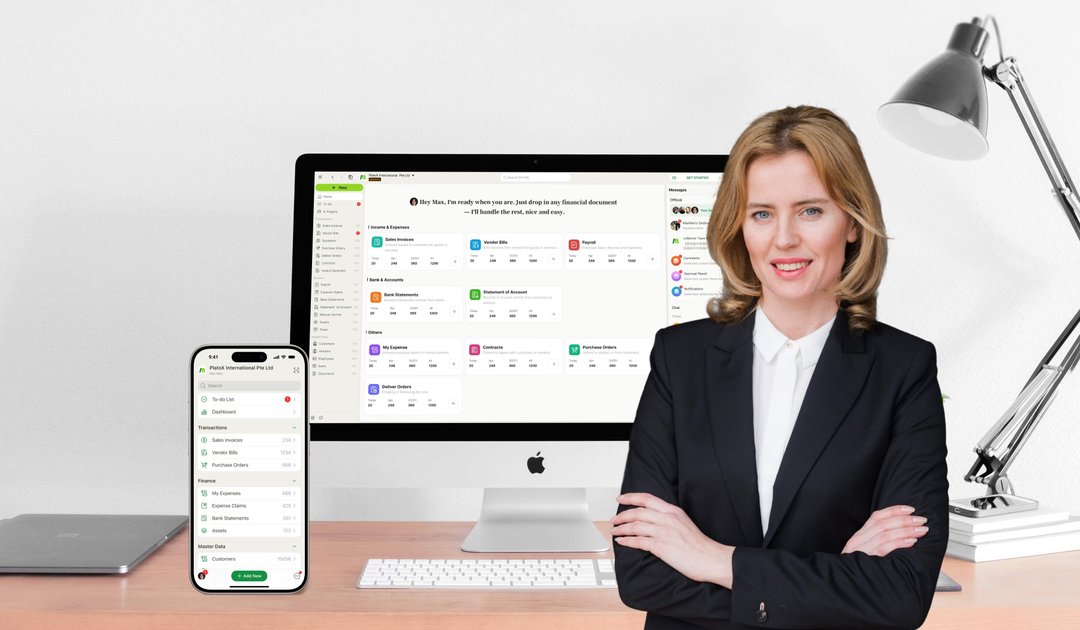
ccMonet is an AI finance assistant for SMEs that combines document capture, bookkeeping automation, reconciliation, reporting, and expert review in one platform. Across the site, it is presented as a tool for businesses that want to reduce manual data entry and keep accounts current without requiring deep accounting experience.
The product accepts receipts, invoices, and bank statements, then uses AI to extract data, map transactions, and produce financial outputs such as reports and insights. The website also emphasizes multilingual and multi-currency handling, mobile and web access, and sector-specific workflows for businesses in F&B, retail, services, medical clinics, manufacturing, and property management.
Users can upload receipts, invoices, and bank statements, including documents in different languages and currencies. The product also supports bulk upload so multiple documents can be processed together.
ccMonet maps extracted data to the chart of accounts and categorises transactions automatically. The site describes this as a way to reduce manual bookkeeping and keep records current.
The product identifies discrepancies between bank statements and internal records, and it supports daily auto-sync for clearer account status. A dedicated bank reconciliation page highlights matching and error detection as a separate workflow.
The platform produces real-time P&L, cash flow, and business insights, with dashboards and a custom report builder. Users can slice reports by project, department, or date.
The site includes expense reimbursement workflows where receipts can be submitted for processing and approval. It also positions the product as helpful for claims tracking and payment-related admin.
Service pages and the pricing page describe support from qualified accountants, including consultations and review of processed records. This adds human oversight to the automation workflow.
A small business owner can photograph or upload receipts and invoices, then let the system extract fields, categorise transactions, and update the books with less manual entry.
Finance teams can compare bank statements against internal records to find mismatches, flag errors, and keep balances more accurate over time.
Managers can review real-time P&L, cash flow, and custom reports to understand performance by project, department, or date without waiting for month-end close.
Teams handling employee or business expenses can submit receipt-based claims and use the platform to streamline review and reimbursement workflows.
Businesses in F&B, clinics, manufacturing, or property management can apply industry-specific templates and workflows that reflect how their operations are structured.
ccMonet is built for SMEs that want to automate bookkeeping, reconciliation, reporting, claims, and related finance workflows in one platform. The site also positions the product for businesses in Singapore and Southeast Asia, with pages aimed at both businesses and accounting firms.
The site says users can snap and upload receipts, invoices, or bank statements, after which AI handles data extraction, mapping, categorisation, bookkeeping, and reconciliation. Reports and insights are then generated from the processed data.
The pricing page shows monthly and annual accounting plans, and it also lists optional add-on services such as historical accounting, GST-related services, payroll, and tax filing support. The site presents ccMonet as a paid accounting platform rather than a free tool.
The site highlights multi-language and multi-currency processing, mobile and web access, and tax-ready exports. It also shows sector-specific workflows for F&B, medical clinics, manufacturing, and property management.
The site does not provide a dedicated integrations page or a full compatibility list. Based on the available pages, the safest conclusion is that connected tools and output formats are not fully documented on the site.