
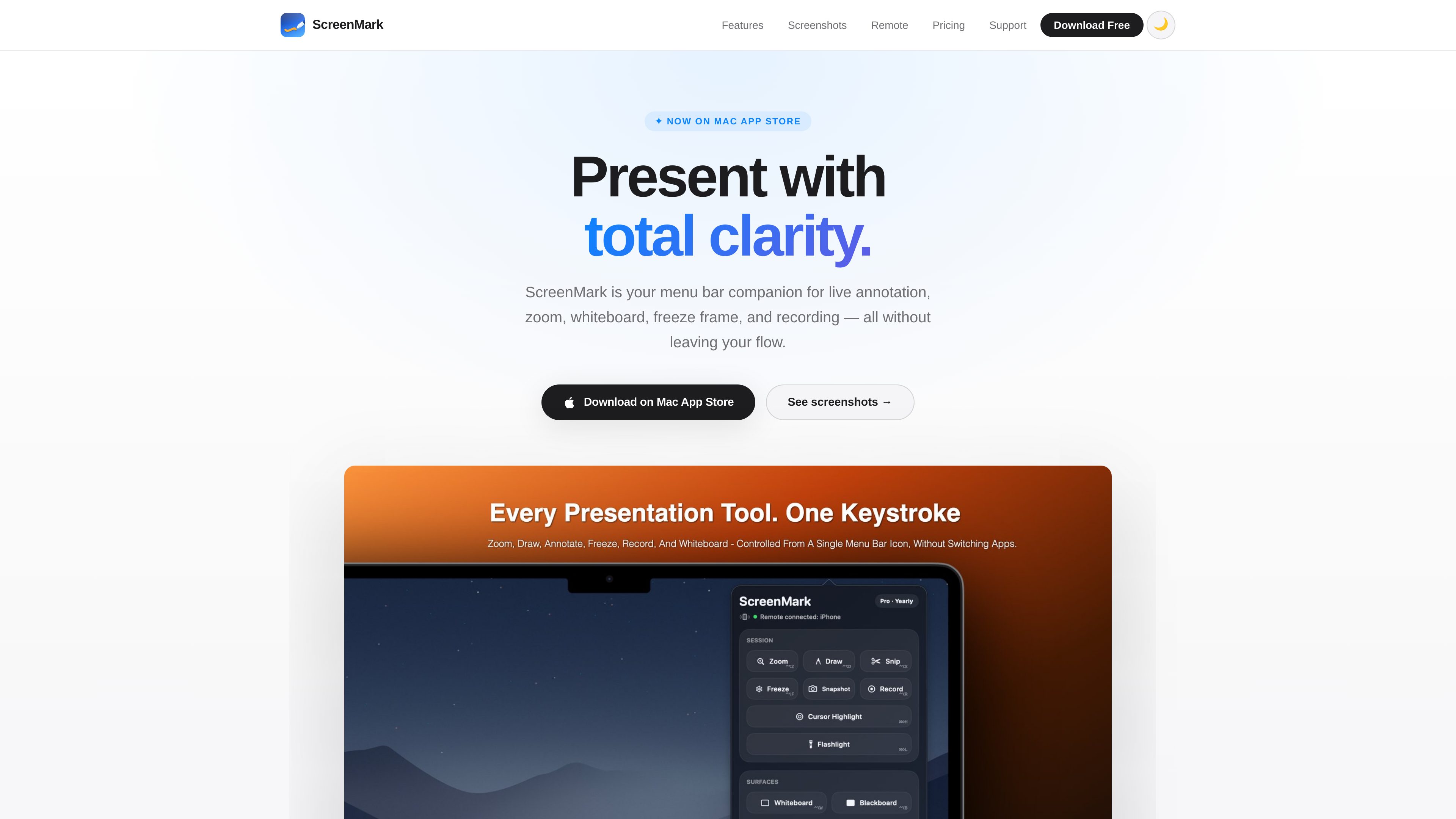
Live presentation tools
Magnify screen areas with classic zoom or an interactive live lens, and annotate content with a pen, arrows, shapes, text, eraser, highlighter, blur, and spotlight tools.
ScreenMark is a macOS menu bar app for live screen annotation, zoom, whiteboard overlays, freeze frames, and recording. It is designed for presenters, teachers, workshop facilitators, and anyone who needs to explain on-screen content without leaving their workflow.
ScreenMark is a local-first macOS menu bar app for presenting and explaining screen content. It combines live zoom, drawing and annotation tools, whiteboard overlays, freeze frames, snipping, break timers, cursor emphasis, and screen recording in one menu bar workflow.
The app works without an account and is designed to operate offline. The product site states that drawings and captures are not uploaded to a ScreenMark server. It supports Apple Silicon and Intel Macs running macOS 15 Sequoia, with a free iPhone companion for local-network remote control.
Magnify screen areas with classic zoom or an interactive live lens, and annotate content with a pen, arrows, shapes, text, eraser, highlighter, blur, and spotlight tools.
Pause the display to discuss a specific moment, annotate the frozen frame, or drag over a region to save it to the clipboard or disk. Annotated snapshots render at Retina quality.
Use a blank whiteboard or blackboard overlay for sketching, or run a full-screen countdown with visual background presets, a system clock overlay, and audio alerts.
Record the screen to MP4 while mixing system audio and microphone input in real time. On-screen annotations are included in the resulting video.
Pro cursor tools include a flashlight that dims the surrounding screen and a colored pointer ring in circle, squircle, or rhombus shapes, with adjustable visual settings.
The free iPhone companion connects to the Mac over the local network for presentation control, including highlighting, flashlight mode, drawing, and cursor movement.
Zoom into interface details, point with cursor effects, and annotate controls while keeping the original screen layout intact.
Use the whiteboard or blackboard overlay to sketch concepts, highlight material, and set a visible break countdown for an audience.
Capture a narrated screen session as an MP4 with system audio, microphone input, and on-screen annotations included.
Move the cursor or activate drawing and focus tools from the iPhone companion while presenting from a Mac.
ScreenMark requires macOS 15 Sequoia and supports both Apple Silicon and Intel Macs.
The product is described as local-first, with no account required and offline operation supported. The site says drawings and captures are not uploaded to a ScreenMark server.
Screen recordings can be exported as MP4 files. Snipped regions can be saved to the clipboard or disk, and annotated snapshots export at full Retina quality.
Open the companion near the Mac, allow automatic discovery over the local network, and confirm a four-digit code the first time. No account or cable is required.
The site marks live zoom, screen recording, cursor flashlight, and cursor highlight as Pro features. The free version includes menu bar controls and essential annotation overlays; exact feature entitlements should be checked in the App Store.

apra-labs.github.io
apra-fleet runs a fleet of AI agents across multiple machines and provider CLIs. It provides a common execution model for combining Claude, Codex, Copilot, Antigravity, and local models.

button.focusbear.io
Focus Button is a physical timer that starts a distraction-blocking session through the Focus Bear app. It is designed for students, knowledge workers, and anyone who benefits from a tactile way to begin focused work.

local-music-organizer-site.pages.dev
A macOS toolkit for organizing local Music.app libraries, investigating audio and metadata problems, comparing recording versions, and working with standalone audio files. It is designed for offline collections and keeps changes under explicit user control.

www.mondaymerch.com
Design Studio is Monday Merch’s browser-based tool for placing a brand, artwork, or text on customizable merchandise. Users can start from a template or a blank design, preview multiple product sides, and move toward ordering without design software.

www.solouno.io
SoloUno is a self-help app for people working to reduce or manage body-focused repetitive behaviors (BFRBs) such as nail biting, skin picking, and hair pulling. It combines habit tracking, trigger awareness, habit-free challenges, urge sessions, and daily reflection.

deepaksinghcs14.github.io
deadeye is a plugin for coding agents that selects a suitable model and effort level for each task, while trimming verbose command output before it enters context. It is built for Claude Code and also supports Codex CLI, Gemini CLI, Cursor, and Windsurf on an experimental basis.