
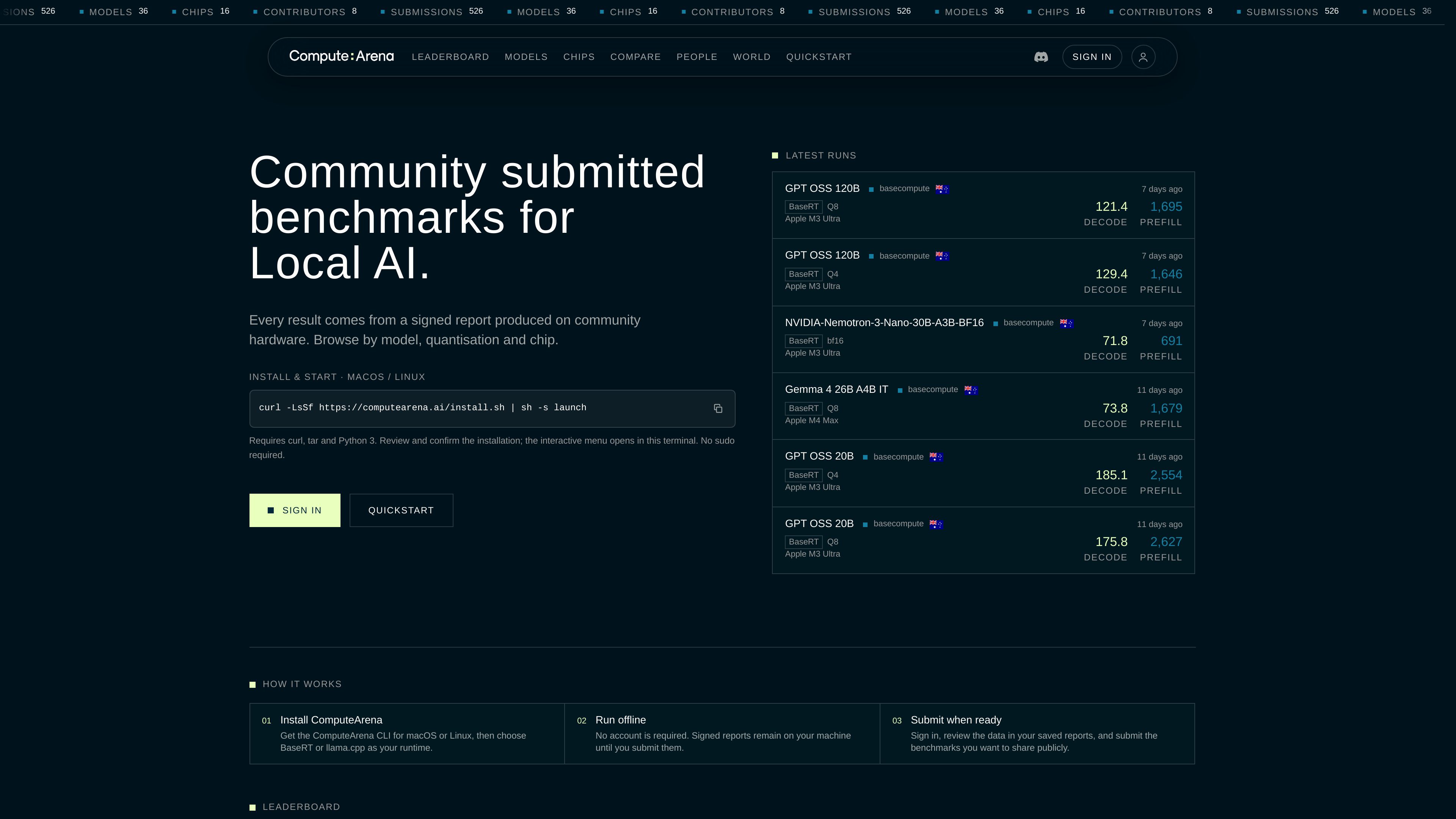
Community benchmark directory
Browse submitted local-AI throughput results across 526 submissions, 36 models, 16 chips, and 8 contributors, according to the site’s displayed totals.

ComputeArena is a community benchmark directory for measuring local AI model throughput across chips, quantisations, and runtimes. It helps developers run offline benchmarks, inspect signed reports, and compare decode and prefill performance on compatible workloads.
ComputeArena is a community benchmark directory for local AI inference. It collects signed benchmark reports produced on community hardware and organizes them by model, quantisation, chip, runtime, and backend.
The service reports decode and prefill throughput in tokens per second. Its leaderboard focuses on compatible PP512 prefill and TG128 decode workloads, with filters for model, runtime, quantisation, chip, prefill size, and ranking metric. Nonstandard and older reports remain available in model, chip, and profile views.
Users can contribute from macOS or Linux through the ComputeArena CLI. The workflow runs benchmarks offline with BaseRT or llama.cpp, keeps reports on the local machine until review, and requires sign-in only when submitting selected results. A comparison view provides side-by-side analysis of chips, runtimes, or runtime versions using matched benchmark pairs where available.
Browse submitted local-AI throughput results across 526 submissions, 36 models, 16 chips, and 8 contributors, according to the site’s displayed totals.
Inspect token-per-second results for both generation decode and prompt prefill, with measured workloads such as TG128 and PP512 shown alongside the values.
Filter and rank compatible configurations by model, runtime, quantisation, chip, prefill size, decode, or prefill performance.
Install the ComputeArena CLI on macOS or Linux, select BaseRT or llama.cpp, run benchmarks offline, and review saved reports before sharing them.
Compare two chips, runtimes, or runtime versions using like-for-like pairs, while the interface calls out differences in benchmark conditions and protocol fields.
Results expose runtime versions, backends such as Metal, CUDA, BLAS, Vulkan, or ROCm where reported, quantisation, cooldown, conditioning, and harness schema.
Use leaderboard filters to examine how a model and quantisation perform on available chips before choosing a local inference setup.
Select two hardware platforms, runtimes, or runtime versions in Compare to review matched runs and see decode and prefill ratios alongside the underlying conditions.
Browse a model across quantisations and chips to distinguish changes in model weights from differences caused by hardware or execution runtime.
Run the CLI benchmark offline on a macOS or Linux machine, inspect the saved report, and submit only the results the contributor wants to publish.
It publishes local AI inference throughput, including decode and prefill token rates. Results are associated with a model, quantisation, chip, runtime, and reported benchmark conditions.
The documented workflow supports BaseRT and llama.cpp. The comparison data includes runtime versions and backend information where those fields are reported.
Yes. The site says benchmarks can run offline and that no account is required for running them. Sign-in is needed when a user wants to submit selected saved reports.
They are the headline workload labels used by the leaderboard: PP512 represents prefill at 512 tokens, and TG128 represents a 128-token decode workload. The measured workload is shown with each result.
No. ComputeArena identifies like-for-like pairs, but comparisons can still differ in models, quantisations, runtime versions, backends, cooldown, conditioning, workload details, or harness schema. The Compare view displays these differences and warns that ratios may reflect protocol rather than chip performance.

opentrain.ai
OpenTrain AI 是一个市场与托管服务平台,可招聘经过预审的 AI 训练师、数据标注员和领域专家,用于 RLHF、评估、红队测试、标注及智能体工作流。

www.lyzr.ai
OpenController is Lyzr’s control plane for discovering, evaluating, governing, and monitoring AI agents, models, tools, data, and workflows across an enterprise AI estate. It is intended for teams managing agents across clouds, frameworks, runtimes, and environments.

context.ai
Context 是企业级 AI 智能体平台,可在客户基础设施上构建、部署和改进智能体,并提供工作区、运行时、上下文、评估工具、连接器及基于 IdP 的访问控制。
www.langchain.com
LangSmith is an observability and evaluation platform for AI agents and LLM applications. It helps development and production teams trace agent behavior, monitor quality and cost, investigate failures, and evaluate changes.

deepeval.com
DeepEval is an open-source LLM evaluation framework for testing and benchmarking AI applications. It helps developers run pytest-native evaluations, score outputs and agent traces, and iterate on systems across text, image, audio, and voice workflows.

www.galileo.ai
Galileo is an AI observability and evaluation platform for testing, debugging, and governing LLM and agent systems across development and production. It helps teams turn evaluation results into production guardrails and monitor AI behavior at scale.