
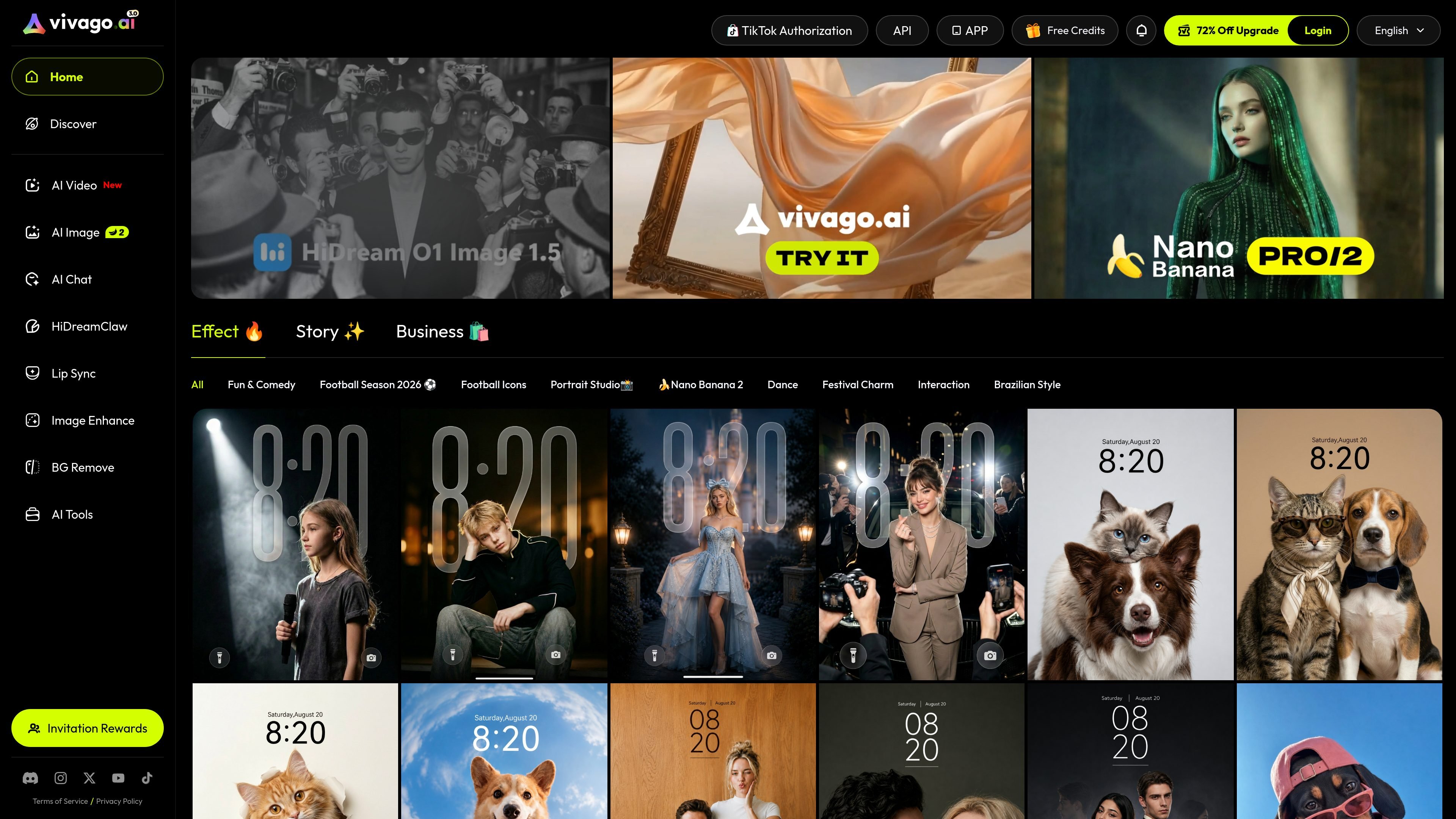
Multiple image creation modes
Generate images from text prompts, with the image-generation page also showing image-to-image, AI try-on, AI portrait, image edit, AI logo, and AI tattoo options.

vivago.ai is a web-based AI platform for creating images and videos, with generation, enhancement, and editing tools. New accounts get 30 free credits, plus text-to-image, image-to-image, image-to-video, and 4K upscaling workflows.
vivago.ai is a web-based AI creation platform focused on image and video generation, plus editing tools such as image enhancement and background removal. The site positions the product as a free AI generation tool and community, with a workflow that starts from prompts, uploads, or selected assets.
Its public pages show text-to-image, image-to-image, text-to-video, image-to-video, lip sync, and AI chat areas in the product navigation. The collected pages also show a 4K-oriented image enhancement flow and a free onboarding offer with 30 credits for new accounts.
Generate images from text prompts, with the image-generation page also showing image-to-image, AI try-on, AI portrait, image edit, AI logo, and AI tattoo options.
Provide a prompt, optional reference image, and aspect ratio, then generate an output from the selected model.
Use the image enhancement tool to turn blurry or low-resolution uploads into sharper 4K results automatically.
Access AI video generation from the site navigation, including text-to-video and image-to-video capabilities listed in the page text.
Choose from several generation models surfaced on the image page, including HiDream, Nano Banana, Seedream, Kling, and Wan variants.
Start with 30 free credits on new accounts, with the home page stating that no payment is required to begin.
Turn short prompts into images when you need quick concept art, social visuals, or a first draft for a creative idea.
Upload a low-resolution or blurry photo and use the enhancement tool to produce a sharper 4K version.
Move from still content to motion by using the site's video generation area for text-to-video or image-to-video workflows.
Prepare visuals for different placements by selecting an aspect ratio before generation.
Use the reference-upload workflow and model selection options when you want closer control over style or structure.
Yes. The site states that new accounts include 30 free credits, and the home page also mentions starting instantly with no payment required.
The site presents AI image generation, image enhancement, AI video generation, image-to-video, text-to-image, text-to-video, lip sync, background removal, and AI chat as available areas in its navigation and feature pages.
The image-generation page supports text prompts, optional reference uploads, aspect-ratio choices, and model selection before generation.
The image-enhancement page describes an upload-and-generate workflow that upgrades low-resolution or blurry images into sharper 4K output.
The site does not provide detailed pricing, plan limits, or integration documentation in the collected content, so those details are not confirmed here.
Traffic data is for reference only.

imageditor.net
ImageEditor is a web-based AI image editor for creating and refining images online, with text-to-image, image editing, background removal, upscaling, and commercial use.

pixlr.com
Pixlr is a browser-based AI photo editor and image generator for editing photos, creating images and videos, and handling everyday cleanup such as background removal, with free and paid plans.

dzine.ai
Dzine is a web-based AI image and design tool for generating, editing, and exporting visuals, with additional AI video workflows. It is aimed at users who want more direct control over composition, styling, and prompt-based edits than text-only generation typically allows.

z-image-ai.run
Z-Image AI is a web-based image generator and editor for creating and restyling images from text prompts or uploaded photos, with multiple models, free credits, and watermark-free commercial use.

fluxai.studio
FLUX AI is a web-based image generation platform for creating and editing visuals with the Flux model family from Black Forest Labs. It offers a free credit tier plus paid plans with private generations and commercial usage rights.

dreamega.ai
Dreamega is an online AI creation platform that brings image, video, and music generation into one interface, with access to more than 50 models. It supports text-to-image, image editing, text-to-video, image-to-video, video-to-video, and text-to-music workflows.