
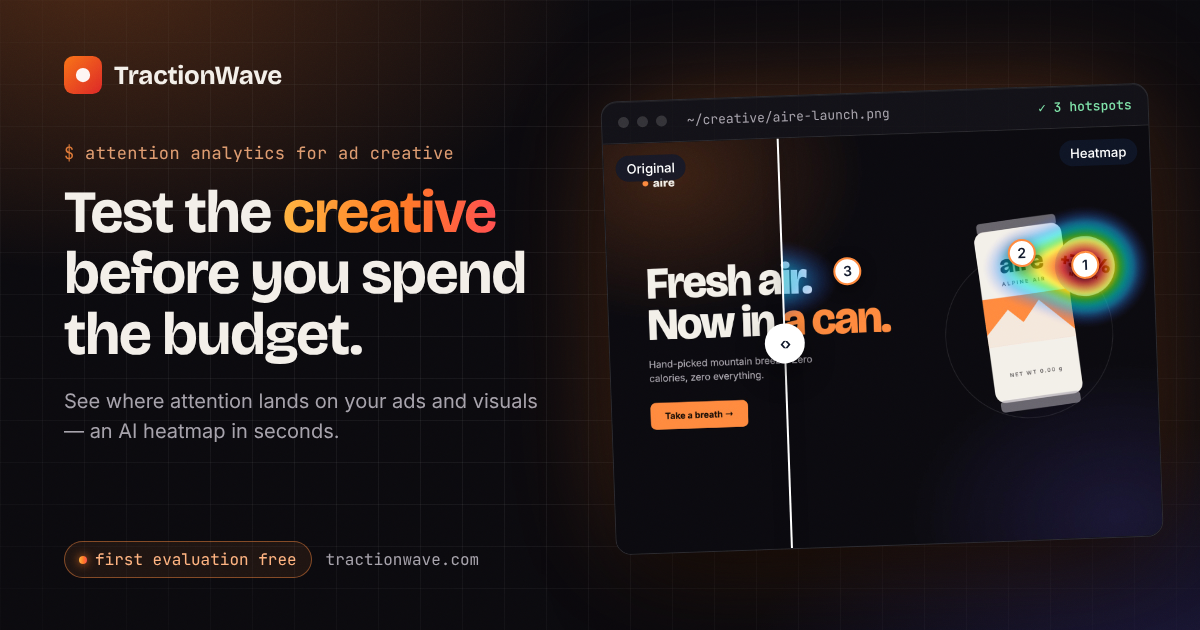
Predicted attention heatmaps
Analyze an image and receive a visual heatmap showing predicted attention across the creative, along with ranked hotspots.


TractionWave evaluates ads, thumbnails, and campaign visuals with predicted attention heatmaps and ranked hotspots, helping creative teams check what gets seen before launch.
TractionWave is an attention analytics tool for ad creative, thumbnails, and campaign visuals. It uses a diffusion model trained on interaction data to predict where attention lands, returning a heatmap and ranked hotspots that indicate whether elements such as a logo, offer, or CTA are likely to be seen.
The product is designed for pre-launch creative review. Users can evaluate an image in the web app or analyze a design directly from Canva or Figma, then use the results to adjust the layout before buying media. TractionWave also provides plain-language insights, downloadable PDF reports, and a heatmap layer that can be shared with collaborators or clients.
Analyze an image and receive a visual heatmap showing predicted attention across the creative, along with ranked hotspots.
Run an evaluation on a Canva page or Figma frame from the editor, without exporting the design or switching tools.
Place the generated attention heatmap directly onto the Canva or Figma canvas to compare versions or discuss the result with a team.
Request an interpretation of a run covering the attention path, what works, what to watch, and ranked recommendations pinned to locations on the design. The report can include the design and attention map.
Connect Claude, Cursor, VS Code, or another MCP client through the TractionWave MCP server so an agent can submit a screenshot or design and receive ranked hotspots and a heatmap.
The planned video workflow samples a video once per second, predicts attention on each frame, and returns a heatmap video with per-second hotspots. Video analysis is currently marked as coming soon.
Check whether an ad's CTA, offer, and logo attract predicted attention before impressions are purchased, then revise the creative based on the result.
Share a heatmap layer in Canva or Figma, or provide a branded PDF report, to explain layout changes to teammates and clients.
Evaluate thumbnails, posts, and other campaign visuals as images to identify attention hotspots before publishing.
Turn an evaluation into a client-ready report with custom name, logo, and color settings, plus recommendations tied to specific design locations.
Use the MCP connection with a supported client so an agent can inspect a screenshot or design for predicted attention before it ships.
It analyzes static visuals such as ads, thumbnails, and campaign designs. The site also describes a video attention workflow, but video analysis is currently marked as coming soon.
An evaluation returns a predicted attention heatmap and ranked hotspots. An optional insight provides a plain-language reading, recommendations, and a downloadable PDF report.
Yes. TractionWave can evaluate Canva pages and Figma frames from their respective workflows, and the heatmap can be added as a canvas layer.
The site says TractionWave uses a diffusion model trained on interaction data to predict where attention lands on creative.
The pricing page states that one credit equals one evaluated visual. The service uses credit packs rather than a subscription, and failed runs are refunded.
Traffic data is for reference only.
| Aug | 0 |
|---|---|
| Sep | 0 |
| Oct | 0 |
Traffic analytics are not available yet.

clawhub.ai
ClawHub is a registry for OpenClaw agent skills and plugins, with catalog browsing, vector search, publishing, and audit pages.

nickmorefun.itch.io
Mochi is a macOS desktop pet that floats around your screen, reacts to your activity, and can organize loose Desktop files into folders. It runs locally without an account or tracking, with optional AI comments using your own Claude, ChatGPT, or Gemini key.

wanzhi01.com
万知 is a generative AI product for Q&A, document summaries, and presentation creation.

chromewebstore.google.com
Accessibility Checker by WebYes is a free Chrome extension that audits webpages for WCAG issues, contrast problems, structural concerns, and selected best-practice issues. It helps developers, designers, QA teams, auditors, website owners, and content editors run quick accessibility checks in the browser.

appzen.com
AppZen provides agentic AI for accounts payable and expense management, automating invoice processing, expense audits, AP inboxes, and card compliance within existing finance systems.

byterover.dev
ByteRover is a context layer for AI agents and teams, storing project knowledge as memory files with control over sharing across sessions, agents, and teammates. Enterprise options support on-premise and private-VPC deployment.
