
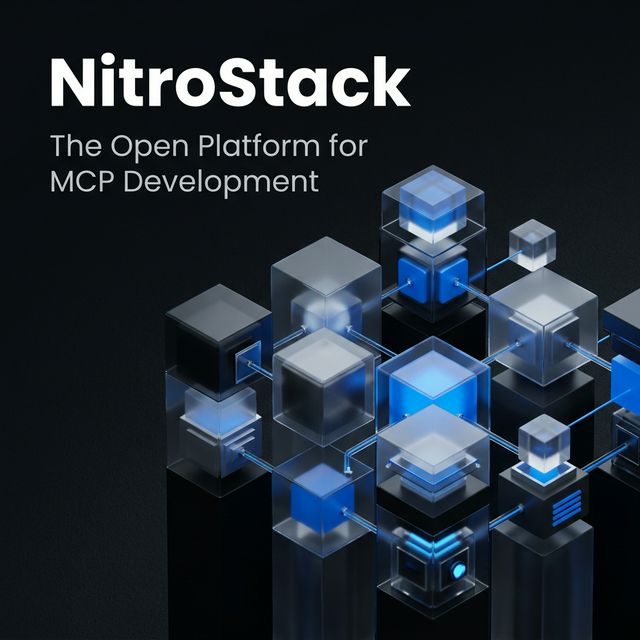
TypeScript MCP SDK
Define server tools with declarative decorators and Zod input schemas. The SDK also describes enterprise authentication modules and a production-oriented development workflow.

NitroStack provides a TypeScript SDK, CLI, desktop tools, and managed hosting for building, testing, and deploying MCP servers and MCP apps.
NitroStack is a development platform for building and operating applications based on the Model Context Protocol (MCP). Its TypeScript SDK and CLI help developers define MCP tools and scaffold projects; NitroStudio provides a desktop environment for inspecting and testing servers, while NitroCloud hosts MCP servers and apps. The platform is aimed at developers and teams creating custom tools and agent-connected applications, rather than only connecting to prebuilt MCP services.
Define server tools with declarative decorators and Zod input schemas. The SDK also describes enterprise authentication modules and a production-oriented development workflow.
In NitroStudio, provide a Swagger or OpenAPI URL or import a Postman Collection to generate a scaffolded MCP project with typed tools and detected schemas.
Browse tools, resources, prompts, and tasks; inspect schemas, execute tools through forms, and preview widgets.
NitroStudio's Ops Canvas displays tool calls and their order, with per-turn token usage and latency information to help developers inspect agent execution.
NitroCloud accepts deployments through GitHub, CLI, or ZIP, handles containerization and rollout, and provides autoscaling, live logs, and resource monitoring.
NitroCloud supports custom domains with automatic SSL, encrypted secrets, JWT rotation, and role-based access control. NitroStudio lists OAuth 2.1 with PKCE and API-key authentication.
Use the TypeScript SDK and CLI to define typed tools and scaffold a server for connecting an organization's own services or workflows to MCP clients.
Import an OpenAPI description or Postman Collection in NitroStudio to generate a project scaffold and tools from existing API endpoints.
Inspect the server's exposed tools and schemas, run tools interactively, review logs, and trace AI tool-call sequences in the desktop studio.
Connect several servers in NitroStudio, retain independent sessions, and use its combined view to examine tools across projects.
Push a project through NitroCloud's GitHub, CLI, or ZIP workflow, then use hosted logs and resource dashboards to observe its operation.
The platform presents an MCP SDK and CLI for development, NitroStudio for desktop inspection and testing, and NitroCloud for managed hosting. NitroChat is also described as a white-label chat client for MCP servers.
The open-source NitroStack SDK supports TypeScript and Python.
NitroCloud describes deployment from GitHub, the CLI, or a ZIP archive. Its Git-based workflow handles containerization and rollout.
Yes. NitroStudio can take a Swagger or OpenAPI URL or a Postman Collection and generate a scaffolded MCP project with typed tools.
Traffic data is for reference only.
modelcontextprotocol.io
The official TypeScript SDK for building Model Context Protocol servers and clients. It provides a repository-organized foundation for MCP development, with separate client, server, core, middleware, documentation, and example areas.

ai-sdk.dev
AI SDK is a TypeScript toolkit for building AI-powered applications and agents across supported model providers and web frameworks. It provides shared APIs for model generation, tool use, streaming, structured output, and AI user interfaces.

www.agentops.ai
AgentOps is a developer platform for building, tracing, debugging, and deploying AI agents and LLM applications. It provides observability for agents built with OpenAI, CrewAI, AutoGen, and more than 400 LLMs and frameworks.

autoloops.ai
Autoloops provides speech infrastructure for voice agents, combining streaming speech-to-text with realtime serving for open-weight language models. It offers serverless APIs and on-demand clusters for teams building or testing realtime voice and agent workloads.

platform.claude.com
Claude Platform gives developers programmatic access to Claude models and managed agent infrastructure for building agents and applications. It includes a REST API, official client SDKs, a web Console, and documentation for direct integrations.

azure.microsoft.com
Microsoft Foundry is an enterprise AI platform for building, grounding, deploying, and governing AI applications and agents. It helps development and data teams connect models, organizational knowledge, business tools, and lifecycle controls in Azure.