
File and URL input
Upload an image file or supply an image URL to start the extension workflow from either local or web-hosted source material.

Web-based AI image extender for expanding photos beyond the original frame with prompts and privacy settings
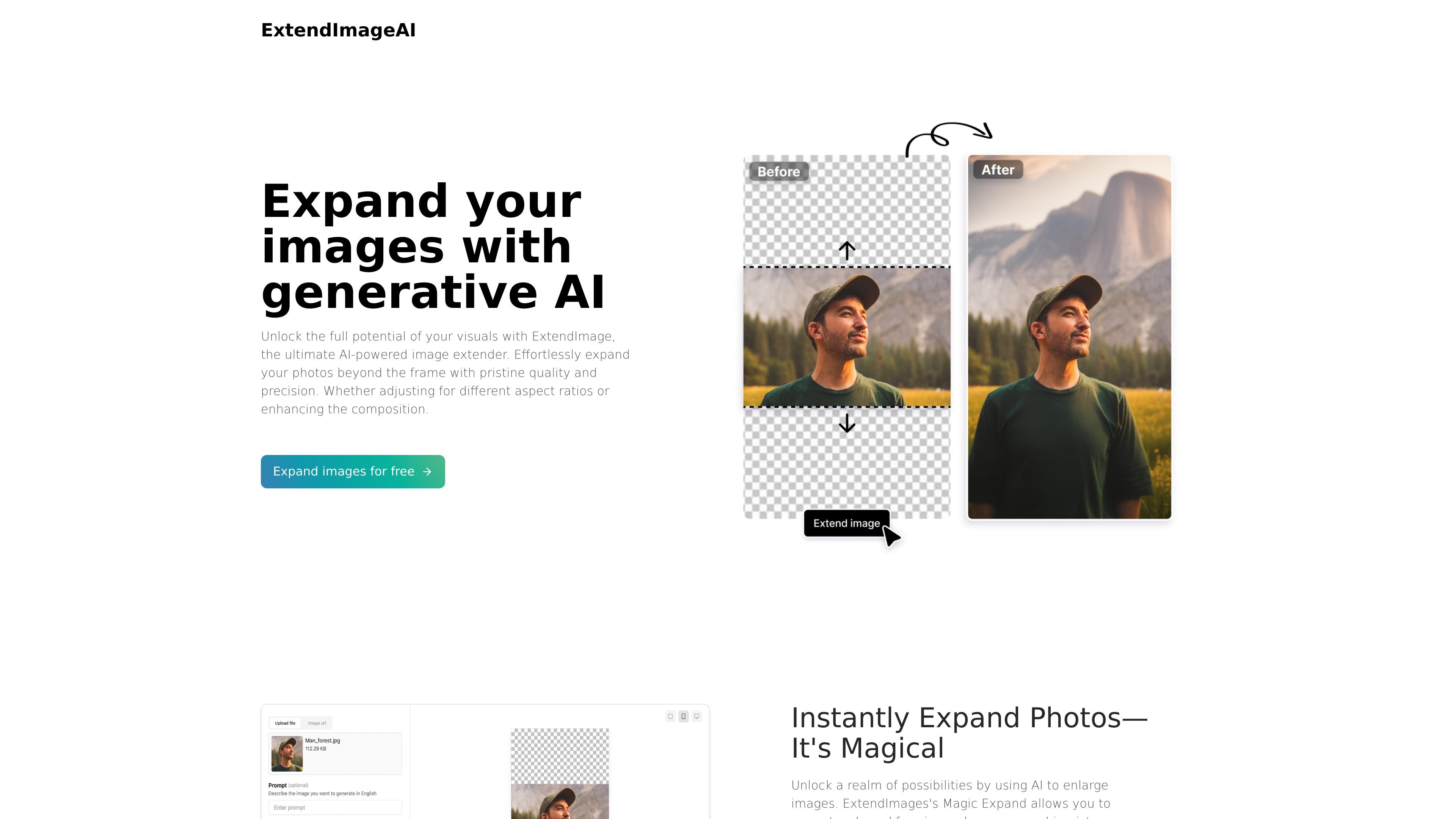
ExtendImageAI is an AI image extender for expanding photos beyond their original frame. The homepage positions it as a tool for correcting awkward framing, salvaging zoomed-in pictures, changing aspect ratios, and filling in missing areas while preserving the original image’s color and style.
The editor page shows a simple workflow: upload an image or enter an image URL, optionally add a prompt in English, choose how many outputs to generate, and set the result to public or private. The product is aimed at people who need expanded visuals for social posts, marketing assets, posters, infographics, and similar design work.
Upload an image file or supply an image URL to start the extension workflow from either local or web-hosted source material.
Choose the output count with a simple amount selector, ranging from one to four generated images.
Add an optional English prompt to describe the image you want generated, which gives more control over the expansion result.
Set the result to public or private before generating, so the output visibility can match your workflow.
The editor supports PNG, JPG, and JPEG uploads and displays a 4MB maximum file size.
A freeform selection is described on the homepage for targeted expansion, alongside size or aspect ratio controls.
Turn a vertical or tightly cropped photo into a wider layout for channels that need landscape framing.
Expand assets for social posts, carousel images, advertisements, or posters where the original image does not fill the required space.
Repair awkward framing or zoomed-in compositions by extending the background and recreating missing image areas.
Generate additional visual space for infographics and presentation graphics without resizing the entire composition.
Use targeted expansion when you want to extend only a specific section of an image rather than the full frame.
It is an AI image extender that expands photos beyond their original frame and fills in missing areas based on the uploaded image and prompt settings.
Yes. The homepage offers an "Expand images for free" call to action, and the editor page includes an upload flow for generating results.
The editor accepts PNG, JPG, and JPEG files, with a stated maximum size of 4MB.
You can upload an image file or provide an image URL, then choose an amount, set privacy to public or private, and optionally add a prompt in English.
The source shows a pricing page URL that returns a 404, so no current plan details can be confirmed from the available pages.
Traffic data is for reference only.

aiimageextender.com
AI Image Extender expands photos beyond their original edges for any layout.

z-image-ai.run
Z-Image AI is a web-based image generator and editor for creating and restyling images from text prompts or uploaded photos, with multiple models, free credits, and watermark-free commercial use.

editaimg.com
Edit photos with prompts, update image text, and use focused tools for enlargement, winter effects, and portrait touch-ups.

pixlr.com
Pixlr is a browser-based AI photo editor and image generator for editing photos, creating images and videos, and handling everyday cleanup such as background removal, with free and paid plans.

starryai.com
AI image generation and editing for people creating artwork from words and photos.

lightxeditor.com
Online AI editor for photos, designs, videos, and image-processing API workflows