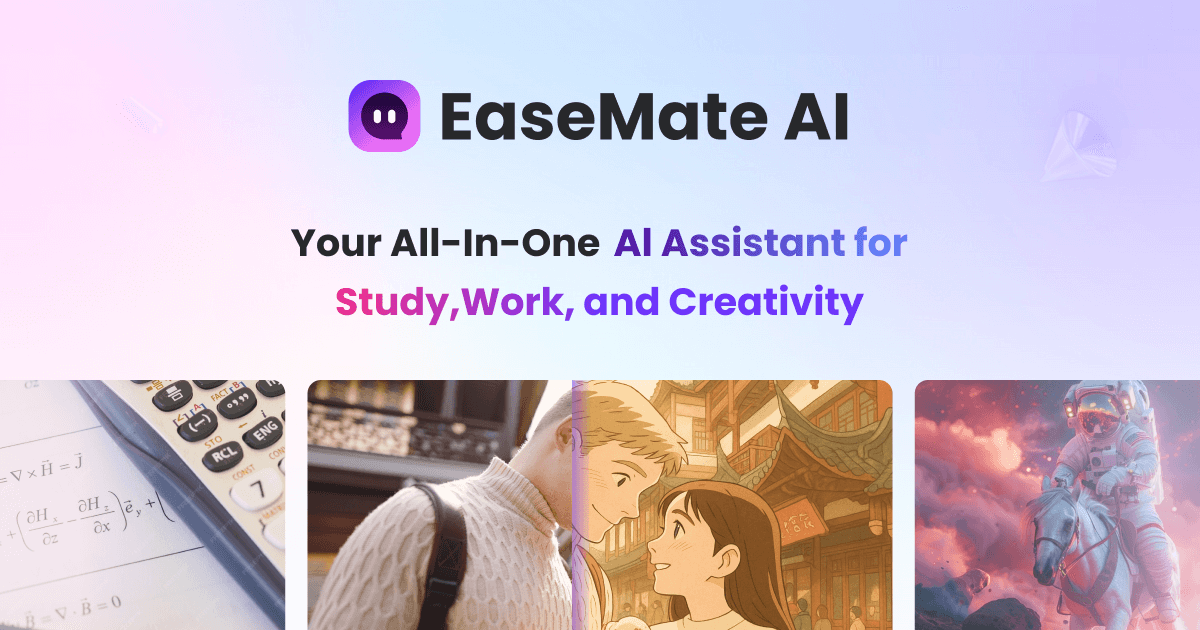
EaseMate AI logo

EaseMate AI

Freemium
Visit

EaseMate AI is an all-in-one AI assistant for chat, study, research, writing, image generation, and video creation, with free and paid plans.

What is EaseMate AI?

EaseMate AI is an all-in-one AI assistant built around chat, study, research, writing, image generation, and video creation. The site presents it as a single platform that combines multiple AI models and task-specific tools so users can work across text, documents, images, and short-form media in one place.

Its pages describe use cases that include answering questions, translating and summarizing content, working with PDFs, solving math and science problems, creating study materials, and generating or editing images and videos. Pricing is tiered, with a free Basic plan and paid Lite and Pro plans, plus one-time credit packs for image, video, and AI chat usage.

What can EaseMate AI do?

Multi-model AI chat

Chat with supported models for general questions, writing help, summarization, translation, and research-style prompts. The site names models such as GPT-5, GPT-5.4, Grok 4, Gemini 3.x, DeepSeek, Qwen3, and Claude 3 Haiku across its pages.

ChatPDF and OCR text extraction

Upload PDFs to ask questions, summarize content, and extract text with OCR from images or screenshots in PDF files. The product also says it can handle multiple PDFs at once.

Study and homework tools

Use built-in study tools for math, physics, chemistry, quiz generation, flashcards, and video summaries. The homepage also highlights AI writing, PPT help, and AI diagrams.

Image generation and editing

Create images from text or photos and apply styles such as Ghibli, Disney, Lego, and cyberpunk. The site also lists background removal, watermark removal, 2D-to-3D, pet-to-human, and other image workflows.

AI video creation

Generate short videos from text, images, or existing footage. The site lists workflows such as text-to-video, image-to-video, video-to-video, talking avatar, face swap video, and video watermark removal.

Web access and extension support

Access the product through the web, and the AI Chat Assistant page says it also supports browser extensions. The site positions the tools as available on computers and smartphones through a browser.

Use Cases

“General AI assistance”

Use the chat assistant to draft messages, brainstorm ideas, translate text, or get quick answers from different supported models. This fits everyday knowledge work where you want one interface for several language tasks.

“Document review and PDF Q&A”

Upload PDFs to ask questions, summarize the content, and extract text from scans or screenshots. The product also says it can handle multiple PDFs, which is useful when comparing papers, reports, or class materials.

“Study support”

Use the study tools to solve math and science problems, generate quizzes and flashcards, and turn lectures or videos into text summaries. This is aimed at students and teachers working through structured learning material.

“Image creation and editing”

Create or edit visuals by generating images from text or photos, removing backgrounds or watermarks, and applying style transformations. The site also highlights niche effects such as pet-to-human and studio-style conversions.

“Short-form video generation”

Turn prompts, images, or existing footage into short videos, or use specialized workflows like talking avatar and face swap video. This is relevant for creators who need quick social or promotional clips without a separate video editor.

Frequently Asked Questions

What is EaseMate AI?

EaseMate AI is an all-in-one AI assistant for chat, writing, search, translation, summarization, study, and media generation. The site also presents it as useful for PDF chat, OCR text extraction, math and science help, and AI image/video tools.

Does EaseMate AI have a free plan or free access?

Yes. The pricing page says EaseMate AI offers a free Basic plan, and the FAQ says users can access free AI chat, free image generation trials, and a free try for video generation after registration. The site also mentions free daily chat tokens and signup credits.

How can I use EaseMate AI?

EaseMate AI is available on the web, and the site says its AI Chat Assistant supports web platforms and browser extensions. The FAQ also says it can be accessed on computers and smartphones through a browser.

Does EaseMate AI add watermarks to generated content?

The site says generated documents, images, and videos are free of watermarks.

Can EaseMate AI work with PDFs and other documents?

The site says PDF Chat can chat with PDFs, answer questions, summarize files, and extract text with OCR. It also says EaseMate AI can summarize long documents and help convert lectures or videos into text.

Quick Facts

Category
AI assistant
Primary platform
Web browser; browser extension for chat assistant
Source domain
easemate.ai
Pricing
Free Basic plan, paid Lite and Pro plans, and one-time credit packs
Main workflows
Chat, search, writing, translation, PDF chat, study tools, image generation, and video generation
Typical users
Students, researchers, and general productivity users

EaseMate AI Traffic Analysis

Traffic data is for reference only.

Domain Rating
52

EaseMate AI Alternatives

Vheer logo

Vheer

vheer.com

Vheer is a browser-based AI image and video generator with free no-signup creation, watermark-free exports, and paid plans for higher usage.

Gab AI logo

Gab AI

gab.ai

Gab AI is a web-based AI workspace for text, image, video, music, code, and file analysis, with free, paid, and Enterprise plans.

Kaze AI logo

Kaze AI

kaze.ai

Kaze AI is a browser-based creative platform for image generation, chat-based photo editing, and video creation in one workflow.

Super Banana Pro logo

Super Banana Pro

superbananapro.com

Super Banana Pro is a free AI image and video generator for text or reference images, model comparison, and card-free starts; paid plans add credits and commercial licensing.

AnyAIHub logo

AnyAIHub

anyaihub.com

AnyAIHub is a browser-based AI image and video generator with multiple models, free entry, and paid credit plans for heavier creative use.

GenImg AI logo

GenImg AI

janusproai.org

GenImg AI is a web-based AI image generator for creating images from text or other images with FLUX.1 models. It offers free credits for registered users, paid credit plans, and model-specific pages for generation and editing workflows.