
On-device message categorization
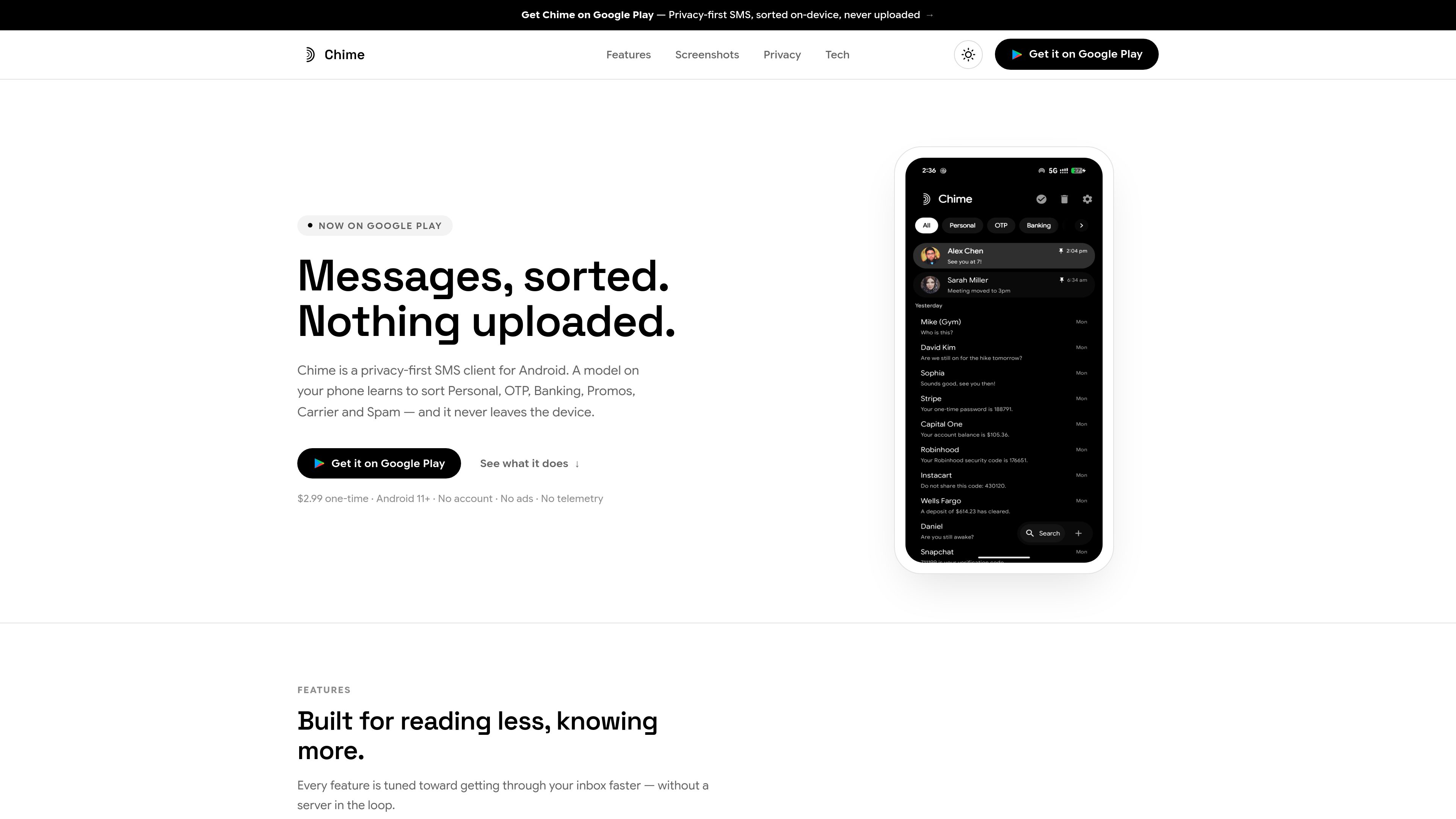
A locally running classifier sorts threads into Personal, OTP, Banking, Promos, Carrier or Spam, and retrains on the device when categories are corrected.


Chime organizes Android SMS on your device into categories such as OTP, Banking, Personal, Promos, Carrier and Spam, with local search, reminders and privacy controls.
Chime is a private SMS organizer for Android that sorts message threads into categories such as Personal, OTP, Banking, Promos, Carrier and Spam. Categorization, search, reminder detection and model retraining run locally on the phone, with no account and no message content uploaded to a server.
The app is designed for faster inbox management. Users can search across threads, act on messages from notifications, schedule messages, customize categories and notifications, and recover deleted conversations from Trash. It also supports MMS galleries, link previews and saved drafts for unfinished conversations.
Chime requires Android 11 or later and asks to become the default SMS app. Phones use a single-pane layout, while tablets and foldables can show the conversation list and selected thread side by side.
A locally running classifier sorts threads into Personal, OTP, Banking, Promos, Carrier or Spam, and retrains on the device when categories are corrected.
Chime detects dates and times in incoming messages and can offer a one-tap reminder. Notifications also support actions such as copying OTP codes, calling numbers, marking messages read, moving threads, archiving and deleting.
An FTS4 index searches every thread, while scheduled messages can be queued for later delivery with a selected SIM on dual-SIM phones. Swipe actions are configurable and include a short undo window.
Users can create categories, adjust their weights, reorder tabs, mute categories, assign category-specific sounds and set a timer for OTP message cleanup.
Threads include MMS photo galleries, link previews and saved drafts. Users can block senders, recover deleted conversations from Trash and protect the app with fingerprint or face authentication.
Chime offers 35 languages, light, dark and true-black AMOLED themes, adjustable text size, corner styles, two launcher icons and a two-pane layout for tablets and foldables.
Use the category tabs to separate personal conversations, one-time codes, banking alerts, promotions, carrier notices and spam without manually sorting every thread.
Copy an OTP directly from a message or notification, and use detected dates and times to create reminders for appointments or other scheduled events.
Queue a message for later delivery and choose which SIM should send it, including when Chime is not open.
Keep categorization, search, reminder detection and retraining on the phone, while using app locking and sender blocking for additional inbox control.
View the thread list and the selected conversation at the same time with Chime's two-pane large-screen layout.
No. The site states that message content is never uploaded, and that categorization, search, reminder detection and training run on the device. No account is required.
Chime requires Android 11 or later and asks to become the device's default SMS app.
Yes. Scheduled messages let you select the SIM to use on dual-SIM phones.
Yes. Tablets and foldables use a two-pane layout with the conversation list beside the open thread; phones use a single-pane layout.
Yes. You can create and reorder categories, adjust category weights, configure swipe actions, mute categories, assign sounds, choose themes and set an OTP cleanup timer.
Traffic data is for reference only.
| Aug | 0 |
|---|---|
| Sep | 0 |
| Oct | 0 |
Traffic analytics are not available yet.

capgen.ai
CapGen turns uploaded images into social media captions with AI.

moescape.ai
AI creative platform for anime fans to create and share images, videos, music, voices, and character chats.

fyndr.in
Club Fyndr is a voice-first AI coworker for managing email, calendars, messages, and routine workflows.

bleepify.me
AI profanity filter for clean video and audio edits

impeccable.style
A design skill for AI coding harnesses, enabling frontend workflows with structured setup, command-based editing, and browser-based live iteration.

notdiamond.ai
Intelligent model routing for coding agents to improve quality and reduce costs