
Short-sample voice cloning
Generate a voice clone from as little as 3 seconds of audio, which reduces the amount of source material needed to begin a project.

AI Voice Cloning is a web app that clones voices from short audio samples and generates synthetic speech. Supports English, Mandarin Chinese, Japanese, Korean, and MP3 or WAV downloads, with free and paid Pro plans.
AI Voice Cloning is a web-based voice generation product focused on cloning a voice from a short audio sample and turning it into synthetic speech. The site positions it as a fast way to create realistic voice output from just 3 seconds of source audio.
It is aimed at creators and other users who need quick voice generation for content workflows, with support for English, Chinese (Mandarin), Japanese, and Korean. The product also includes text-to-speech and voice design modes, plus paid and free usage tiers.
The pricing page shows a free plan and a Pro plan, and the FAQ notes that commercial use is reserved for paid users. The site also states that generated audio can be downloaded in MP3 or WAV format, and that an API is not yet available.
Generate a voice clone from as little as 3 seconds of audio, which reduces the amount of source material needed to begin a project.
Supports voice cloning for English, Chinese (Mandarin), Japanese, and Korean, with natural pronunciation and intonation called out on the site.
Creates audio output instantly and is positioned for rapid prototyping, dynamic content creation, and real-time use cases.
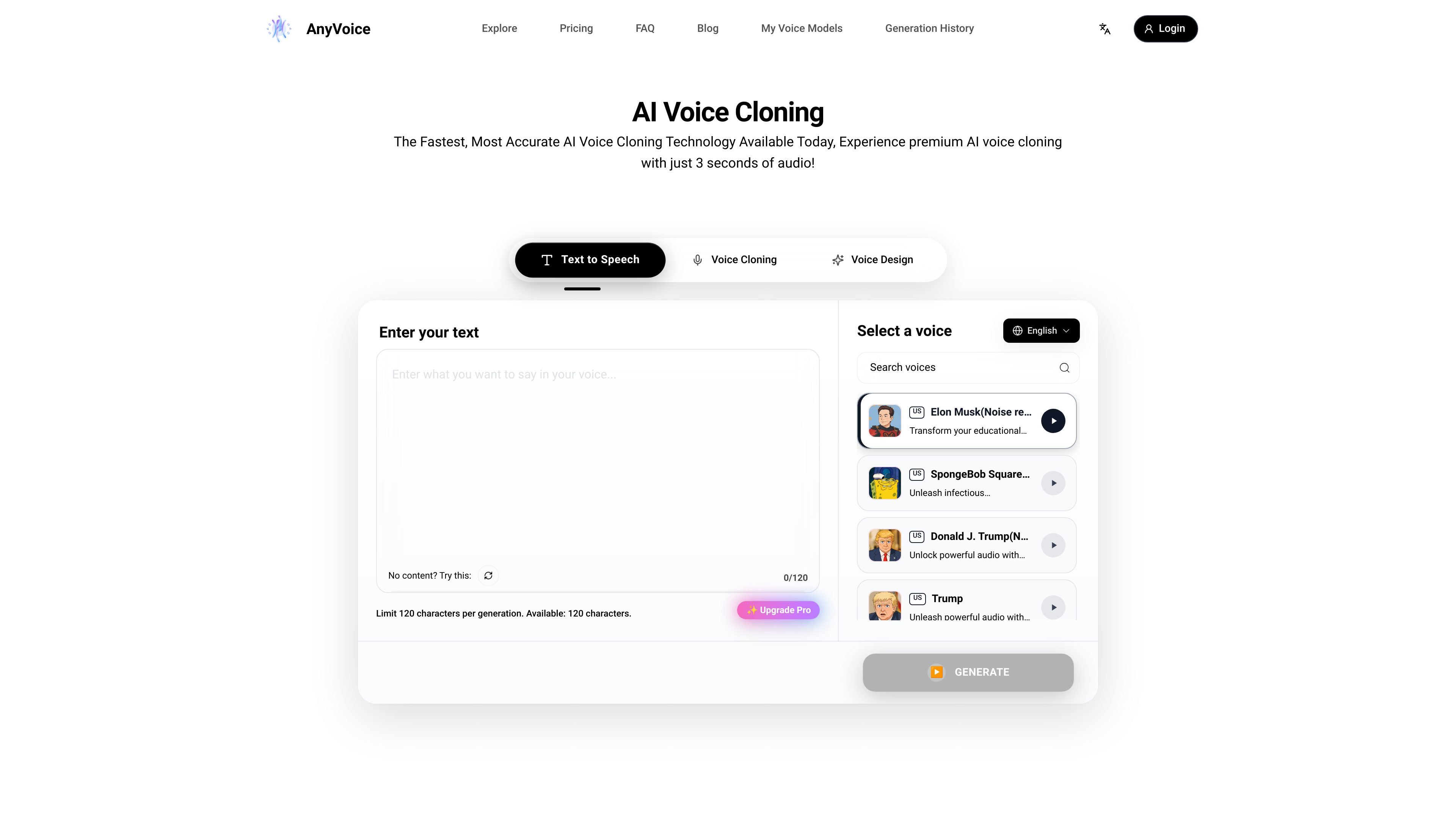
Lets users choose between text-to-speech, voice cloning, and voice design modes on the main interface.
Offers a simple browser-based interface that does not require technical expertise to use.
Allows generated audio to be downloaded in MP3 or WAV format for reuse outside the app.
Record a short sample, generate a clone, and use the result to produce narration or spoken lines without re-recording the original voice each time.
Create audio quickly from a short sample for demos, internal reviews, or other situations where the goal is to test the voice output rather than polish every detail.
Use the text-to-speech workflow to turn written scripts into spoken audio when a cloned voice is not required.
Generate downloadable MP3 or WAV files for reuse in projects that need portable audio assets outside the browser app.
Users can get started by uploading an audio file or recording a short sample in the browser. The page says the system can generate a custom voice clone from a 3-second sample, and the FAQ recommends a clearer 3-10 second recording for better results.
Yes, but only for paid users. The FAQ states that free users are limited to personal, non-commercial use, while paid users can use generated voices commercially.
The site says the platform currently supports English, Chinese (Mandarin), Japanese, and Korean.
Generated audio can be downloaded in MP3 or WAV format once it is created.
The FAQ says an API is not currently available, and that programmatic access is planned for a future release.
Traffic data is for reference only.

luvvoice.com
Luvvoice turns typed text and uploaded documents into spoken audio with 70+ languages, multiple voices, MP3 downloads, browser playback, API access, and voice cloning.

voicegenerator.io
Voice Generator is a free browser-based text-to-speech app that turns typed text into spoken audio, with playback, downloads, pitch, speed, and offline use.

text-to-speech.online
Free Text to Speech Online is a web-based AI voice generator that converts text into speech, supports many languages, and lets users preview and download audio.

fakeyou.com
FakeYou is an AI voice and video generator that turns text into speech, transforms voices, and supports custom voice models and community contributions.

www.toughtongueai.com
Tough Tongue AI is a voice AI platform for practicing, deploying, and embedding conversation agents across sales, interviews, training, and related workflows, with free and paid plans.

tiktokvoice.net
Free web-based text-to-speech for TikTok-style voice audio in 20+ languages and accents.