
Voice cloning
Create a voice clone from a sample and use it for synthesized speech. The site describes the result as a realistic digital replica that can be used in any language or context.

MixVoice is an AI voice cloning and text-to-speech service with no sign-up on the homepage and paid plans for higher-volume commercial use.
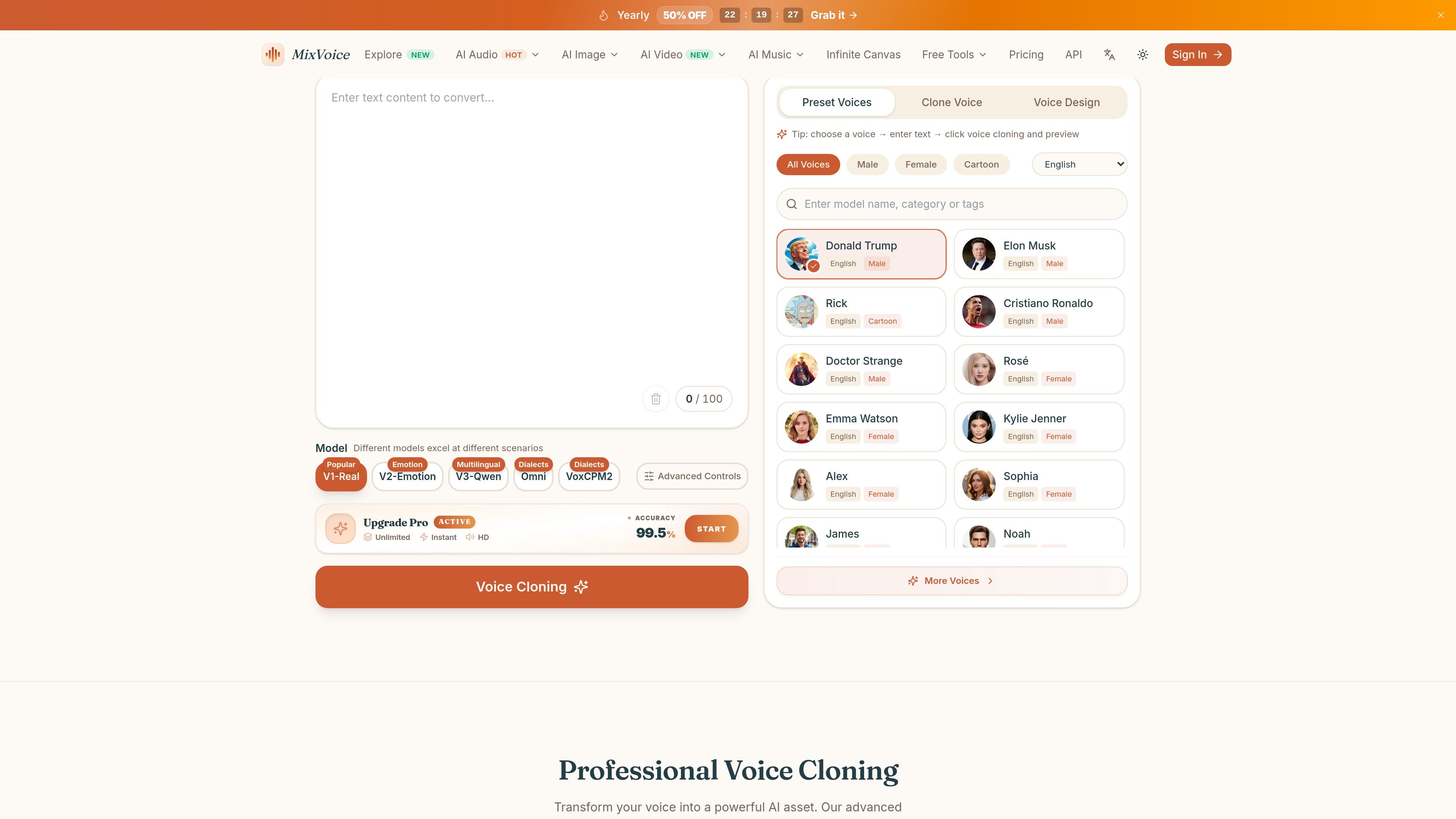
MixVoice is an AI voice cloning and text-to-speech product from aiclonevoicefree.com that lets users generate synthetic speech from text or from a voice sample. The homepage positions it as free voice cloning with no sign-up required, while the pricing page shows both a free option and paid plans for higher-volume use.
The product is built for people who need reusable voice content rather than one-off recordings. Its workflow covers sample input or text entry, voice selection, style or parameter adjustments, AI processing, and download of the finished audio. The site also emphasizes multilingual output, with support for a large number of languages and dialects, plus cloned voices that can be used across languages.
The pricing page adds context for heavier workflows: the paid plans increase character limits, raise similarity targets, add priority processing, and include dedicated support and commercial usage rights. Taken together, the site presents MixVoice as a combined voice cloning and AI audio generation tool rather than a single-purpose text reader.
Create a voice clone from a sample and use it for synthesized speech. The site describes the result as a realistic digital replica that can be used in any language or context.
Generate spoken audio from text with multiple voice options. The text-to-speech page says users can choose from hundreds of preset voices or use a cloned voice.
Tune the output with controls for speed, tone, volume, and, on the V2 model, emotion settings. This supports more precise voiceover editing.
Work across languages and dialects, including Cantonese, English, Japanese, Korean, and others. The homepage says the service supports 646+ languages and 20+ dialects.
Download HD audio after generation. The site also says the output is compatible with editing software and, on the homepage, mentions 44.1kHz audio.
Use the broader AI audio stack shown on the pricing page, which includes batch TTS, AI dubbing, speech-to-text, vocal extraction, speaker separation, voice replacement, AI denoising, AI accompaniment, AI cover, and AI music basics.
Turn a recorded voice sample into a reusable synthetic voice for future narration, announcements, or edits.
Paste in a script and generate spoken audio for videos, lessons, podcasts, or other voiceover needs.
Adapt voice content for audiences in different languages or dialects, including use cases that mention Cantonese and other multilingual output.
Use the paid plans when a project needs longer scripts, faster processing, or commercial usage rights for generated audio.
Combine the voice tools with the broader audio features shown on the pricing page, such as dubbing, speech-to-text, or denoising, when the project needs more than basic narration.
The site presents the product as a free voice cloning and text-to-speech service with no sign-up required. The pricing page also shows paid plans for heavier usage and business features, so availability depends on the plan you choose.
The homepage says free voice cloning can generate a realistic clone in about 5 seconds. The text-to-speech page says users enter text, choose a voice or upload a voice sample, adjust settings, and then generate and download audio.
The text-to-speech page says output can be downloaded as HD audio files and the homepage says generated audio is suitable for projects and applications. It also mentions studio-quality audio and 44.1kHz export.
The homepage says the service supports 646+ languages and 20+ dialects, while the text-to-speech page highlights multilingual support, Cantonese, and other major languages.
The pricing page lists commercial usage rights on the paid Unlimited and Pro plans. The free tier page text does not clearly state commercial rights, so that would need to be confirmed on the plan you use.
Данные о трафике приведены только для справки.
| март | 75743 |
|---|---|
| апр. | 43971 |
| май | 94102 |