
AI text humanization
Rewrites AI-assisted drafts or user-written text to sound more natural and human-like, with the stated goal of improving clarity and flow while preserving meaning.

Humanizer.org rewrites AI text to sound more natural and human-like, with AI detection and originality analysis, free credits, and paid plans.
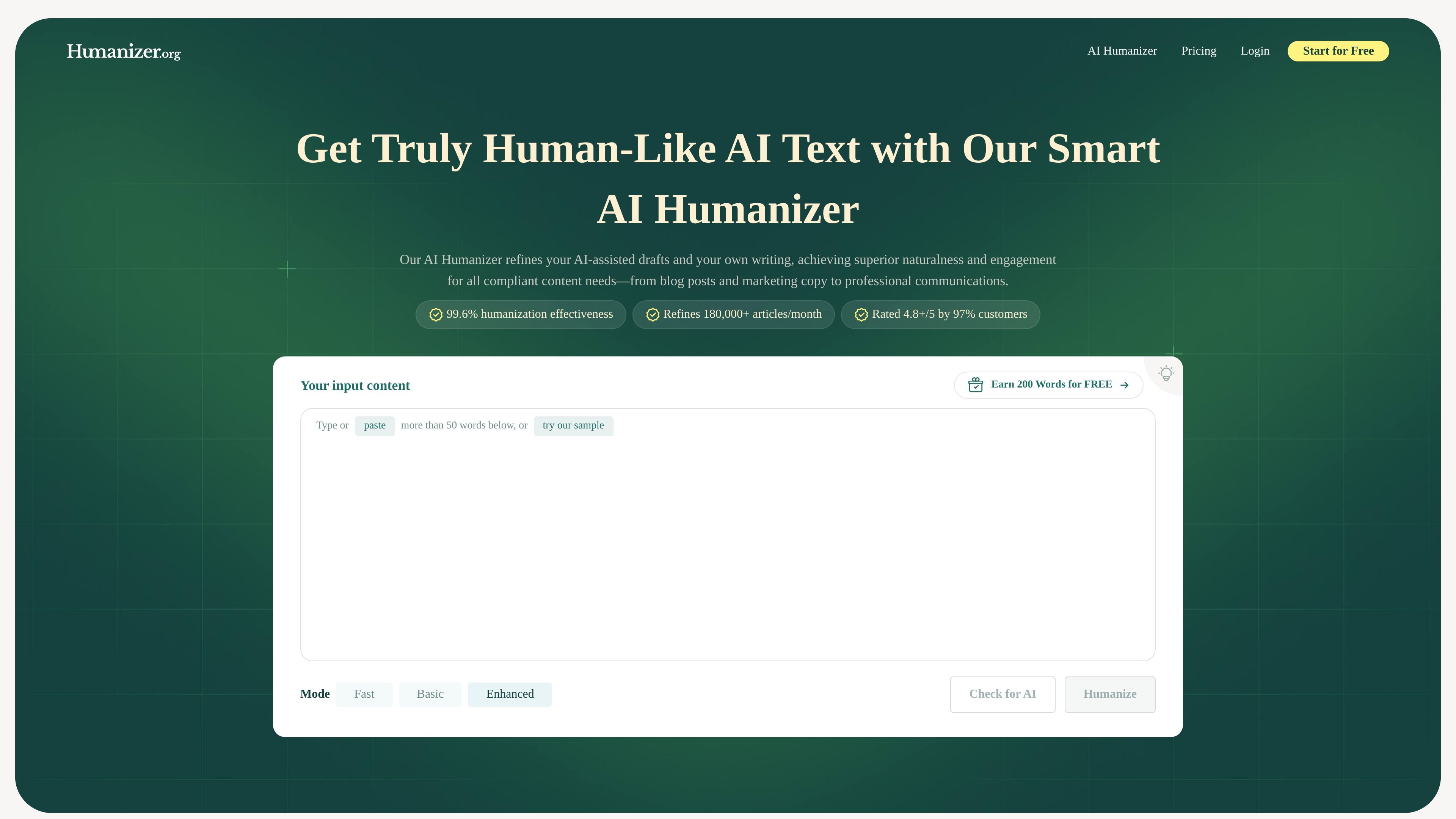
Humanizer.org is an AI text humanizer that rewrites AI-assisted drafts and other text so they read more naturally. The site positions it for people who want cleaner flow, clearer style, and output that sounds more human while keeping the original meaning intact.
The product is presented as useful for a range of writing tasks, including blog posts, marketing copy, emails, business reports, and assignments. It also shows a workflow that includes humanizing text and checking it for AI, with free access to start and paid plans for heavier use.
Rewrites AI-assisted drafts or user-written text to sound more natural and human-like, with the stated goal of improving clarity and flow while preserving meaning.
The homepage shows mode options such as Fast, Basic, and Enhanced, plus a Check for AI option, indicating both rewriting and review workflows are available.
The site says it supports 50+ languages and lists examples including English, French, Italian, Japanese, and Spanish.
The pricing page includes an AI detector or originality and style analyzer, along with built-in originality insights, suggesting the product is not limited to rewriting alone.
Pricing plans state that the service retains original meaning and offers undetectable or plagiarism-free outputs depending on plan wording on the page.
The homepage says users can start with free credits and that sign-up is optional, while paid plans increase available word limits.
Use the tool to rewrite AI-assisted drafts for articles, pages, or posts that need a more natural tone and smoother sentence flow.
Use the humanizer for student writing or other documents where the site says the output should feel more human-like while preserving meaning.
Use the product for emails, reports, and internal communications when you want AI-assisted text to read less mechanical.
Use the detector or originality features to review output before publishing or submitting it, especially when you want an extra check alongside rewriting.
Use the multilingual support to adapt text in languages such as English, Spanish, French, German, Japanese, Italian, Portuguese, or Russian.
Humanizer.org rewrites AI-generated text into more natural-sounding language. The FAQ describes it as a humanizer that aims to preserve the original meaning while making the output feel less robotic.
The site says you can use it when AI-generated text needs to sound more human, including student writing, content creation, and business communication. The homepage also says the tool can be tried for free and that sign-up is optional.
The pricing page shows plans that include an AI humanizer and an AI detector, and the homepage describes a workflow with a mode selector and a check for AI option. The product appears to support both rewriting and analysis within the same service.
Yes. The FAQ states that Humanizer.org supports major languages and lists examples such as English, Spanish, French, German, Mandarin, Japanese, Italian, Portuguese, and Russian.
The site says Humanizer.org is free to try, and it also offers paid plans with monthly word limits and higher-capacity options. The pricing page shows Standard, Premium, and Unlimited plans.