
Multi-part avatar customization
Lets users build an avatar by choosing from many visible style categories, including hair, accessories, facial hair, clothes, eyes, eyebrows, mouth, and skin tone.

Avataaars Generator is a free web tool for creating customizable illustrated avatars. It supports browser-based editing and output options including PNG, SVG, and React/image display.
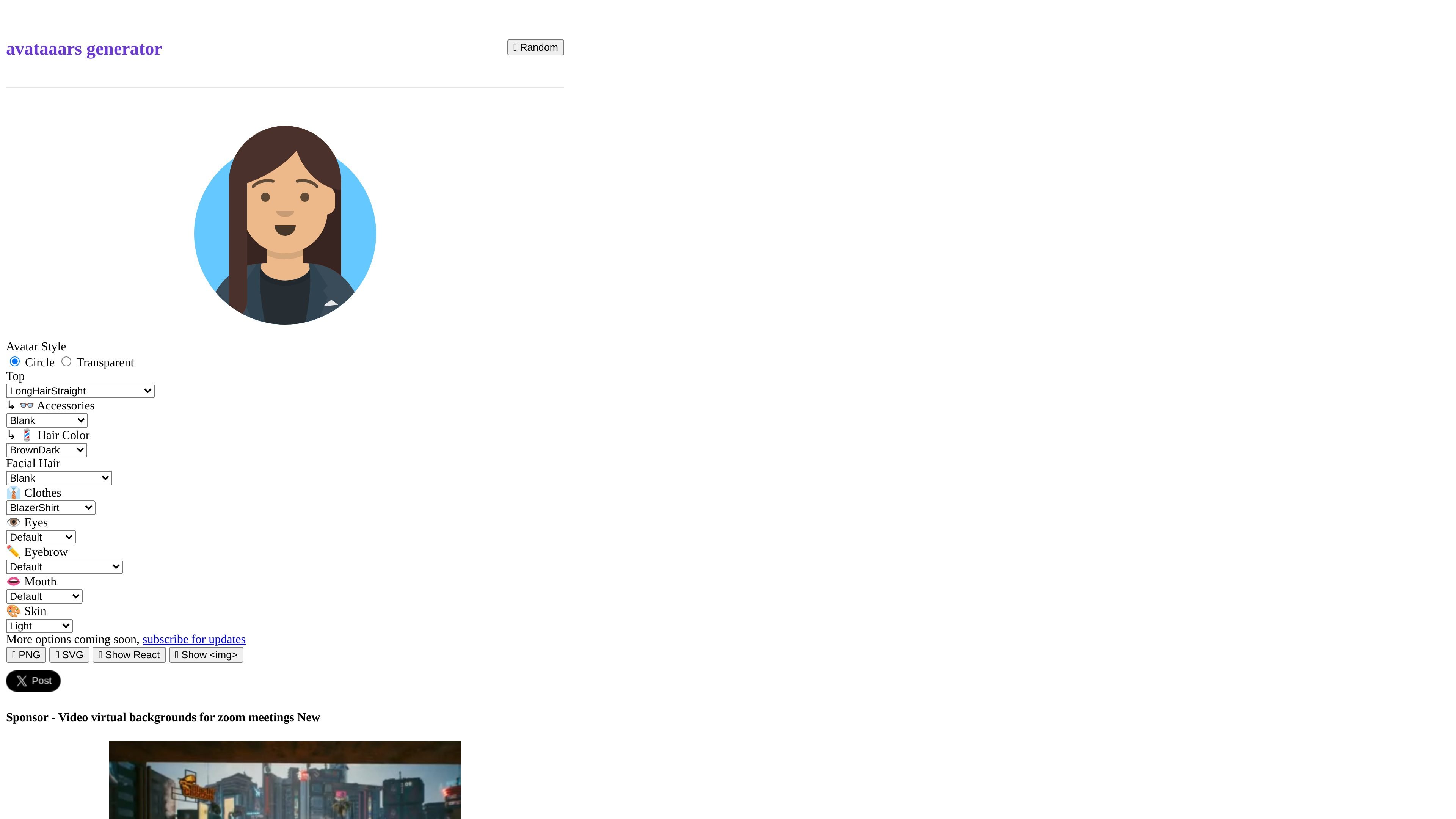
Avataaars Generator is a free online avatar generator that lets users create customizable illustrated avatars in the browser. The homepage presents it as a tool for generating your own avataaars, with controls for appearance details such as hair, facial hair, clothes, eyes, eyebrows, mouth, accessories, and skin tone.
The collected page text also shows export and usage options including PNG, SVG, Show React, and Show <img>, which suggests the generated avatar can be used both as an image asset and in code-oriented workflows. The available source does not document account setup, pricing tiers, or integrations, so those areas remain unverified.
Lets users build an avatar by choosing from many visible style categories, including hair, accessories, facial hair, clothes, eyes, eyebrows, mouth, and skin tone.
Includes a Circle and Transparent style option on the homepage, which suggests different presentation formats for the generated avatar.
Shows output choices for PNG and SVG, giving users different export formats for downstream use.
Exposes React and image display options on the page, which indicates the avatar can be used in code-based workflows or embedded as an image.
Presents the tool as an online generator, so users can create avatars directly in the browser without documented installation steps.
Create a profile image or placeholder avatar by adjusting facial features, clothing, and skin tone directly in the browser.
Generate a consistent illustrated avatar for a website or app interface where an image asset is needed in PNG or SVG form.
Use the React and image display options to incorporate the generated avatar into a code-based project or component workflow.
Experiment with different combinations of appearance settings to find a preferred avatar style before exporting it.
The site presents Avataaars Generator as a free online tool for generating your own avatar. The rendered page text does not document an account requirement or setup flow.
The homepage shows a configurable avatar builder with options for hair, accessories, clothing, eyes, eyebrows, mouth, and skin. It also shows output formats and code-oriented sharing options such as PNG, SVG, Show React, and Show <img>.
The rendered source does not provide documented integration, API, or embed details beyond the visible PNG, SVG, Show React, and Show <img> options on the homepage.
No pricing details are shown in the collected sources. The /pricing URL returns a page-not-found response, so paid plans or limits are not verified from the available evidence.